


Meeting strangers online is easy. Finding a video chat platform that feels smooth, safe, and worth your time is harder. That is where this Thundr review matters.
If you use random video chat to meet people across countries, practice a language, or pass time with real conversations, you need more than a flashy homepage. You need stable calls, fast matching, useful filters, and privacy controls that do their job. A slow connection or weak moderation ruins the experience fast.
This Thundr review looks at how the platform works, what features stand out, where it falls short, and who gets the most value from it. The goal is simple. Help you decide quickly if Thundr fits how you chat online.
At a Glance
Thundr is a browser based video chat platform built around fast one on one conversations with strangers. The setup is familiar if you have used random chat sites before, but the appeal comes down to execution. Speed matters. Match quality matters. Safety matters.
Here is the short version of this Thundr review.
| Category | Verdict |
|---|---|
| Ease of use | Strong. You can start quickly without a long setup process. |
| Video chat speed | Good. Matching is fast in most sessions. |
| Interface | Clean and easy to understand. |
| Mobile access | Decent through browser, though not always as smooth as desktop. |
| Safety tools | Present, but still dependent on active moderation and user reporting. |
| Pricing | Accessible entry point, but value depends on how often you use premium options. |
| Best for | Global users who want quick random video conversations with low friction. |
If your priority is simple access and fast conversations, Thundr looks appealing. If your priority is strict moderation, identity verification, or deep social features, you may want to compare it with other platforms before committing.
What Thundr Is and How It Works
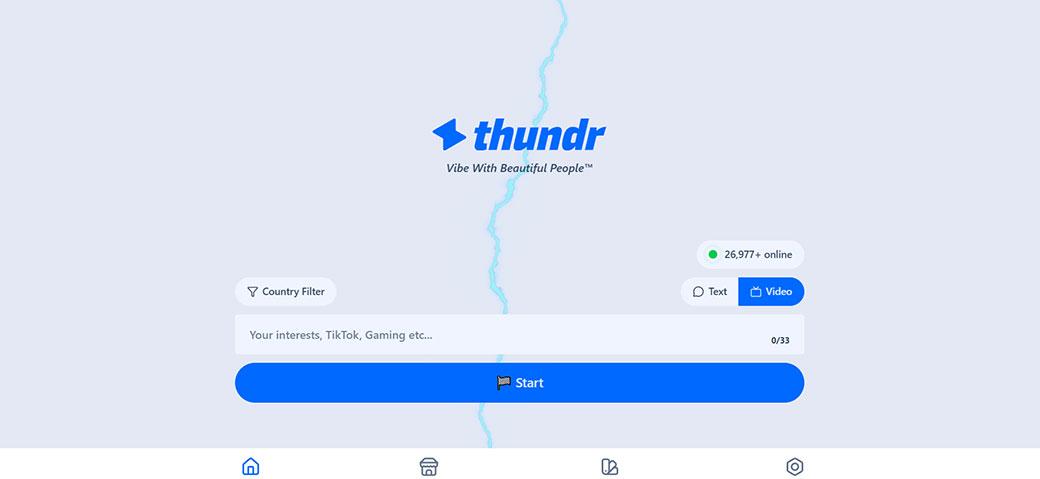
Thundr is a random video chat platform that connects you with other users for live one on one conversations. The core product is straightforward. You open the site, allow camera and microphone access, and start matching.
That simplicity is part of the appeal. You do not need to learn a complex system or build a detailed profile first. You enter, connect, and decide within seconds whether to stay in the conversation or move on.
How the basic flow works
- You visit Thundr in your browser.
- You grant permission for video and audio.
- You choose any available settings or preferences.
- The platform matches you with another user.
- You continue the chat or skip to the next person.
For global users, this model works well because it removes friction. You are not waiting for friend requests or building a following. You are meeting people in real time.
What Thundr is trying to offer
Thundr appears aimed at users who want:
- Fast random video conversations
- International connections
- Low signup friction
- A modern interface compared with older chat roulette style sites
- Optional upgrades for more control or convenience
This Thundr review would be incomplete without stating a limit of the format itself. Random video chat always carries unpredictability. That includes conversation quality, user behavior, and consistency across sessions. So the question is not whether Thundr removes every downside. The question is whether it handles the format better than its competitors.
Key Features and User Experience
The best thing about Thundr is ease of entry. The platform does not bury you under menus or clutter. You land on the main experience quickly, which is what most users want.
Interface and navigation
The layout is simple. Core actions are easy to spot. Start, skip, report, and basic controls sit where you expect them. That matters more than many platforms admit. On random video chat sites, every extra click slows the experience.
You are unlikely to feel lost on Thundr. Even first time users should understand the basic flow within a minute.
Matching experience
Fast matching is one of the platform’s stronger points. In a good session, you move between chats with little delay. That creates momentum. If a conversation is awkward or low quality, you are not stuck waiting.
Still, fast matching alone does not guarantee good conversations. User mix matters. Time zone matters. Region matters. As with any global video chat platform, your session quality will change depending on when you log in.
Filters and control
Many users care about filters because random does not always mean useful. Depending on what Thundr offers in your region or access level, these controls may include gender or location based preferences. If available, they improve efficiency. You spend less time skipping and more time talking to people you want to meet.
This is also where paid access often becomes part of the platform’s business model. Useful filters tend to sit behind premium options on services like this.
Mobile experience
Thundr works in the browser, which helps users who do not want another app on their phone. For quick access, that is a plus. You open the site and start.
Desktop still tends to offer the better overall experience. You usually get:
- More stable camera framing
- Easier control access
- Better multitasking
- Fewer mobile browser interruptions
If you plan to use Thundr often, desktop is the safer choice.
Overall user experience
From a usability standpoint, Thundr does the basics well. The platform feels built for speed, not complexity. That is the right call for this category.
Where the experience rises or falls is in consistency. One session may feel smooth and social. Another may feel repetitive. That is normal for random chat platforms, and Thundr is no exception.
Video Quality, Stability, and Performance
A video chat platform lives or dies on performance. Fancy branding means nothing if calls freeze, audio drops, or matches fail to load.
In this part of the Thundr review, performance is one of the most important criteria because global users often deal with different network conditions, device types, and regional routing issues.
Video and audio quality
When both users have solid connections, Thundr delivers acceptable to good video quality. Faces are clear enough for natural conversation. Audio tends to matter even more than video in practice, and a usable call needs clean voice transmission first.
The platform performs best when:
- Your internet connection is stable
- Your device camera is modern enough
- Browser permissions are set correctly
- Background apps are not consuming bandwidth
If any of those factors fail, call quality drops quickly.
Stability during sessions
Short session platforms often hide technical issues because users skip so often. That can make a service feel smoother than it is. Even so, the key test is whether Thundr maintains a connection long enough for a real conversation.
Performance seems strongest in shorter interactions. Longer chats place more pressure on stability, especially across borders. Most users will find the platform usable, but not flawless.
Performance by device
| Device type | Performance outlook |
|---|---|
| Desktop or laptop | Best option for stable video chat and easier controls |
| Newer smartphone | Good for casual use, with some browser related limits |
| Older phone or tablet | More likely to show lag, camera issues, or interface friction |
Common issues you may notice
- Occasional delays when loading the next match
- Uneven video sharpness between users
- Audio sync issues on weaker connections
- Browser based glitches after long use
None of these issues are unique to Thundr. They are common across browser first video chat services. Still, they affect whether the platform feels premium or disposable.
The practical takeaway is simple. Thundr performs well enough for casual random video chat, especially on desktop and strong internet. If you need near perfect reliability for long conversations every time, your expectations should stay realistic.
Safety, Privacy, and Moderation
Safety is one of the biggest decision points in any Thundr review. Users do not only ask whether a site works. They ask whether they feel comfortable using it.
Random video chat platforms face the same core risks:
- Inappropriate behavior
- Harassment
- Spam or scam attempts
- Impersonation
- Weak enforcement of platform rules
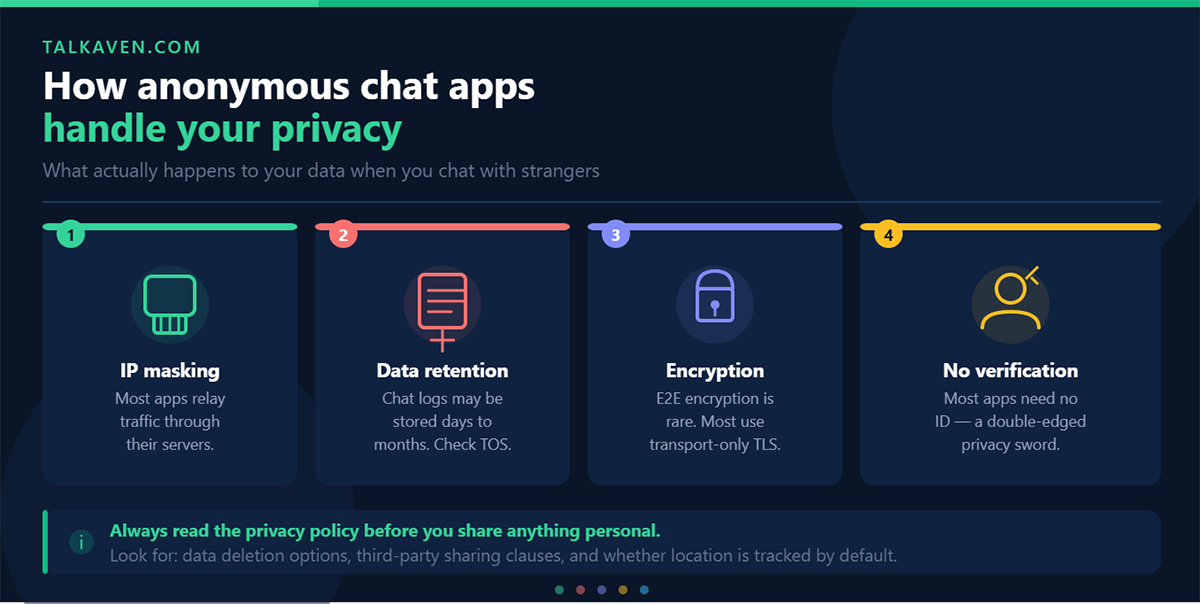
Privacy basics
Thundr keeps entry friction low, which is convenient. But low friction often means lighter identity checks. That tradeoff matters. The easier a platform is to join, the easier it is for bad actors to reappear after being removed.
Before using Thundr, you should check:
- Whether signup is required
- What data the platform collects
- How camera and microphone permissions are handled
- Whether chats are recorded, monitored, or stored
- How reporting systems work
A clear privacy policy is a minimum requirement. If those details are vague, treat the platform cautiously.
Moderation tools
Most users judge moderation by one simple question. When something goes wrong, does the platform respond fast enough to matter?
Useful moderation systems usually include:
- In chat reporting
- Blocking tools
- Automated detection for abusive behavior
- Human review for flagged sessions
- Clear enforcement standards
If Thundr offers these layers and applies them consistently, the platform becomes easier to trust. If enforcement is slow or inconsistent, user confidence drops fast.
Practical safety steps for you
Even if a platform has good moderation, your own habits still matter.
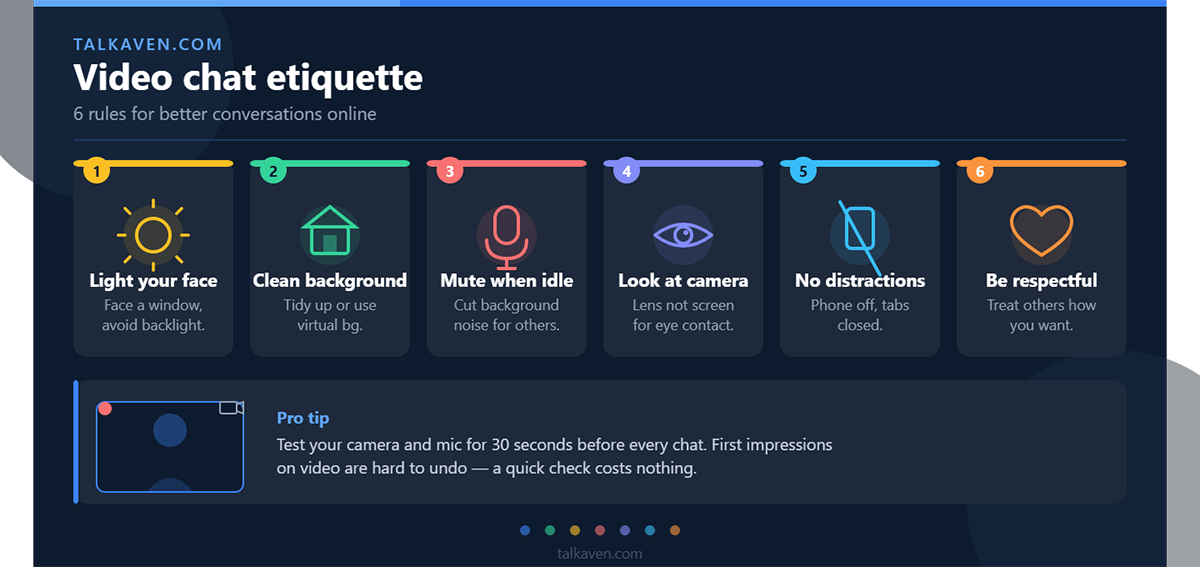
- Do not share your full name, address, school, or workplace
- Use a neutral background in your camera frame
- End chats quickly if behavior feels off
- Report bad actors instead of captivating
- Avoid clicking external links shared by strangers
Safety verdict
Thundr appears to offer the standard protections expected in this category, but the category itself carries risk. That means your experience will depend on both platform enforcement and your own caution. If safety is your top priority, look closely at moderation quality before paying for any premium tier.
Pricing, Access, and Value for Money
One reason people try platforms like Thundr is low entry cost. Browser based access removes friction. You do not need a long onboarding process, and there is often a free way to test the experience.
Free access
For many users, the free version is enough to understand what Thundr offers. You get the basic matching flow, a sense of the user base, and a feel for overall speed.
Free access is useful for answering three questions quickly:
- Are enough users online when you log in?
- Does performance feel smooth on your device?
- Do conversations match what you want from the platform?
If the answer is no to any of these, there is little reason to upgrade.
What premium access usually adds
On platforms like Thundr, premium tiers often focus on convenience and filtering. Depending on the current offer, paid access may include:
- More refined matching filters
- Priority access or faster matching
- Fewer usage limits
- A cleaner experience with fewer interruptions
Those benefits matter most for frequent users. If you use random video chat once in a while, premium access may feel unnecessary.
Value for money
Value depends less on sticker price and more on repeat use. A low monthly fee still feels wasteful if:
- The user pool is too small in your time zone
- Match quality is inconsistent
- Moderation feels weak
- Filters do not improve results enough
On the other hand, premium access can feel worthwhile if you use Thundr often for social chat, language practice, or meeting users in exact regions.
Bottom line on pricing
Thundr makes the most sense when you test the free version first, confirm the platform is active during your hours, and only then consider paying for more control. That approach keeps the value equation simple.
Pros and Cons
Every Thundr review should make the tradeoffs plain. Here they are.
Pros
- Fast setup with low friction
- Browser based access is convenient
- Clean interface with simple navigation
- Quick matching supports casual use
- Suitable for global users seeking random conversations
- Free access helps you test before paying
Cons
- Conversation quality varies from session to session
- Safety depends heavily on moderation consistency
- Premium value depends on user volume and filter quality
- Mobile browser experience may feel less stable than desktop
- Random chat format always brings unpredictability
The short version is this. Thundr gets the fundamentals right, but the same limits that affect the whole category still apply.
How Thundr Compares With Other Video Chat Platforms
Thundr sits in a crowded space. Users often compare these platforms on four things. Speed, moderation, filters, and overall user quality.
Where Thundr stands out
Compared with older random chat sites, Thundr feels cleaner and easier to use. That matters. Many competing platforms still look dated or overloaded with distractions.
Thundr also benefits from browser first access. You can start fast without committing to an app install.
Where competitors may do better
Some alternatives outperform Thundr in one or more of these areas:
- Stronger moderation and enforcement
- Larger active user base
- More advanced interest based matching
- Better mobile optimization
- More mature premium features
Comparison snapshot
| Platform factor | Thundr | Typical older random chat site | More polished premium competitor |
|---|---|---|---|
| Ease of entry | Strong | Strong | Moderate |
| Interface quality | Good | Often weak | Good to strong |
| Moderation | Moderate | Often weak | Often better |
| Match quality | Variable | Variable | Usually more controlled |
| Free usability | Good | Good | Sometimes limited |
| Mobile browser experience | Decent | Mixed | Mixed to good |
What this means for you
Choose Thundr if you want fast access, a simple interface, and a casual way to meet people worldwide. Look elsewhere if you need tighter control, a more curated social experience, or stronger trust and safety systems.
This is why Thundr works best as a practical option in the middle of the market. It is more polished than low end random chat sites, but it may not satisfy users who want premium level control and consistency.
Who Thundr Is Best For
Thundr is not for everyone. The best fit depends on how you use video chat.
Thundr is a good fit if you want
- Quick conversations with strangers across countries
- A simple browser based setup
- Casual social interaction without a long profile setup
- A platform you can test free before paying
- Light use for entertainment, chat, or language practice
Thundr is a weaker fit if you want
- Strong identity verification
- Highly curated matches
- Deep community features
- Professional grade call reliability
- Maximum moderation oversight
For global users, Thundr makes the most sense when your main goal is direct, low friction interaction. You open the site, meet someone new, and move on if the chat is not working. That is the product. And for many users, that is enough.
Final Verdict
This Thundr review points to a platform that understands its core job. Get you into conversations fast. Keep the interface simple. Reduce enough friction to make random video chat feel easy.
Thundr is worth trying if you want a modern browser based video chat platform for casual global conversations. Its strongest points are access speed, ease of use, and a cleaner experience than many older alternatives.
You should stay selective if safety, strict moderation, or highly consistent match quality matter most to you. Those are the areas where random chat platforms face the biggest pressure, and Thundr still operates within those limits.
For most users, the smart move is simple. Test the free version first. Use it on desktop. Judge the user quality during your usual hours. Then decide whether premium access adds enough value for how often you plan to use Thundr.
Frequently Asked Questions about Thundr
What is Thundr and how does it work?
Thundr is a browser-based random video chat platform that connects you with strangers globally for quick one-on-one conversations. You simply visit the site, allow camera and microphone access, and start matching instantly without lengthy setup or profiles.
How fast is the video chat and matching process on Thundr?
Thundr offers fast video chat matching, allowing users to quickly move between conversations with little delay. This speed supports casual and spontaneous chats, especially best experienced on desktop with a stable internet connection.
Can I use Thundr on my mobile device?
Yes, Thundr is accessible via mobile browsers without needing an app. While mobile offers convenience, the desktop experience is generally more stable with better video quality, easier controls, and fewer interruptions.
What safety and privacy features does Thundr provide?
Thundr includes safety tools like in-chat reporting and blocking, but relies heavily on user moderation and active reporting. Privacy policies should be reviewed carefully since low signup friction means lighter identity verification and some inherent risks remain.
Is Thundr free to use, and what benefits come with premium access?
Thundr offers a free version that lets you test basic features and matching. Premium access typically adds refined filters, faster matching, priority access, and fewer limits, providing more control—especially valuable for frequent users.
Who is the ideal user for Thundr?
Thundr suits users looking for quick, casual random video chats with strangers worldwide, who prefer low friction and easy browser access. It’s less ideal for those needing strict moderation, identity verification, or highly controlled matching.

Tony is a website publisher and technology reviewer who specializes in video chat platforms, random chat apps, and online communication tools. He tests apps for usability, safety features, moderation quality, pricing, and overall user experience. His reviews are based on hands-on testing and independent research.