


If you want a live video chat platform that feels fast, lively, and safe enough to trust with your time and money, Livcam will probably show up on your radar. It also promises ways to earn if you stream as a host, which makes it more than just another random chat app.
However, the market is crowded. Some video chat platforms feel spammy from the first minute. Others push aggressive upsells, while many simply do not do enough to protect users. As a result, the real question is simple: is Livcam worth your time in 2026?
In this Livcam review, you will learn how the platform works, what it costs, how its host tools perform, and where its safety features fall short. By the end, you should have a clear answer on whether Livcam deserves a place in your routine or whether another live video chat platform makes more sense.
What Is Livcam?
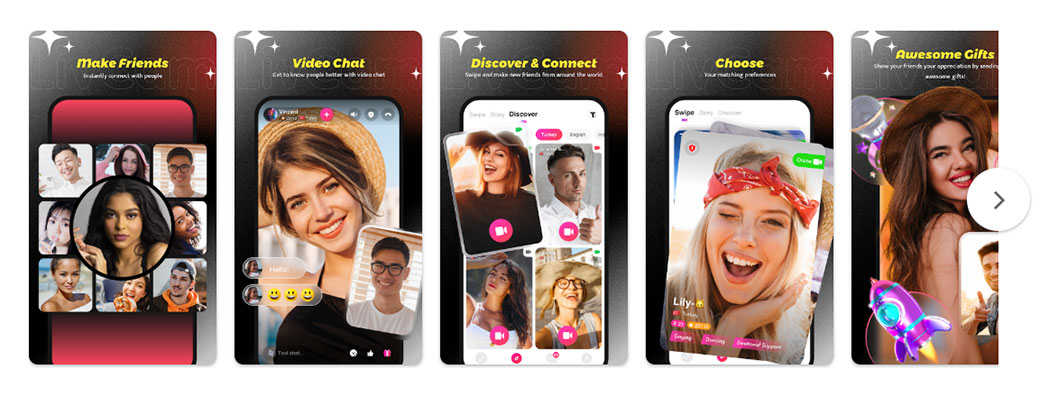
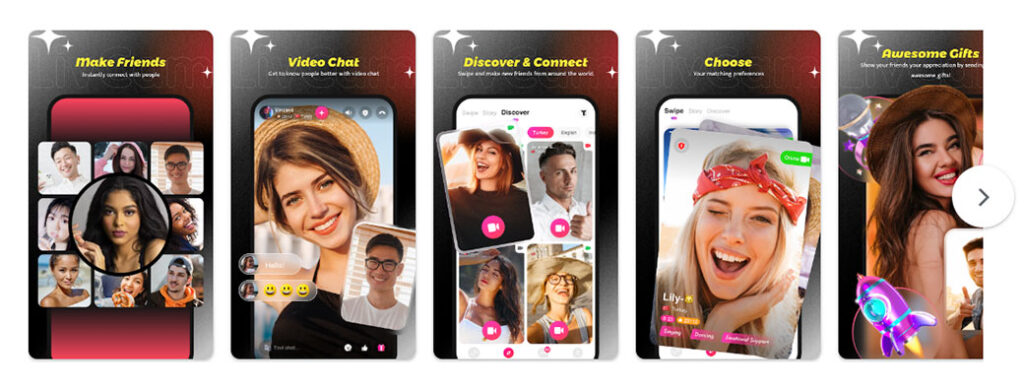
Livcam is a live video chat platform built around fast matching, one-to-one conversations, and host monetization. In simple terms, users can join the app or website, browse profiles, start random chats, or pay for private video sessions with hosts.
Unlike business video tools, Livcam is designed for entertainment, casual social interaction, and online companionship. Therefore, you should think of it as a social platform rather than a conferencing app.
The basic flow is straightforward:
- Open Livcam on web or mobile
- Create an account or sign in
- Browse hosts or start random matching
- Enter a live video chat
- Send gifts, buy credits, or join private sessions if desired
Because of this setup, Livcam targets adults who want quick social interaction, light flirting, or earning opportunities as a host.
Livcam at a Glance
If you want a quick overview first, here are the main points.
- Platform type: Live one-to-one and group-style video chat
- Main audience: Adults seeking social chat, entertainment, and light community interaction
- Top use cases: Random matching, private video calls, creator-host sessions
- Device support: Web browsers, Android, and iOS in many regions
- Monetization model: Credits, coins, paid private calls, virtual gifts
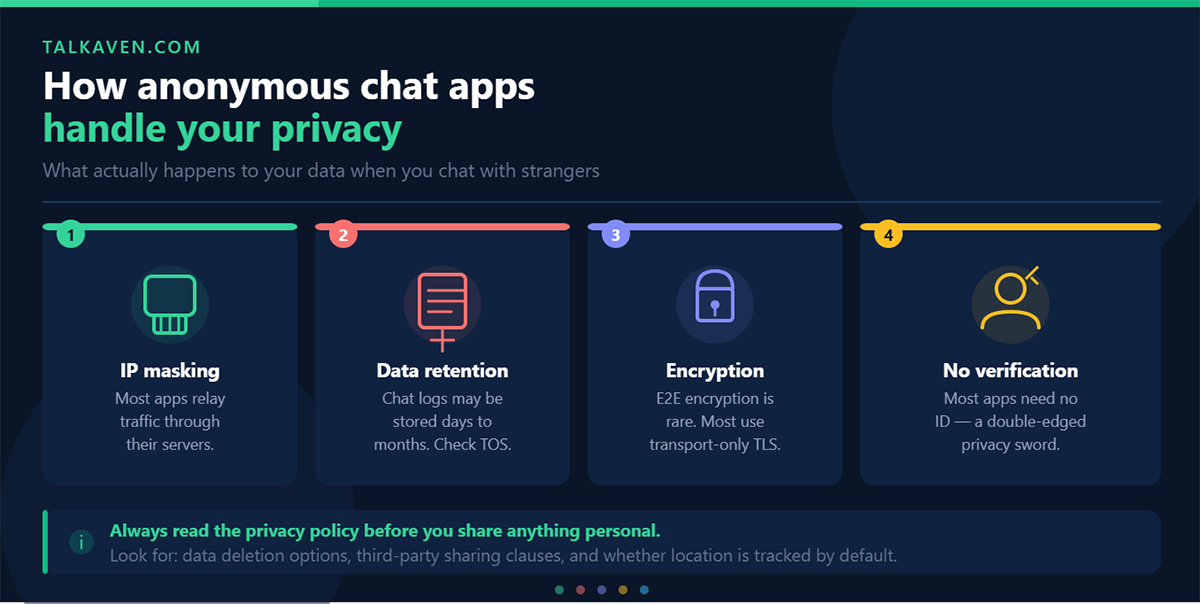
- Safety tools: Report, block, moderation, and host verification in many areas
Overall, Livcam focuses on fast social discovery and creator earnings rather than professional meetings or formal networking.
Key Features and Technical Specs
Livcam does not overload users with complex tools. Instead, it centers on a few core features that are easy to access from the start.
Main Livcam Features
The most important features include:
- Random video matching for quick chats with new people
- One-to-one private calls with specific hosts or users
- Virtual gifts and tipping during sessions
- Text chat alongside video when speaking is not ideal
- User profiles with photos, bios, and in some cases short clips
- Favorites and following lists for repeat interactions
Because of these tools, Livcam feels more structured than a basic random chat site, but still simple enough for fast use.
Technical Specifications
From a technical perspective, Livcam relies on standard WebRTC video delivery and adaptive bitrate streaming. That means video quality changes based on your device and internet speed.
Typical support includes:
- Web: Chrome, Edge, Firefox, and other modern browsers
- Mobile: Android and iOS apps
- Networks: Wi-Fi, 4G, and 5G
- Resolution: Usually SD to HD depending on connection quality
On stable connections, many sessions can reach 720p or better. Under weaker conditions, quality drops, yet calls usually continue.
That said, Livcam does not try to compete with office software. You will not get features such as:
- Screen sharing
- Advanced meeting controls
- Large business group conferencing
Instead, the platform keeps the focus on live personal interaction.
Pricing, Credits, and Host Monetization
One of the most important parts of this Livcam review is pricing, because the platform relies heavily on a credit-based system.
How the Credit System Works
Livcam users buy credits with real money. Then, those credits are spent on:
- Private calls
- Exclusive sessions
- Gifts and tipping
- Certain premium actions or filters
Usually, larger bundles offer a better value per credit, while smaller packs feel more expensive over time.
What Users Get for Free
Basic account creation is generally free. In most cases, you can also:
- Register an account
- Browse profiles
- View host lists
- Explore the interface
However, meaningful interaction often becomes paid quickly.
Host Monetization
For hosts, Livcam offers direct earning opportunities through:
- Paid private calls
- Virtual gifts
- Tips from viewers
After platform fees, hosts receive a revenue share. Payout methods vary by country, but digital wallets and bank transfer options are common.
Pros of the Monetization Model
There are some clear advantages:
- Hosts can connect streaming time directly to income
- Users understand where their credits go
- The system is easy to learn
Cons of the Monetization Model
At the same time, there are drawbacks:
- New users may feel upsell pressure early
- Long sessions can get expensive fast
- Credit bundles are not always transparent in real-time value per minute
As a result, Livcam may feel reasonable for occasional use, but heavy users should set spending limits.
How We Evaluated Livcam
To make this Livcam review practical, the evaluation focuses on real-world use rather than marketing claims.
Testing Process
The platform was assessed across:
- Regular user account setup
- Host profile setup where available
- Peak and off-peak usage windows
- Mobile and desktop testing
- Wi-Fi and mobile data usage
- Random matching and planned calls
Review Criteria
Livcam was judged on the following categories:
- Ease of onboarding
- Interface clarity
- Pricing transparency
- Video and audio quality
- Stability and app performance
- Match quality and discovery
- Safety and moderation
- Overall value for money
This structure helps show what daily use actually feels like for both viewers and hosts.
User Experience and Interface
The first impression on Livcam is generally fast and straightforward. You can reach live chat quickly, which matters on a platform built around instant interaction.
Onboarding
Signing up typically works through:
- Phone
- Social login in supported areas
The process is short, and optional fields can be skipped. Therefore, users can move into live chat without filling in every profile detail.
Navigation
The main interface usually includes:
- A home screen with featured hosts
- Quick access to random chat
- Tabs for messages, wallet, profile, and notifications
- Visible buttons for starting calls and buying credits
What Works Well
Several usability choices help the platform:
- Short path from launch to video chat
- Clear icons for mute, camera switch, and end call
- Easy-to-read wallet and purchase sections
What Feels Annoying
Even so, the experience is not perfectly clean. Common frustrations include:
- Frequent promotions for credit packs
- Home screens that feel visually busy
- Pop-ups requesting reviews or social follows
Even with those issues, the app remains easy enough to learn. If you already expect an entertainment-focused platform, the design will feel familiar.
Video and Audio Quality in Real-World Use
Call quality has a major impact on whether Livcam feels worth paying for.
Video Quality
In real-world use, video quality is generally solid:
- Strong Wi-Fi: Sharp HD-like image with smooth motion
- Average 4G: Slight blur during movement, but still watchable
- Weak networks: Frame drops and temporary freezing may occur
Fortunately, the platform usually keeps calls alive by reducing quality rather than disconnecting immediately.
Audio Quality
Audio performs fairly well under normal conditions:
- Headphones improve clarity significantly
- Built-in speakers may create some echo
- Background noise reduction helps with low hums but struggles in loud spaces
Latency and Sync
Most sessions show low enough delay for natural conversation. During busier hours, small sync issues can appear, but they rarely make calls unusable.
Compared with free messaging apps, Livcam feels competitive on good Wi-Fi. On weaker mobile data, however, performance can be slightly less stable.
Matching, Discovery, and Social Features
Livcam depends heavily on how quickly users can find someone worth talking to.
Random Matching
The random chat flow is simple:
- Choose basic preferences
- Tap to start
- Enter a live chat
- Skip if needed
In busy regions, matches often happen within seconds. That speed helps keep the platform engaging.
Profile-Based Discovery
Livcam also allows users to browse profiles and hosts through:
- Featured lists
- Profile cards
- Nickname searches in some areas
- Pricing previews for private sessions
Social Features
To support repeat engagement, Livcam includes:
- Follow lists
- Favorites
- Notifications when hosts go live
- Messaging options in some cases
Strengths and Weaknesses
The strongest part of this system is the fast discovery loop. On the other hand, deeper interest-based matching remains limited. If you care more about personality fit than instant access, Livcam may feel shallow.
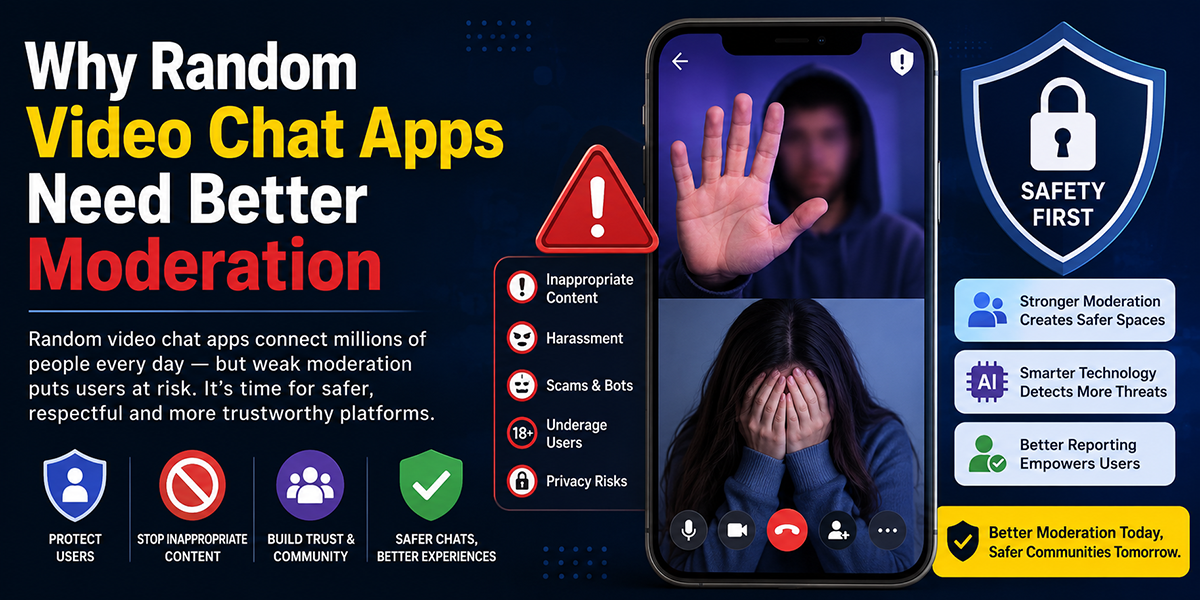
Safety, Privacy, and Content Moderation
Safety is critical on any platform that involves face-to-face video with strangers.
Privacy Controls
Livcam offers a basic set of user protections, including:
- Block and report buttons
- Some profile visibility controls
- Restrictions on public contact info
These tools are useful, but users still need to stay cautious.
Content Policies
Livcam states rules against:
- Harassment
- Hate speech
- Illegal behavior
- Certain explicit content
Moderation appears to combine automated detection with human review.
What Real Use Suggests
In practice:
- Spam accounts may be removed after reports
- Obvious abuse can trigger moderation action
- Suggestive or borderline behavior still appears frequently in high-traffic areas
Safety Tips for Users
To protect yourself on Livcam:
- Never share your phone number or address
- Use a nickname instead of your full legal name
- Leave sessions quickly if something feels wrong
- Save evidence if a serious violation occurs
- Report and block users whenever needed
Overall, Livcam provides a reasonable baseline, but it does not eliminate user risk. Personal caution remains essential.
Platform Performance, Stability, and Support
Even a fun platform becomes frustrating if it crashes or lags too often.
Stability Findings
In general, Livcam performs well enough for daily use:
- App launches are quick on modern phones
- Match switching feels responsive
- Long sessions can run without major breakdowns
Common Issues
That said, some technical issues still show up:
- Older Android devices may struggle with camera switching
- Some failed connections require a reload
- Notification bugs can appear occasionally
Support Quality
Livcam offers support through in-app help and ticket systems. Based on typical use patterns:
- Response times are often within one to two days
- Replies may feel templated
- Refunds for obvious technical failures are possible, though not instant
For average users, support is acceptable. For high-earning hosts, however, faster and more personal help would be a welcome improvement.
Livcam Pros and Cons
Here is a quick summary of the biggest strengths and weaknesses.
Pros
- Fast random video matching
- Simple and familiar interface
- Good host monetization tools
- Solid audio and video quality on decent networks
- Available on web, Android, and iOS
- Global user base and wide language variety
Cons
- Heavy upsell pressure through credits and bundles
- Long sessions can become expensive
- Limited interest-based matching
- Safety tools are helpful but not perfect
- Occasional bugs on older devices
- Support can feel slow for serious users
Livcam vs Major Alternatives
To judge Livcam fairly, it helps to compare it with similar platforms.
Against Random Video Chat Apps
Compared with basic random chat sites, Livcam offers:
- Better host earnings
- More profile depth
- Stronger follow and repeat interaction features
However, pure random chat apps may feel cheaper or freer for users who do not care about hosts or gifts.
Against Social Live Streaming Platforms
Compared with broad live streaming apps, Livcam focuses more on private one-to-one interaction. Consequently:
- Conversations feel more personal
- Viewer costs can be higher
- Hosts earn from direct engagement rather than mass audiences
Against Messaging Apps
Standard video calling apps are usually free and more reliable for friends or family. Still, they do not offer:
- Random matching
- Host earnings
- Gift systems
- Discovery features for meeting strangers
So, if your goal is social discovery rather than staying in touch with people you know, Livcam offers a different kind of value.
Who Livcam Is Best Suited For
Livcam fits some users much better than others.
Best for:
- Adults who enjoy casual social video chats
- Users who want face-to-face interaction with strangers
- Hosts looking for a direct monetization path
- People using live video for entertainment during evenings or weekends
Less ideal for:
- Highly privacy-focused users
- People looking for serious long-term relationship matching
- Business professionals needing formal meeting tools
- Users who dislike in-app spending pressure
In short, Livcam works best when treated as a social entertainment app with paid extras.
Value for Money and Overall Utility
Whether Livcam offers good value depends largely on how you use it.
For Casual Viewers
If you log in a few times a week for short chats, Livcam can feel fair enough. You pay for direct, personal interactions that free platforms often fail to deliver consistently.
For Heavy Users
If you spend hours on the platform daily, costs rise quickly. At that point, you may start questioning whether the experience justifies the ongoing spend.
For Hosts
Hosts who stream regularly and build repeat viewers may find Livcam useful as a side-income platform. Still, earnings can vary a lot depending on:
- Region
- Competition
- User loyalty
- Streaming consistency
Overall Utility
Livcam is strongest for:
- Casual entertainment
- Social discovery
- Host monetization
By contrast, it is much weaker for:
- Business collaboration
- Online teaching
- Structured community building
The best approach is to use the platform with clear goals and clear limits.
Final Verdict
So, is Livcam worth using in 2026?
For users who enjoy fast live video chat, direct interaction, and a lively global atmosphere, Livcam is worth a test run. The platform does a good job with quick matching, host earnings, and reasonably strong video quality on decent connections.
However, it is not flawless. Upsells can feel aggressive, costs can climb fast, and safety tools still leave room for improvement. Therefore, Livcam works best for users who go in with realistic expectations.
You should try Livcam if:
- You enjoy casual real-time conversations
- You like meeting new people through video
- You are interested in hosting and earning
- You can manage a credit-based budget
You should skip or limit Livcam if:
- Privacy is your top concern
- You dislike repeated spending prompts
- You want deep relationship matching
- You need business-level reliability and features
In the end, this Livcam review shows a platform that delivers on speed and social energy, but requires spending discipline and smart personal boundaries. If you use it carefully, it can offer real value without wasting your time.
Livcam Frequently Asked Questions
What is Livcam and how does it work?
Livcam is a live video chat platform that connects users through random matching and private calls. It also allows hosts to earn through paid sessions and virtual gifts.
How does Livcam pricing work?
Livcam uses a credit system. Users buy credits with real money and spend them on private chats, gifts, and other premium interactions.
Can hosts make money on Livcam?
Yes, hosts can earn from private calls and gifts. Their final payout depends on platform fees, user spending, and payout availability in their country.
Which devices support Livcam?
Livcam works on modern desktop browsers and mobile devices through Android and iOS apps. It supports Wi-Fi, 4G, and 5G connections.
Is Livcam safe to use?
Livcam offers report and block tools, moderation systems, and some privacy controls. Even so, users should avoid sharing personal information and leave unsafe chats immediately.
Is Livcam good for business meetings?
No, Livcam is not designed for business use. It lacks screen sharing, formal meeting tools, and enterprise-level security features.

Tony is a website publisher and technology reviewer who specializes in video chat platforms, random chat apps, and online communication tools. He tests apps for usability, safety features, moderation quality, pricing, and overall user experience. His reviews are based on hands-on testing and independent research.