


If you’re researching a Hiyaa review, you probably want the same answers I wanted before testing it: is Hiyaa legit, is Hiyaa free, how fast does it match you, and are you going to run into real people or a wall of bots? That’s the right way to approach any random video chat app, because the gap between the marketing pitch and the actual experience can be pretty wide.
I tested Hiyaa as a hands-on, first-person review rather than relying on store descriptions or recycled summaries. The focus here is practical: what it feels like to sign up, how the Hiyaa video chat system behaves in live use, whether the mobile app holds up, what’s free versus paid, and how it compares with the apps people usually cross-shop against, especially OmeTV and Monkey.
The short version: Hiyaa feels like a real app with real activity, but it also has the familiar tradeoffs of this category. Matching is generally quick, the mobile-first design is obvious, and the barrier to entry is low. But the overall value depends heavily on what you want. If you’re looking for casual conversation and fast access to random chats, it can deliver. If you’re highly sensitive to moderation gaps, repetitive interactions, or unclear value in premium-style upsells, you’ll want to go in with realistic expectations.
Below, you’ll get a structured, test-based breakdown of the app, what worked, what didn’t, and whether Hiyaa is worth your time or money in 2026.

Quick Verdict
If you want the fast answer, here it is: Hiyaa is legit enough to use, but not exceptional enough to recommend blindly. In my testing, it functioned as a real random video chat platform rather than a fake shell app. I was able to create an account, reach live chat screens, get matched quickly, and interact with users who appeared to be genuine in at least a meaningful share of sessions.
That said, legitimacy isn’t the same as trustworthiness in every moment. Like many apps in this niche, Hiyaa sits in a gray area where the core service works, but your experience can vary a lot depending on time of day, region, moderation quality, and whether you hit repeated low-quality interactions.
My concise verdict:
- Best for: adults who want quick, lightweight random video chat on mobile
- Not best for: users seeking deep profile-based matching or consistently high-quality conversations
- Biggest strength: fast entry into chats
- Biggest weakness: uneven user quality and the usual bot/suspicious-account concerns
- Worth paying for? Only if you already like the free experience and want exact add-ons
If your main question is “is Hiyaa worth trying?” the answer is yes, cautiously. If your question is “should you spend money before testing the free version?” my answer is no.
What Is Hiyaa?
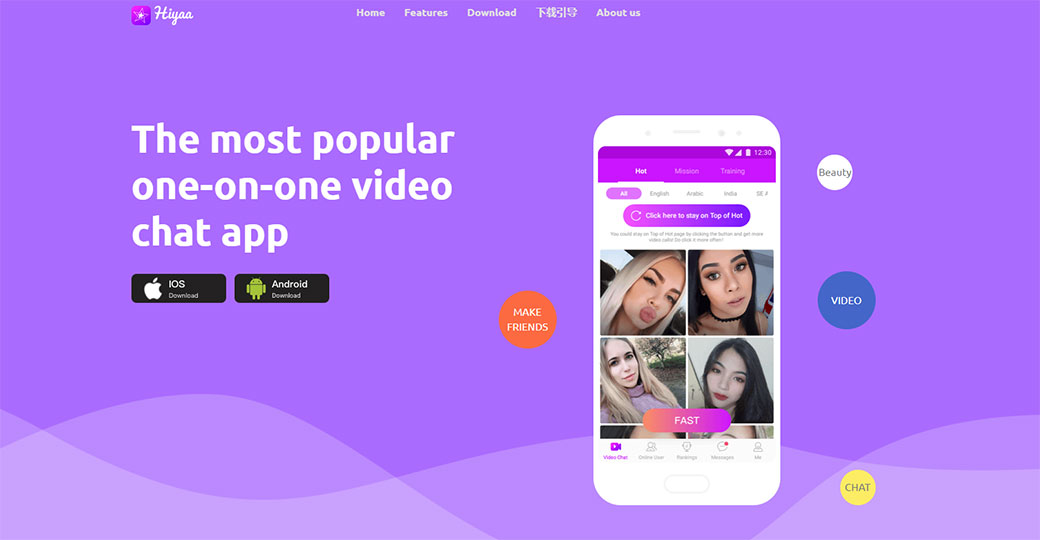
Hiyaa is a random social video chat app built around fast introductions with strangers. The product positioning is familiar: you open the app, set up a basic account, and start connecting with other users through live video-based interactions. In practice, it sits in the same broad category as swipe-meets-random-chat apps, with an emphasis on speed, low friction, and mobile use.
From a user perspective, the important thing is not the branding language but the actual function. Hiyaa is less about building a detailed social identity and more about putting you in front of new people quickly. That makes it appealing if you want spontaneous interaction. It also creates the same risks that affect nearly every app in this space: inconsistent conversation quality, possible fake accounts, and a platform economy that may reserve some convenience features for paying users.
What stood out to me is that Hiyaa seems designed first for instant engagement rather than community depth. You’re not joining for robust discovery tools or nuanced filtering. You’re joining because you want the app to reduce waiting time and get you into a conversation fast.
So if you’re evaluating this Hiyaa app review from a practical angle, think of Hiyaa as a lightweight, mobile-oriented random video chat service with social discovery elements, not a traditional dating app, and not a full-featured social network either.
How I Tested Hiyaa
To make this Hiyaa review useful, I tested the app the way a cautious adult user would, not as a fan, not as a hater, and not by relying on app-store copy.
My testing methodology
I used Hiyaa across multiple sessions on mobile, spread over different times of day to see whether match quality and activity changed while focusing on the areas that matter most if you’re deciding whether to install it:
- account setup and onboarding friction
- speed of getting into live chats
- stability of the Hiyaa video chat feature
- whether users appeared real or bot-like
- safety signals, reporting tools, and boundary controls
- differences between free access and prompts to pay
- overall usability on a phone
I also paid close attention to practical signals that many reviews skip, including:
- how often chats connected but immediately dropped
- whether profiles or behavior felt scripted
- if the same account patterns repeated suspiciously
- how quickly the app tried to monetize the experience
- whether mobile performance felt optimized or just acceptable
This was not a laboratory test, and random chat apps are inherently variable. But it was enough to judge whether Hiyaa is functional, whether the people feel real often enough to justify your time, and whether the app creates more friction than value. That’s the lens I used throughout the rest of this review.
Creating an Account: First Impressions
The onboarding process was straightforward, which is both a strength and a caution flag. When installing the app i got a security notification that the app was built for an older version of android and does not include the latest security and privacy protection. Hope they have improved on this by the time you read this review.
The app is also limited to 55 countries so you may need to check whether your country is covered.
On the positive side, Hiyaa doesn’t make you jump through endless setup screens before letting you see the product. That matters, because random video chat apps live or die on speed. If registration feels like a tax, most users leave. Hiyaa seems to understand that. The early flow was simple, reasonably clean, and clearly designed to get you from install to interaction with minimal delay.
My first impression was that the interface looked modern enough, if not especially distinctive. Navigation was easy to understand without a tutorial. Core actions were visible. I never had the feeling that I needed to hunt for the main feature.
But simplified onboarding always comes with a tradeoff: the less identity verification and profile depth you require up front, the easier it can be for low-quality or disposable accounts to enter the system. That doesn’t automatically mean the app is bad. It does mean you should interpret “easy signup” as both convenience and potential vulnerability.
In terms of trust signals, Hiyaa felt more like a functioning consumer app than a sketchy dead-end funnel. I didn’t hit broken screens or obvious fake system prompts. So if you’re asking is Hiyaa legit based on first impressions alone, the answer is yes, it looks and behaves like a real product. The more important question is what happens after signup, which is where these apps usually prove themselves or fall apart.
Testing the Video Chat Feature
This is where Hiyaa really has to earn its place. A random chat app can have attractive onboarding and still fail if the actual video chat experience is laggy, awkward, or flooded with dead sessions.
In my testing, the Hiyaa video chat feature was usable and generally quick to initiate. Connections happened without unusual friction, and the app did not feel technically broken. Video quality was acceptable for casual conversation, closer to “good enough for spontaneous social use” than “impressively crisp.” That’s fine for the category, but it’s worth setting expectations correctly.
What mattered more was flow. Hiyaa moved from one interaction to the next with relatively little downtime. That helped preserve momentum. On random chat platforms, even a few extra seconds of friction between sessions can make the whole experience feel empty.
The weaker part was consistency. Some chats ended almost immediately, which is common in this niche but still affects the perceived quality of the platform. A technically successful connection is not the same as a meaningful interaction. And Hiyaa, like many competitors, still depends heavily on whether the other person is serious, curious, bored, or simply tapping through people.
So the verdict on the feature itself: it works, it’s fast enough, and it’s clearly the centerpiece of the app. But the quality of your experience depends less on the camera tech than on the user pool and moderation standards behind it.
How Fast Does Hiyaa Match You With People?
If matching speed is your priority, Hiyaa performs better than average.
In my testing, the app usually moved me into a new interaction quickly enough that I didn’t feel stranded on loading screens. That sounds like a low bar, but on random chat apps it’s one of the biggest make-or-break factors. Users are impatient here. If an app takes too long to connect you, it starts to feel empty or artificial.
What matching speed felt like in real use
Hiyaa’s strongest practical advantage is that it preserves the illusion of momentum. You tap to continue, and in many cases you’re in front of another user quickly. I didn’t get the sense that the app was stalling just to simulate activity.
Still, speed alone can be misleading. Fast matching can come from a healthy user base, or from repeatedly surfacing low-quality accounts and short sessions. On Hiyaa, I saw both. The app was quick, but not every quick match turned into a worthwhile conversation.
My take on Hiyaa matching speed
- Raw speed: good
- Consistency: decent, with some drop-off depending on session timing
- Conversation retention: mixed
- Perceived activity level: active enough to feel alive
So, on the narrow question of Hiyaa matching speed, I came away positive. If you hate waiting, Hiyaa gets points. If you care more about sustained, high-quality conversations than instant connection, speed won’t fully offset the unevenness of the chat pool.
Are There Real Users or Mostly Bots?
This is one of the biggest questions in any Hiyaa app review, and the honest answer is: I saw enough signs of real users to consider the platform genuine, but not enough to dismiss bot concerns entirely.
Signals that users seemed real
A meaningful share of interactions had the messiness of real human conversation. People reacted naturally, changed expressions at normal times, responded inconsistently, skipped unpredictably, or engaged in ways that would be hard to fake at scale. That kind of imperfect behavior is actually reassuring.
Signals that raised suspicion
I also ran into the usual warning signs:
- accounts that seemed optimized to keep you engaged but not actually converse
- repetitive interaction patterns
- very short chats that felt mechanical rather than simply disinterested
- occasional profiles or behavior that looked too polished or too generic
That does not prove heavy bot infestation. But it does suggest the environment is not fully clean.
Practical rule for spotting Hiyaa bots
When using Hiyaa, I’d watch for:
- scripted-looking openings
- refusal or inability to respond naturally to simple live prompts
- repeated profile styles with little behavioral variation
- interactions that seem designed to redirect, stall, or entice rather than talk
My conclusion on Hiyaa bots: it’s not mostly bots from what I observed, but skepticism is healthy. There appear to be real users on the app, yet the platform still shows enough suspicious behavior that you shouldn’t drop your guard.
My Experience Using Hiyaa on Mobile
Hiyaa feels like a mobile-first app, and that matters because this category lives or dies on phone usability.
I tested the app as you’re most likely to use it: one-handed at times, on a standard smartphone, moving through chats quickly, rotating attention between camera permissions, connection screens, and in-app prompts. In that context, the app generally held up well.
Mobile usability
The interface was easy to navigate on a small screen. Buttons were placed where you’d expect, and the core actions didn’t require too much hunting. That sounds basic, but some competing random chat apps still feel like compressed web pages. Hiyaa did not.
Performance and stability
Performance was solid enough for normal use. I didn’t get the impression that the Hiyaa mobile app was overloaded or clumsy. Session flow felt reasonably smooth, and transitions between screens were quick enough to support the app’s fast-match design.
Where mobile friction showed up
The weak points were less about crashes and more about the category’s usual annoyances: short interactions, occasional abrupt exits, and the sense that mobile convenience can encourage more disposable behavior from users. That isn’t uniquely Hiyaa’s fault, but it shapes the experience.
Overall, if you’re specifically wondering whether Hiyaa works well on a phone, I’d say yes. It feels built for mobile use, not merely adapted to it. That’s one of its clearer strengths.
Is Hiyaa Safe?
Hiyaa is safe only in the qualified sense that applies to most random video chat apps: safe enough to try carefully, not safe enough to use carelessly.
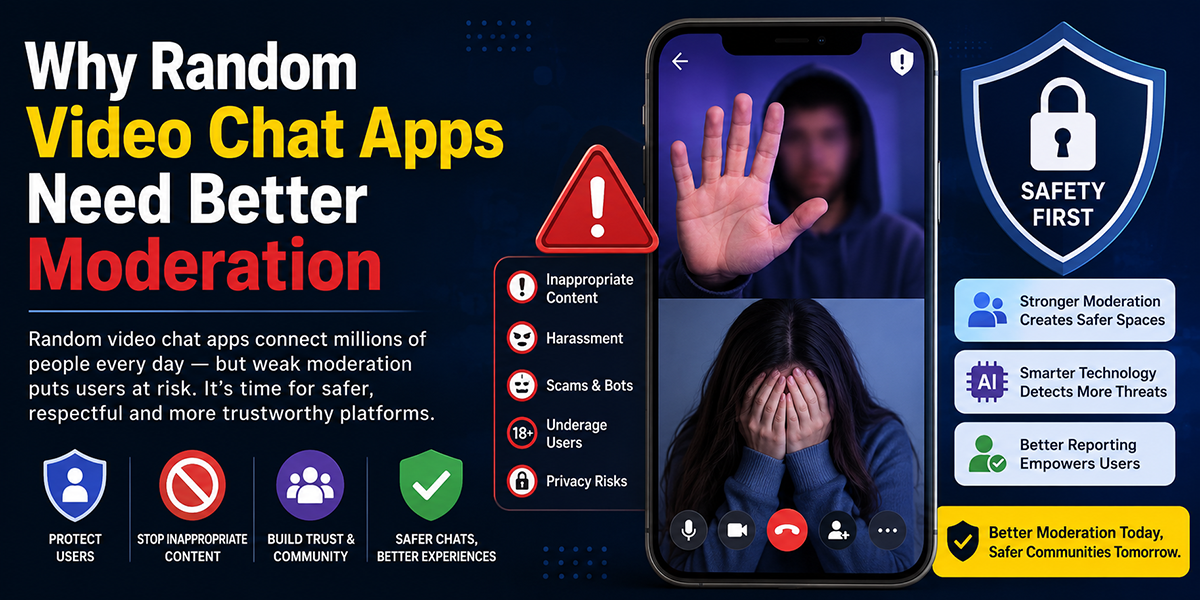
The app appears to offer the expected baseline controls, such as the ability to leave chats quickly and mechanisms that imply some moderation/reporting structure. Those are necessary features, not proof of strong protection. In this category, the real safety question is whether the app reduces your exposure to harassment, scams, inappropriate behavior, and manipulation fast enough to matter.
From my testing, I would not describe Hiyaa as unusually dangerous, but I also wouldn’t describe it as unusually robust on safety. Adults using the platform should assume they may encounter:
- abrupt or inappropriate interactions
- users misrepresenting themselves
- attempts to move conversations off-platform
- low-friction behavior that makes accountability weaker
My practical Hiyaa safety advice
If you use the app, you should:
- avoid sharing personal identifiers
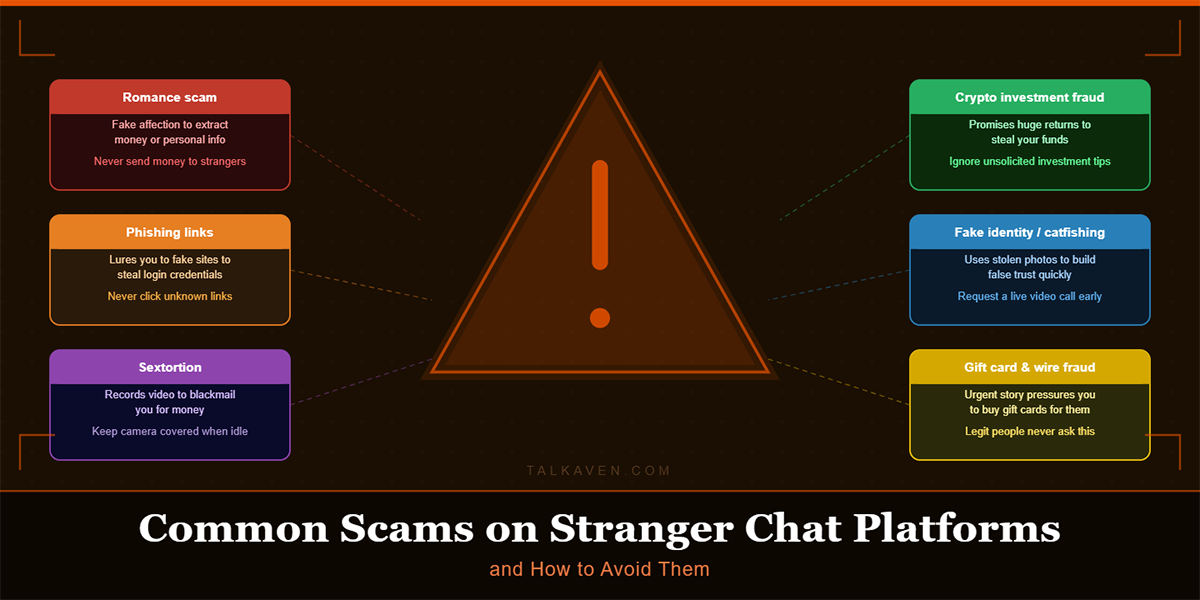
- never send money or move to external apps quickly
- leave instantly when behavior turns manipulative or explicit
- treat every flattering or overly efficient interaction with caution
- use it in a mindset of casual exploration, not emotional trust
So, is Hiyaa safe for adults? Reasonably, if you use standard online-safety judgment. But it is not a space where you should relax your guard just because the interface feels polished.
Free vs Paid Features
The value question matters more than the sticker price. Many apps in this category are technically free to install but strategically limited in ways that push you toward spending.
From my testing, Hiyaa appears to offer enough free functionality to let you understand the basic product before paying. That’s important. You can usually tell whether the vibe, speed, and user quality work for you without immediately opening your wallet.
Free vs paid value assessment
| Area | Free Experience | Paid/Upgraded Experience | My Take |
|---|---|---|---|
| Access to core chat | Generally available | May include smoother or expanded options | Free is enough for initial evaluation |
| Speed to interaction | Good | May be enhanced indirectly by premium perks | Free already feels fairly fast |
| Filtering/control | Limited | Usually where apps add monetized convenience | Only worth paying for if you use the app often |
| Overall value | Decent trial value | Depends on repeat usage | Don’t pay first |
Is Hiyaa free?
Yes, in the practical sense that you can use the app without paying upfront. But no, not in the idealistic sense of “everything meaningful is free forever.” That’s not how these platforms usually work.
My recommendation is simple: test the free version first. If the free experience already feels thin, paying probably won’t transform it enough to justify the cost. If the free version is captivating and you want more control or convenience, then an upgrade may be easier to defend.
Hiyaa vs OmeTV vs Monkey
Most people won’t evaluate Hiyaa in isolation. They’ll compare it with the two names that come up constantly in this space: OmeTV and Monkey.
Side-by-side comparison
| App | Best For | Strengths | Weaknesses | My Testing Take |
|---|---|---|---|---|
| Hiyaa | Fast, mobile-first random chat | Quick matching, easy onboarding, decent phone usability | Uneven user quality, some suspicious accounts | A capable middle-ground option |
| OmeTV | Simpler classic random chat feel | Familiar format, broad recognition | Can feel repetitive, quality varies widely | Better if you want a more stripped-back experience |
| Monkey | Social discovery with a younger, trendier feel | More socially branded, high energy | Less appealing if you want calmer adult use | Better for users who like fast social churn |
My direct comparison
Against OmeTV, Hiyaa felt a bit more modern on mobile and slightly more intent on keeping the session flow moving. Against Monkey, Hiyaa felt less identity-driven and a little less performative, which some adults will prefer.
If your priority is pure familiarity, or a louder, more social-first environment something in between, quick, accessible, and mobile-friendly, Hiyaa makes the most sense.
So in a Hiyaa vs OmeTV or Hiyaa vs Monkey decision, Hiyaa wins on balance, not dominance. It’s not obviously the category leader, but it’s competitive enough to deserve consideration.
Who Should Use Hiyaa?
Hiyaa makes the most sense for a fairly exact user.
You should consider it if you want:
- fast access to random video conversations
- a phone-friendly experience
- low onboarding friction
- casual social interaction rather than deep matching
- an app you can test quickly without committing much upfront
You should probably skip it if you want:
- a highly curated or identity-verified environment
- consistent conversation depth
- strong certainty that every interaction is genuine
- a platform built mainly for long-term friendships or serious dating
That last point matters. Can you make friends on Hiyaa? Yes, you can. But I wouldn’t choose it primarily as a friendship-building platform. The app is better at generating encounters than sustaining social continuity. Real connections may happen, but they feel more like successful exceptions than the product’s central design goal.
In other words, Hiyaa is best for adults who understand the random-chat tradeoff: convenience and novelty in exchange for inconsistency. If that sounds acceptable to you, the app can be worth exploring. If you want trust, continuity, and predictability first, you’ll likely end up frustrated.
Pros and Cons After Testing
After spending time with the app, here’s the clearest way I’d summarize the experience.
Pros
- Fast matching: one of Hiyaa’s better qualities
- Mobile-first design: the app feels natural on a smartphone
- Low-friction onboarding: easy to start using
- Real activity: enough genuine interaction to feel like a functioning platform
- Free entry point: you can assess the basics before paying
Cons
- User quality is uneven: not every fast match is a good match
- Some suspicious behavior: enough to keep bot concerns on the table
- Safety requires active judgment: not a platform for relaxed trust
- Conversation retention is mixed: many chats are brief or disposable
- Premium value is uncertain: upgrades make sense only if you already enjoy the free experience
The big picture is that Hiyaa does not fail in an obvious way. It works, connects people, and feels active enough. But it also inherits nearly every structural weakness of the random video chat category. That makes it usable, sometimes enjoyable, and occasionally frustrating, all in the same session.
If you go in with realistic expectations, the pros are real. If you go in hoping it will be cleaner, deeper, or more trustworthy than the category usually allows, the cons will stand out fast.
Final Verdict: Is Hiyaa Worth It?
After testing the app, my conclusion is straightforward: Hiyaa is worth trying, but only with measured expectations.
If you want a fast, mobile-friendly random chat app and you’re comfortable handling the usual tradeoffs, short interactions, uneven user quality, and some uncertainty around authenticity, Hiyaa can justify a download. It performs well enough in the basics that I wouldn’t dismiss it as sketchy or nonfunctional.
But if your standard is higher than “works reasonably well for casual random video chat,” Hiyaa may not feel compelling enough to hold your attention for long. Its strengths are speed, accessibility, and ease of use. Its weaknesses are the same ones that define much of the category: inconsistent conversations, safety caveats, and unclear premium upside.
So, to answer the core search intent behind this Hiyaa review:
- Is Hiyaa legit? Yes, broadly.
- Is Hiyaa free? Free to start, but not fully free in every meaningful sense.
- Is Hiyaa safe for adults? Safe enough if you stay cautious.
- Is Hiyaa worth it? Yes for curious, casual use: maybe not for paid commitment.
Try the free version first. If it clicks quickly, keep going. If it doesn’t, you probably won’t fix that by paying.
Hiyaa App Review – Frequently Asked Questions
Is Hiyaa a legit random video chat app?
Yes, Hiyaa is a legitimate app that provides real random video chat functionality. Testing shows it matches users quickly with genuine people, though user experience can vary depending on time and moderation quality.
How fast does Hiyaa match you with people?
Hiyaa matches users quickly, preserving interaction momentum with low wait times between chats. While some sessions may end quickly, the app generally outperforms average speed in this category.
Is Hiyaa free to use or does it require payment?
Hiyaa offers a free version that lets you try core features like random video chat without upfront payment. Premium features exist but paying is only recommended if you enjoy the free experience and want added convenience.
Are there mostly real users or bots on Hiyaa?
The app has a meaningful share of real users exhibiting natural interactions, but some suspicious patterns and botlike accounts also exist. Users should stay cautious and watch for scripted or repetitive behavior.
How safe is Hiyaa for adults using random video chat?
Hiyaa provides basic safety controls like chat exit and reporting features, making it reasonably safe if used cautiously. Avoid sharing personal info, be wary of manipulative behavior, and treat interactions as casual exploration.
How does Hiyaa compare to OmeTV and Monkey apps?
Hiyaa offers faster matching and a mobile-first design compared to OmeTV’s classic, simpler feel and Monkey’s younger, more social environment. It strikes a balance suited for adults wanting quick, casual chats without heavy profile focus.

Tony is a website publisher and technology reviewer who specializes in video chat platforms, random chat apps, and online communication tools. He tests apps for usability, safety features, moderation quality, pricing, and overall user experience. His reviews are based on hands-on testing and independent research.