


You want a video chat platform that feels simple, stable, and built for a global audience. At the same time, you probably want one app where you can talk with friends, clients, or followers without constantly switching between tools.
That is where BoloJi comes in.
BoloJi positions itself as a global video chat platform for everyday users, freelancers, and creators who need reliable calls, easy sharing, and a light social layer around live video. However, bold claims are common in this space. So, the real question is whether BoloJi delivers better value, stronger stability, and a smoother user experience than the apps you already use.
In this BoloJi review, you will learn about its biggest strengths, key limitations, and best use cases. You will also get a closer look at performance, privacy, pricing, and community features. By the end, you should know whether BoloJi deserves a place on your phone or desktop.
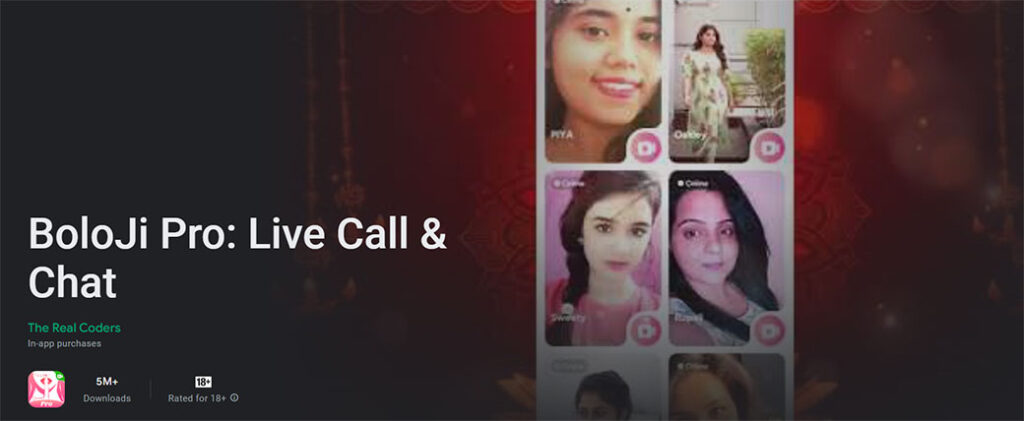
BoloJi at a Glance
If you prefer a quick overview before diving into the details, here is the short version.
BoloJi is:
- A global video chat platform focused on one-to-one and group calls
- A mix of communication tools, light social features, and creator-friendly functions
- Primarily mobile-first, with web support and limited desktop availability in some regions
- Designed for everyday users, freelancers, tutors, consultants, and micro creators
Key Positioning
BoloJi sits somewhere between traditional meeting software and social video apps. In other words, it offers more structure than casual live chat platforms, yet it feels less rigid than enterprise business tools.
Best Use Cases for BoloJi
BoloJi makes the most sense for:
- Daily calls with friends and family in different countries
- Language exchange sessions and cultural meetups
- Client check-ins for freelancers and consultants
- Casual coaching, tutoring, or small paid Q&A sessions
If you need a full enterprise meeting solution, BoloJi may feel too lightweight. On the other hand, if you want stable global calls with a social element, it becomes much more appealing.
Key Features and Specifications
Understanding the main features makes it easier to see where BoloJi fits in the market.
Core Video Chat Features
BoloJi includes:
- One-to-one HD video calls with adaptive quality
- Group video rooms, with limits depending on region and plan
- Screen sharing on desktop and select mobile devices
- Background blur and simple visual filters
Communication and Engagement Tools
In addition, the platform offers:
- In-call text chat with emoji and file sharing
- Message threads connected to previous calls
- Contact lists and user profiles
- Social touches such as status, presence, and follow features
Creator and Monetization Features
For creators and professionals, BoloJi also provides:
- Paid sessions and time-based billing in selected markets
- Tipping and virtual gifts during live sessions, subject to local rules
- Basic analytics for engagement, session count, and earnings
Technical Specifications
From a technical standpoint, BoloJi supports:
- HD video where bandwidth allows
- Adaptive bitrate streaming for weaker connections
- Android and iOS apps
- A web client for modern browsers
Overall, these features make BoloJi feel more like a live video hub than a basic calling app.
Evaluation Criteria for This Review
To keep this BoloJi review useful and balanced, the platform is assessed using practical categories that matter to real users.
This review focuses on:
- Design and ease of use
- Call quality and network stability
- Privacy and safety controls
- Device support and integrations
- Pricing and creator monetization
- Global reach and localization
- Long-term support and product direction
Rather than judging the app in a perfect test environment, this review looks at how BoloJi performs in normal everyday use.
Design, Interface, and User Experience
First impressions matter, especially in a communication app. If the design feels confusing, most users will not stick around long.
Layout and Navigation
On mobile, BoloJi uses a clean card-based design. Contacts, recent calls, and settings are easy to access from a bottom tab bar. As a result, the main actions stay within comfortable reach for one-handed use.
Meanwhile, the web version follows a more familiar conferencing layout. You typically get:
- A left-side panel for contacts and rooms
- A central video area
- Top-right controls for audio, video, and screen sharing
Ease of Use
BoloJi does several things well for new users:
- Onboarding is short and easy to follow
- Call controls are clearly labeled
- Switching between front and rear cameras is quick on mobile
Because of that, even less technical users can usually learn the app without much trouble.
Visual Polish and Minor Friction Points
The interface stays fairly minimal, which helps keep the focus on faces instead of menus. Typography and color choices are simple, and that improves clarity.
Still, there are a few rough edges. For example, large group lists can feel slightly slow on lower-end devices. Although this does not break the experience, frequent users may notice lag during busier periods.
Verdict on UX: BoloJi scores well for simplicity, especially on mobile.
Call Quality, Reliability, and Performance
No matter how attractive the design looks, call quality is what really matters in a video chat platform.
Audio and Video Quality
On strong internet connections, BoloJi performs well. Video appears sharp, often reaching 720p or better, and audio remains clear with low delay.
Under weaker mobile data conditions, the platform lowers video resolution automatically. Even then, faces usually remain visible, and audio stays understandable. While some group calls may show pixelation, spoken conversation generally remains usable.
Stability on Weak Networks
In lower-bandwidth situations, BoloJi handles interruptions reasonably well:
- Brief bandwidth drops may freeze some video tiles
- Audio often recovers faster than video
- Full reconnections usually complete within a few seconds
That behavior is fairly typical for modern adaptive video platforms.
Device Performance
BoloJi runs well enough on:
- Mid-range Android phones from the past few years
- Recent iPhones
- Modern laptops through supported browsers
However, older devices may heat up during longer group calls. Battery drain can also rise noticeably, which is not unusual for video apps.
Performance verdict: For daily use, BoloJi is reliable enough for small to medium calls. However, it is less convincing for large, mission-critical events.
Security, Privacy, and Safety Controls
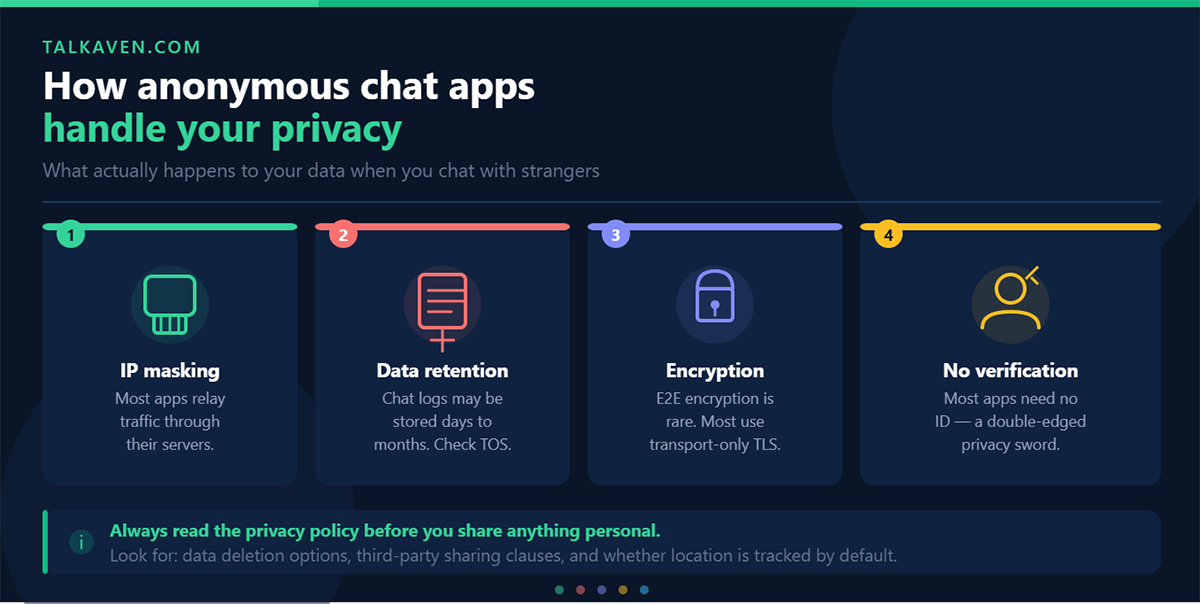
Privacy is a major concern for many users, especially if calls involve clients, private conversations, or semi-public sessions.
Security Design
BoloJi uses encrypted transport for calls and messaging. In simple terms, that means your data is protected while moving across networks. Sign-in options generally include phone or email authentication, and extra verification may be available in supported regions.
Privacy Controls
Users can manage who contacts them through settings such as:
- Everyone
- Contacts only
- Nobody
In addition, each profile includes:
- Block options
- Reporting tools
- Call history and message controls
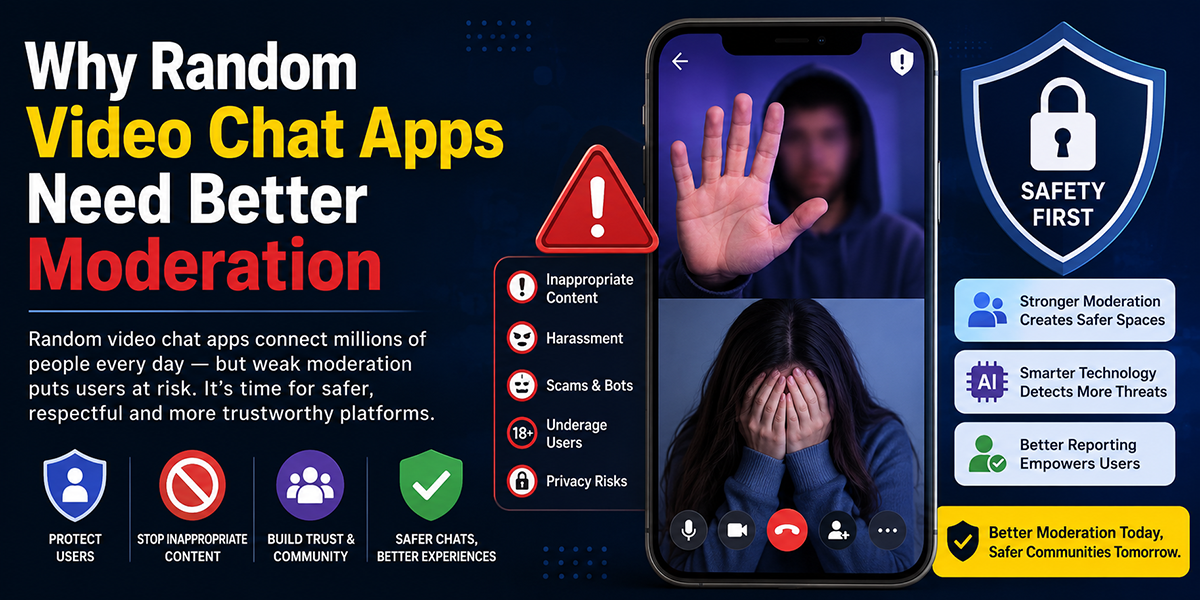
Safety and Moderation Tools
For public or monetized sessions, BoloJi offers useful moderation features, including:
- Muting participants
- Removing users
- Locking rooms
- Reporting abuse or spam
Some creator sections also include age-related content categories in supported areas.
Gaps to Keep in Mind
Although BoloJi covers basic privacy well, it still falls short of more security-focused platforms in some areas. For instance:
- End-to-end encryption may not match stricter privacy-first tools
- Advanced admin controls for large communities remain limited
Therefore, if you work with sensitive legal, financial, or corporate information, BoloJi should not be your only secure communication channel.
Platform Coverage, Integrations, and Compatibility
A good video chat app should work across devices and fit into your current workflow.
Device and Operating System Support
BoloJi supports:
- Android
- iPhone and iPad
- Modern web browsers such as Chrome, Safari, Edge, and Firefox
Desktop apps may be available in some regions, but they are generally less polished than the mobile version.
Integrations
This is one area where BoloJi feels more limited.
At the moment, the platform is built more as a self-contained experience. You can:
- Add contacts from your address book
- Share invite links through messaging apps
However, deeper integrations with business software still seem light. For example, tools like:
- Calendar syncing
- CRM connections
- Workflow automation
do not appear to be as developed as they are on enterprise-focused platforms.
Hardware and Network Compatibility
BoloJi works over:
- Wi-Fi
- 4G
- 5G
It also supports standard webcams, speakers, microphones, and mobile cameras without special setup.
Compatibility verdict: BoloJi works well for personal and light professional use, but it trails behind office-focused tools in integration depth.
Pricing, Monetization, and Value for Money
For most users, pricing matters just as much as performance.
Pricing Model
BoloJi appears to offer a free tier for basic personal use. Usually, that includes limits on group size or meeting length. Paid plans may unlock:
- Larger group capacity
- Better quality settings in supported regions
- Creator monetization tools
Monetization and Fees
For creators, tutors, and consultants, BoloJi can be appealing because it supports:
- Paid one-to-one sessions
- Paid group sessions
- Tips and gifts
That said, the platform keeps a percentage of each transaction. Since fees may vary by region and payment provider, users should check the exact numbers before relying on BoloJi as a primary income source.
Value Comparison
For free personal communication, BoloJi offers good value. In many situations, it competes well with standard free video chat platforms.
For paid sessions, the value depends on:
- Your session pricing
- Local transaction fees
- Your audience size and loyalty
If you already have a strong audience elsewhere, BoloJi may work best as an extra channel. On the other hand, if you are just getting started, it can provide a fairly simple way to charge for your time.
Global Reach, Localization, and Community Experience
One of BoloJi’s strongest selling points is its global positioning.
Language and Localization
The platform supports multiple interface languages, including core navigation and system prompts in major markets. Naturally, translation quality may vary, with bigger markets receiving more polish.
Cultural Fit and Regional Use
BoloJi seems designed to support users across different countries and communities. Public and semi-public rooms may include topics such as:
- Entertainment
- Education
- Casual conversation
- Regional interest groups
However, smaller language communities may see fewer suggested rooms or less active discovery.
Community Dynamics
The app supports several styles of interaction:
- Private circles for friends and family
- Interest-based group rooms
- Creator-led monetized sessions
Still, moderation quality matters. While the platform provides blocking and reporting tools, some high-traffic categories can feel noisy.
Community verdict: BoloJi has broad international potential, though niche communities may still feel underdeveloped.
Strengths and Weaknesses
Here is a quick summary of where BoloJi performs well and where it still needs work.
Strengths
- Easy-to-use interface
- Good call quality on common networks
- Helpful blend of chat, social, and video features
- Built-in monetization options for many users
- Strong global appeal
Weaknesses
- Limited enterprise-grade security
- Light business integrations
- Discoverability may be weak for smaller creators
- Desktop experience lags behind mobile
Evidence From Real-World Use and Benchmarks
A platform can look great on paper but still disappoint in practice. Fortunately, BoloJi seems to perform reasonably well in everyday conditions.
Common Performance Patterns
Users generally report:
- Stable one-to-one calls on Wi-Fi and 4G
- Acceptable group video quality in moderate-sized rooms
- Occasional drops during network congestion that recover quickly
These patterns suggest that BoloJi is dependable enough for casual and semi-professional use.
User Feedback Themes
Positive feedback often highlights:
- Easy onboarding for non-technical users
- Low friction for tutoring or coaching sessions
- Better accessibility for international users than some region-limited apps
At the same time, common complaints include:
- Monetization fees in certain regions
- Limited moderation tools for larger rooms
- Slow progress in desktop feature development
Taken together, this points to a platform that is solid for everyday use but still evolving.
BoloJi vs Leading Alternatives
Before switching apps, it helps to compare BoloJi with better-known alternatives.
| Platform | Main Focus | Strengths | Weak Points |
|---|---|---|---|
| BoloJi | Global video chat with social and monetization features | Simple interface, stable calls, creator tools, global reach | Fewer integrations, lighter enterprise features |
| Zoom | Business meetings and webinars | Reliable performance, strong controls, deep integrations | Less social, creator monetization is indirect |
| Microsoft Teams | Corporate collaboration | Microsoft 365 integration, enterprise compliance | Complex for casual users |
| Google Meet | Browser-based meetings | Easy access for Google users, strong web support | Limited creator tools |
| Discord | Communities and gaming chat | Rich communities, bots, persistent channels | Can feel overwhelming for new users |
Which One Should You Choose?
Go for BoloJi if you want:
- Personal international video calls
- Small-scale paid sessions
- A social layer without a steep learning curve
Choose Zoom or Teams if you need:
- Enterprise security
- Large event support
- Better business integrations
Choose Discord if your priority is:
- Ongoing communities
- Rich moderation tools
- Persistent voice and chat spaces
Who BoloJi Is Best Suited For
BoloJi is a better fit for some users than others.
Best for:
- People making frequent international calls
- Tutors, coaches, and consultants
- Micro creators testing paid interactions
- Students and organizers running small groups
Less ideal for:
- Large enterprises with compliance-heavy needs
- Influencers who already dominate bigger live platforms
- Teams deeply tied to Microsoft 365 or other office ecosystems
For many people, BoloJi works best as a second app. In that setup, you keep your work meetings on one platform and use BoloJi for personal calls or side-income sessions.
Limitations, Missing Features, and Potential Dealbreakers
No platform is perfect, and BoloJi has a few areas that may matter depending on your needs.
Key Limitations
- Free plans may cap group size
- Desktop tools remain less mature than mobile
- Scheduling and calendar integration are limited
Missing or Weaker Features
Compared with some competitors, BoloJi also offers:
- Fewer automation options
- Less advanced analytics
- Lighter moderation tools for larger communities
Potential Dealbreakers
For some users, the biggest concerns will be:
- Monetization fees that reduce take-home income
- Privacy limitations for sensitive industries
- Limited enterprise-level controls
If your needs are relatively simple, these issues may not matter much. However, if you rely on scale, compliance, or heavy integrations, they could be a problem.
Long-Term Outlook and Ongoing Development
BoloJi appears to be moving in a positive direction, especially in mobile development and regional expansion.
Current Development Focus
The platform seems to be investing in:
- Better desktop parity
- Expanded payment support
- Improved moderation tools
- More regional language support
Long-Term Potential
As long as BoloJi continues improving reliability, creator tools, and safety features, it has room to grow. That said, its success will also depend on external factors such as payment partners, telecom quality, and app store policies.
Final Verdict
So, is BoloJi worth using?
For global users who want stable video calls, simple navigation, and light monetization features, BoloJi is a strong option. It is especially useful for people who sit between personal and professional use.
Choose BoloJi if:
- You want an everyday app for international calls
- You plan to sell one-to-one or small group sessions
- You like having social features around video chat
Look elsewhere if:
- You need strict enterprise security
- You run large live events
- You depend on deep integrations with office software
In the end, BoloJi makes the most sense as a flexible, easy-to-use platform for personal calls and small-scale paid interactions. If that sounds like your use case, it is definitely worth a trial.
BoloJi FAQ
What is BoloJi and who is it designed for?
BoloJi is a global video chat platform built for everyday users, freelancers, tutors, consultants, and micro creators who want simple video calls with social and monetization features.
How does BoloJi maintain call quality?
BoloJi uses adaptive video quality to adjust to changing internet conditions. As a result, it can preserve call stability even when bandwidth drops.
Can I make money on BoloJi?
Yes, BoloJi supports paid sessions, tips, and gifts in eligible regions. That makes it useful for creators, coaches, and service providers.
Which devices support BoloJi?
BoloJi supports Android, iOS, and modern web browsers. In some regions, desktop support is also available, though mobile remains the stronger experience.
Is BoloJi better than Zoom or Discord?
That depends on your needs. BoloJi is better suited to personal global calls and simple paid interactions, while Zoom is stronger for business meetings and Discord is better for persistent communities.
Is BoloJi secure?
BoloJi includes encrypted transport, privacy settings, and moderation tools. However, it may not provide the same level of advanced security as enterprise-focused platforms.

Tony is a website publisher and technology reviewer who specializes in video chat platforms, random chat apps, and online communication tools. He tests apps for usability, safety features, moderation quality, pricing, and overall user experience. His reviews are based on hands-on testing and independent research.