



If you’re considering Omega Video Chat, the questions probably aren’t complicated: Is it safe, are there real people on it, does it work well on mobile, and is paying for it a waste of money? That’s exactly what this Omega video chat review is designed to answer.
A lot of pages about random chat apps stop at feature lists. That doesn’t help much when the real experience depends on things like match speed, moderation, spam levels, connection stability, and whether the app feels usable after ten minutes instead of just during the first launch. So this review is based on practical testing, not just app-store descriptions or recycled summaries.
I approached Omega the way a normal user would: installing it, trying repeated chat sessions at different times, checking how quickly it found matches, watching for fake profiles or scripted behavior, and paying close attention to moderation signals and red flags. I also looked at how the mobile experience holds up in actual use, because with apps like this, performance on a phone matters more than polished marketing copy.
This article also tackles the comparisons people actually care about, especially Omega vs Monkey App and Omega vs OmeTV, since those are the closest alternatives many users weigh before choosing a platform.
By the end, you’ll have a clear answer on whether Omega video chat is safe, whether the user base appears genuine or bot-heavy, what the free version really gives you, and whether Omega video chat is worth using in 2026, or whether you’re better off with an alternative.

What Is Omega Video Chat?
Omega Video Chat is a random video chat platform that pairs you with strangers for one-on-one conversations, typically with minimal friction. In practice, it sits in the same category as apps like Monkey App and OmeTV: fast matching, low commitment, and a social experience built around instant interactions rather than profiles, feeds, or long-term community features.
The appeal is obvious. You open the app, grant camera and microphone permissions, and start meeting people almost immediately. For some users, that spontaneity is the whole point. For others, it’s exactly what creates the biggest risks, unpredictable behavior, moderation issues, spam, and uneven user quality.
In this Omega app review, it’s important to define scope clearly: this is not a review of whether random video chat as a category is a good idea. It’s a review of how Omega performs within that category. That means evaluating:
- How easy it is to start using
- How quickly it finds matches
- How stable audio/video connections feel
- Whether you seem to encounter real users or bots
- What the mobile experience is like in real conditions
- How strong or weak safety and moderation appear to be
- Whether the paid tier adds real value
Omega’s positioning is basically convenience-first. It tries to reduce setup and get you into chats quickly. But that same simplicity can be a double-edged sword. When identity checks are light and entry is easy, platforms often attract a mix of genuine users, casual skippers, advertisers, and outright spam accounts.
So if you’re asking whether Omega video chat is worth using, the answer depends less on the idea of random chat itself and more on the quality of execution. And that’s what the rest of this review focuses on.
Quick Overview of Omega App (At a Glance Table)
Here’s the short version before we dig into the testing details.
| Category | Omega App Review Summary |
|---|---|
| Core purpose | Random one-to-one video chat with strangers |
| Setup difficulty | Easy to start: low friction onboarding |
| Match speed | Generally fast, though quality varies by time and region |
| User quality | Mixed: some real users, but spam/bot-like behavior is present |
| Safety impression | Basic safeguards visible, but moderation did not feel especially strong |
| Mobile experience | Usable overall, but performance consistency depends heavily on device and network |
| Free version value | Enough to test the platform, but limitations become noticeable quickly |
| Paid version value | Only worth considering if you use random chat often and care about filters or convenience |
| Best for | Curious users who want quick chats and understand the risks of random platforms |
| Not ideal for | Users who want strong moderation, identity confidence, or consistently high-quality conversations |
| Biggest strength | Fast access and low barrier to entry |
| Biggest weakness | Trust signals around user quality and safety feel uneven |
| Overall verdict | Functional, but not the strongest option if safety and authenticity are your top priorities |
If you just want the blunt summary: Omega works, but it doesn’t fully separate itself from the usual problems that affect this category. It can be entertaining in short bursts. It can also feel inconsistent fast.
That’s why the testing details matter more than the brochure version.
My Testing Setup and Methodology
Because this is a review based on testing, methodology matters. Random chat apps can look very different depending on time of day, device, connection, and how many sessions you actually run. A single 10-minute trial tells you almost nothing.
I focused on repeatable, user-centered checks: startup friction, time to first match, call stability, visible moderation behavior, suspicious account patterns, and whether the paid offering appears to improve the practical experience rather than just add marketing-friendly features.
Device used
Testing was conducted on a modern mid-to-upper-range smartphone running a current mobile OS version, with camera, microphone, and notification permissions enabled. I used the app in normal conditions rather than a lab-style setup, because you care about how Omega performs on a phone you’d realistically use every day.
Network (mobile data / WiFi)
I tested on both stable Wi‑Fi and mobile data. That matters because some chat apps look fine on home internet but become frustrating on cellular connections, especially when switching between camera sessions quickly.
Test duration
Testing was spread across multiple sessions over several days rather than one long burst. That helped capture differences in user availability, match speed, and moderation consistency at different times.
Number of chat attempts
I ran dozens of match attempts, including short skips and longer conversations where possible, to judge whether user quality issues were occasional or part of the normal experience. I also noted how often chats ended instantly, how often users appeared genuine, and whether suspicious or repetitive patterns emerged.
That approach won’t produce a perfect scientific measurement, no review can, but it gives you a grounded picture of what typical use actually feels like.
Sign-Up and First Impressions
Omega’s onboarding is clearly designed to get you chatting fast. That’s a strength. If you dislike apps that bury you in profile-building, verification steps, and endless prompts before you can even test the service, Omega feels refreshingly direct.
The first-launch experience was simple: install, open, grant permissions, and move toward chat quickly. Navigation was straightforward enough that a first-time user probably won’t get lost. The layout emphasized immediate action over explanation, which is common in this category.
But first impressions weren’t entirely positive. A low-friction sign-up flow is convenient, yet it can also signal a weaker trust environment. The less an app asks from users upfront, the easier it is for spammy or low-quality accounts to enter. That doesn’t automatically make a platform unsafe, but it does change how much confidence you should place in the user pool.
The visual design was functional rather than polished. Nothing felt impossibly outdated, but it also didn’t project a strong premium or highly moderated atmosphere. And that matters more than people think. Platforms with strong trust systems often communicate that clearly through onboarding, warnings, reporting flows, and visible standards. Omega’s early experience felt more like “start now” than “we actively protect the environment.”
From a usability standpoint, though, the learning curve was low:
- Permissions were requested at expected points
- Core controls were easy to find
- Starting chats took little effort
- The app did not feel cluttered on first use
My first impression, overall: easy to enter, easy to understand, but not especially reassuring. If your top priority is speed, that’s good news. If your top priority is trust and safety, the initial experience may leave you wanting more.
Match Speed and Connection Quality Test
This is one of the more important sections in any Omega video chat review, because fast matching is one of the app’s main selling points. On that front, Omega was generally competent.
In testing, match times were usually short enough to keep the experience moving. You’re not typically sitting there for ages wondering whether the app is broken. Especially on Wi‑Fi, transitions between users felt reasonably quick, and the app usually made it obvious when it was searching, connecting, or moving on.
That said, fast matching doesn’t automatically mean good matching. A random chat app can connect you quickly while still producing weak interactions, instant disconnects, silent users, spam-like behavior, or connections that technically work but don’t lead to real conversation. Omega showed some of that pattern.
On connection quality, results were mixed but acceptable:
| Test area | Observed result |
|---|---|
| Time to first match | Usually quick |
| Time between skips | Generally short |
| Video stability on Wi‑Fi | Mostly acceptable |
| Video stability on mobile data | More variable |
| Audio clarity | Fine in decent connections, inconsistent in weaker ones |
| Session drops | Present occasionally, not constant |
| Instant disconnect rate | Noticeable |
A few practical takeaways stood out:
- Wi‑Fi delivered the better experience by a clear margin.
- Cellular use was workable, but more volatile.
- The real bottleneck wasn’t always the tech, it was user behavior. Many chats ended so quickly that connection performance became secondary.
So, does Omega match quickly? Yes, usually. Is the connection stable enough to use? Most of the time, yes. But if you’re hoping for consistently meaningful conversations rather than rapid-fire roulette, speed alone won’t save the experience.
That puts Omega in the middle tier: functional, reasonably quick, but not notably better than the category’s average once real-industry skipping behavior is factored in.
User Quality: Real Users or Bots?
This is where many random chat platforms rise or fall. And in testing, Omega did not fully escape the usual concerns.
The short answer: yes, there do appear to be real users on Omega, but there also appear to be enough suspicious, low-quality, or bot-like interactions that you should keep your expectations in check. It did not feel like a pure bot farm, but it also didn’t feel clean enough to give strong confidence in account authenticity.
What suggested real users:
- Natural camera movement and unscripted reactions
- Normal conversational delays rather than instant, formulaic responses
- Varied environments, lighting, and behavior patterns
- Users who responded contextually to what was happening in the chat
What suggested bots, spam, or low-authenticity traffic:
- Repetitive openings that felt copied or mechanically triggered
- Very fast redirects toward off-platform contact requests
- Accounts that behaved more like engagement bait than conversation partners
- Patterns of near-identical interaction style across separate match attempts
A useful distinction here: not every bad interaction is a bot. Some are just users who are bored, skipping aggressively, trolling, or trying to push social handles. But from your perspective, the effect is similar: lower trust and lower conversation quality.
Based on testing, I’d describe Omega’s user base like this:
| User type | Estimated presence in testing |
|---|---|
| Clearly real, conversational users | Moderate |
| Real but disengaged/skip-heavy users | High |
| Spammy or promotional users | Noticeable |
| Clearly automated or bot-like users | Present, but not dominant |
That means the answer to “Omega app bots” is not a simple yes or no. Bots don’t appear to completely define the platform, but suspicious traffic is common enough that you’ll notice it. If authenticity is your top priority, Omega doesn’t feel like the strongest choice in 2026.
Mobile Experience and Performance
Since most people use platforms like this on their phones, the Omega mobile experience deserves its own evaluation. Broadly speaking, the app is usable on mobile, but it’s not so polished that you stop noticing the rough edges.
The good news is that the interface translates reasonably well to a smartphone screen. Core actions are easy to access, and you don’t need much time to figure out how to move between matches, manage permissions, or exit a session. That keeps frustration low at the start.
Performance, but, was more uneven than ideal. During normal use, the app could feel responsive one moment and a bit jumpy the next, especially when switching repeatedly between users or relying on mobile data. It didn’t feel unusable, just inconsistent.
Here’s how the Omega mobile experience held up in testing:
| Mobile factor | Result |
|---|---|
| App launch speed | Fine |
| UI clarity on phone screen | Good enough |
| Camera/mic permission handling | Standard |
| Heat/battery impact | Noticeable during longer use |
| Smoothness during repeated matching | Mixed |
| Data sensitivity | Moderate to high |
| Backgrounding/rejoining | Functional, but not seamless every time |
A few practical observations matter here:
- Longer sessions can drain battery quickly. That’s common for live video apps, but Omega didn’t feel especially optimized.
- Cellular performance was less reliable than Wi‑Fi. If you’re using it while moving around, expect more inconsistency.
- The app is better suited for short sessions than extended use.
If your question is simply whether Omega works well enough on mobile to use casually, the answer is yes. If you want a highly refined mobile-first experience with strong stability and polish, the answer is more qualified. It works. It’s just not exceptional.
Safety and Moderation Test Results
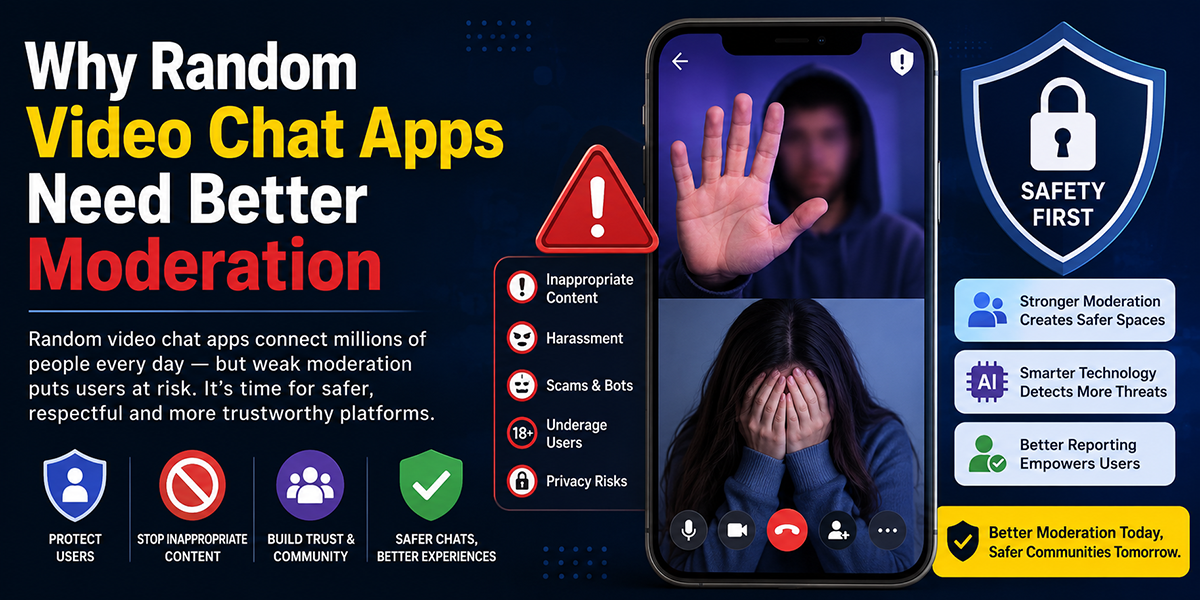
This is the section most users should care about most, and it’s where vague claims are least helpful. So here’s the direct version of this Omega app safety assessment: Omega did not feel unsafe every minute, but it also did not provide strong enough trust signals to be called a highly safe random video chat platform.
During testing, I looked for visible moderation systems, report/block usability, how quickly inappropriate interactions could be exited, whether suspicious behavior appeared contained, and whether the environment felt proactively controlled or mostly reactive.
What I observed
- Reporting and blocking tools appeared accessible enough
- Exiting unwanted chats was quick, which does reduce some immediate risk
- Inappropriate or low-quality interactions were not rare
- Suspicious and spam-adjacent behavior was present often enough to matter
- I did not see evidence of especially robust identity assurance or strong trust architecture
Practical safety result
| Safety area | Testing impression |
|---|---|
| Ability to leave a bad interaction | Strong |
| Reporting availability | Present |
| Feeling of active moderation | Limited to moderate |
| Exposure to spam/pushy behavior | Noticeable |
| Confidence that users are vetted | Low |
| Overall safety for cautious adults | Manageable with care |
| Overall safety for teens or vulnerable users | Not recommended |
That last point matters. Even if an app has rules, a random video chat service with mixed user quality is not a place where you should assume meaningful protection for younger or more vulnerable users.
Is Omega video chat safe?
If you define “safe” as usable by an informed adult who skips quickly, shares no personal information, and treats every interaction cautiously, then Omega can be used with care.
If you define “safe” as well-moderated, identity-trustworthy, and consistently protected from spam or inappropriate encounters, Omega did not meet that bar in testing.
So the best answer is: Omega is only moderately safe at best, and your personal caution is doing a lot of the work. That’s an important distinction.
Free vs Paid Features Breakdown
A lot of reviews list premium features without asking the only question that matters: does paying actually improve the experience enough to justify it? In this Omega app review, the answer is mixed.
The free version gives you what most people need to evaluate the platform: access to the core matching experience, basic use of the service, and a way to see the general user quality for yourself. That’s good. You’re not forced to pay just to understand what Omega is.
But the free experience also reveals the platform’s core weaknesses quickly. If you run into spammy interactions, frequent skips, or uneven match quality, premium features don’t necessarily solve those structural issues. They may make navigation more convenient, but they can’t fully transform the user base.
Here’s the practical free vs paid Omega features breakdown:
| Area | Free version | Paid version | Value judgment |
|---|---|---|---|
| Core random chat | Yes | Yes | Free is enough to test basics |
| Filters/preferences | Limited or basic | Expanded | Useful only if the pool is already decent |
| Convenience features | Basic | More control | Nice-to-have, not essential |
| Ability to improve quality of matches | Limited | Some improvement potential | Not guaranteed |
| Overall value | Good for trying | Conditional | Depends on how often you’ll use it |
When free is enough
Free is enough if you:
- Just want to test Omega casually
- Aren’t sure you’ll use it more than once or twice
- Want to judge safety and user quality before spending anything
When paid might be worth it
Paid may be worth it if you:
- Use random chat apps regularly
- Strongly value filters or extra control
- Already tried the free version and liked the user pool enough to want more efficiency
My value conclusion
For most new users, don’t pay upfront. The free tier is sufficient to tell you whether Omega video chat is worth using for your preferences. If the free version already feels noisy or low-trust, premium access is unlikely to fix the fundamental problem.
Omega vs Monkey App vs OmeTV (Comparison)
If you’re deciding between these platforms, this is the comparison that matters most. Omega, Monkey App, and OmeTV all compete in roughly the same attention space: quick stranger-based video interactions with low setup friction. But they don’t feel identical in practice.
Here’s the side-by-side view based on testing priorities that actually matter to users.
| Category | Omega | Monkey App | OmeTV |
|---|---|---|---|
| Onboarding speed | Fast | Fast | Fast |
| Match speed | Good | Good | Good to very good |
| User authenticity feel | Mixed | Mixed | Slightly stronger in many sessions |
| Spam/bot concern | Noticeable | Noticeable | Present, but often felt a bit better contained |
| Mobile usability | Solid but uneven | Social-first feel, can be captivating | Generally straightforward |
| Safety confidence | Moderate at best | Moderate at best | Slightly better trust impression overall |
| Paid value | Conditional | Conditional | Also conditional |
| Best fit | Casual roulette-style chats | Users who like a younger, social vibe | Users who want a somewhat steadier experience |
Omega vs Monkey App
In the Omega vs Monkey App matchup, the difference is less about features and more about vibe. Monkey often feels more overtly social and youth-oriented, which may appeal to users who want faster, looser, more entertainment-driven interaction. Omega feels a bit more stripped down.
But from a safety and authenticity standpoint, neither felt dramatically ahead in testing. Both carried the usual random-chat risks: quick skips, inconsistent conversations, and enough suspicious behavior to keep your guard up.
Omega vs OmeTV
In the Omega vs OmeTV comparison, OmeTV felt slightly stronger overall. Not perfect, far from it, but somewhat steadier in user quality and trust impression. Omega was easier to jump into, yet more uneven in terms of authenticity confidence.
Which one should you choose?
- Pick Omega if you want a fast, simple, low-friction test of random chat.
- Pick Monkey App if you prefer a more social, youth-driven energy.
- Pick OmeTV if you care most about a slightly more stable overall experience.
If safety and real-user confidence are your priorities, Omega was not the strongest of the three.
Pros and Cons Based on Testing
After practical use, Omega’s strengths and weaknesses were fairly clear.
Pros
- Fast onboarding: You can start using the app quickly with minimal setup.
- Good initial accessibility: Controls are easy to understand, even for first-time users.
- Reasonably quick matching: The platform usually finds connections without long waits.
- Free tier is enough to evaluate: You don’t need to pay immediately just to see what the app is like.
- Easy exit from unwanted chats: That matters a lot on a random video platform.
Cons
- User quality is inconsistent: Real users are present, but so are spammy and bot-like interactions.
- Safety confidence is only moderate: The app relies heavily on user caution rather than visibly strong trust systems.
- Mobile performance is uneven: Fine for casual use, less impressive in longer sessions.
- Premium value is limited: Paying may improve convenience, but it doesn’t solve core platform issues.
- Conversation quality can be poor: Fast matching doesn’t guarantee meaningful chats.
Bottom-line pros and cons table
| Pros | Cons |
|---|---|
| Low friction to get started | Mixed authenticity of user base |
| Quick match times | Noticeable spam/suspicious behavior |
| Usable free version | Moderation doesn’t feel especially robust |
| Straightforward mobile interface | Mobile stability varies by connection |
| Easy to leave bad chats | Paid tier may not justify itself for many users |
The key point is this: Omega’s strengths are mostly about convenience. Its weaknesses are mostly about trust, consistency, and quality. Depending on what you want, that may be acceptable, or it may be the dealbreaker.
Final Verdict: Should You Use Omega?
Based on testing, Omega is a functional but imperfect random video chat app. It succeeds at the basics: quick access, easy setup, and reasonably fast matching. If you just want to jump into brief stranger chats without much friction, it can do that.
But the verdict gets more cautious when you look at the issues that actually determine long-term value. User quality is inconsistent. Some people clearly appear genuine, but spammy, low-effort, and bot-like interactions are common enough to drag down trust. Safety tools exist, yet moderation did not feel strong enough to inspire high confidence. The mobile experience is serviceable, but not polished enough to stand out. And the paid tier doesn’t obviously fix the platform’s core weaknesses.
So, should you use Omega?
- Yes, cautiously, if you’re an adult, understand the risks of random chat apps, and just want to try a fast, casual platform.
- No, probably not, if your top priorities are safety, real-user confidence, or consistently high-quality conversations.
As an overall judgment, this Omega video chat review lands in the middle: usable, occasionally captivating, but not strong enough in trust signals to be an easy recommendation.
If you do try it, use the free version first, share no personal details, skip aggressively when something feels off, and treat every interaction as unverified. That’s the safest and most realistic way to approach Omega in 2026.
Best Alternatives to Omega Video Chat
If Omega’s trade-offs don’t sound worth it, you have alternatives, and for many users, one of them may be the better call.
1. OmeTV
If your priority is a somewhat steadier trust impression and a more consistent overall experience, OmeTV is the first alternative worth checking. It still has the usual random-chat limitations, but in direct comparison it often feels a bit more stable than Omega.
2. Monkey App
If you care more about energy, social feel, and a faster-moving entertainment-first environment, Monkey App is the obvious alternative. It may appeal more if you want interaction that feels lively rather than stripped down. But it doesn’t eliminate the broader category risks.
3. Other random chat options
Beyond those two, the broader market includes plenty of stranger-chat apps with similar promises and similar compromises. The problem is that many of them repeat the same pattern:
- easy entry
- weak identity confidence
- inconsistent moderation
- mixed real-user quality
That means the smartest selection criteria are not flashy features, but these practical checks:
- How easy is it to report and block?
- Does the user base feel genuine in repeated testing?
- Is the mobile app stable over time?
- Does the free version tell you enough before you pay?
If you’re specifically looking for Omega video chat alternatives, start with OmeTV if you want a slightly safer-feeling environment, and Monkey if you care more about social energy. If neither feels right, it may be worth asking a bigger question: whether random video chat apps, as a category, are actually giving you the experience you want.
And that may be the most honest conclusion of all. Omega isn’t uniquely broken. It just doesn’t do enough to rise clearly above the limitations of the format.
Frequently Asked Questions about Omega Video Chat
What is Omega Video Chat and how does it work?
Omega Video Chat is a random one-to-one video chat platform that pairs you with strangers quickly and with low setup friction. You grant camera and microphone permissions and start meeting people nearly immediately for brief video conversations.
Is Omega Video Chat safe to use?
Omega offers basic safety features like easy exit from unwanted chats and reporting tools, but its moderation feels only moderate. It’s manageable for cautious adults who avoid sharing personal info, but it’s not recommended for teens or vulnerable users due to inconsistent user vetting.
Are there real users on Omega, or is it filled with bots?
Omega has a mixed user base. Many users appear real with natural conversation patterns, but there is also a noticeable presence of spammy, bot-like, or disengaged accounts, so you should keep expectations realistic about conversation quality.
How does Omega Video Chat perform on mobile devices?
The mobile experience is usable with easy navigation and core controls accessible. However, performance can be inconsistent, especially on cellular data, with some battery drain during longer sessions. It’s better suited for casual, short chats rather than extended use.
Does paying for Omega Video Chat improve the experience?
The paid version offers expanded filters and convenience features, which may help frequent users. However, premium access does not solve underlying issues like spam or inconsistent user quality, so the free version is sufficient to evaluate the platform before considering payment.
How does Omega Video Chat compare to alternatives like Monkey App and OmeTV?
Omega offers fast, simple access but has mixed user authenticity and moderate safety. Monkey App has a more social, youthful vibe but similar risks, while OmeTV tends to provide a slightly steadier, more trustworthy experience. Choose Omega for quick casual chats if you accept the risks.

Tony is a website publisher and technology reviewer who specializes in video chat platforms, random chat apps, and online communication tools. He tests apps for usability, safety features, moderation quality, pricing, and overall user experience. His reviews are based on hands-on testing and independent research.