



If you’re considering the Monkey app in 2026, the big questions are pretty simple: is Monkey safe, is Monkey free, and does it actually connect you with real people instead of bots or spam? I tested the Monkey video chat app with those exact concerns in mind.
This isn’t a recycled feature list. I focused on the practical stuff you’d care about before downloading: how account setup works, how fast matches appear, what kinds of users show up, how often inappropriate content appears, whether moderation feels meaningful, and how Monkey compares with close alternatives like OmeTV and Emerald Chat.
My short version: Monkey is active, easy to start using, and clearly built for fast, casual random video chat. You can get into conversations quickly, and I found a real user base rather than an empty app. But the experience is uneven. I also ran into low-effort interactions, obvious spam behavior, and enough borderline or inappropriate content to make Monkey app safety a real concern, especially for younger or privacy-conscious users.
The free version is usable, but like many apps in this category, it pushes premium features once you spend time inside it. And while Monkey can be entertaining if you know what you’re getting into, it is not the most controlled or comfortable environment for everyone.
Below, you’ll find a full hands-on Monkey app review based on actual testing, including onboarding, safety, user quality, media performance, and a direct Monkey vs OmeTV vs Emerald Chat comparison so you can decide whether Monkey is worth your time, or whether one of the better Monkey alternatives makes more sense.

Monkey App at a Glance
If you want the fast answer before digging into the details, here it is: Monkey is a high-speed random video chat app with decent activity, a young-feeling user base, and a safety profile that’s weaker than many cautious users will want.
Quick verdict table
| Category | My take | Short verdict |
|---|---|---|
| Ease of setup | Very easy to start | Good |
| Match speed | Fast in testing | Very good |
| User activity | Active enough to keep moving | Good |
| Real users vs bots | Mostly real, but spam exists | Mixed |
| Safety tools | Present, but limited in practice | Below average |
| Inappropriate content | Noticeable risk | Concerning |
| Free version | Usable, but constrained | Fair |
| Video/audio quality | Usually acceptable, sometimes unstable | Good |
| Best for | Casual, low-stakes random chats | Niche fit |
| Overall | Entertaining but not broadly recommendable | Proceed carefully |
Bottom line
The Monkey app works. That matters, because some random chat apps feel half-abandoned the second you open them. In my testing, Monkey usually connected quickly and had enough active users to avoid long dead periods. But usability is only part of the story.
The bigger issue is environment. You’re entering a space where conversation quality is inconsistent, moderation feels reactive rather than preventative, and inappropriate interactions are common enough that you should expect them rather than treat them as rare exceptions. If you’re asking is Monkey safe, the honest answer is: safe enough for some adults who understand the risks, but not safe enough to recommend casually to everyone.
If your priority is speed and spontaneity, Monkey delivers. If your priority is comfort, filtering, or a more controlled experience, you’ll probably prefer one of the stronger Monkey alternatives.
What Is Monkey App?
Monkey is a random video chat platform designed to pair you with strangers for short, fast-paced conversations. The basic idea is familiar: open the app, allow camera and microphone access, and start meeting people one at a time. If a chat isn’t working, you move on almost instantly.
What separates the Monkey video chat app from older random chat services is its mobile-first feel and social-style presentation. It doesn’t look like a dusty webcam site from 2012. It feels designed for quick attention spans, rapid swiping, and casual interactions rather than deep conversations or professional networking.
In practice, Monkey sits in a middle zone between pure random chat and light social discovery. You’re not building a robust profile-based dating experience, but you’re also not entering a completely blank, anonymous text room either. That can make it more approachable, but it also changes expectations: many users seem to treat it as entertainment first, conversation second.
That matters when you decide whether Monkey is a fit for you. If you want polished community features, stronger identity signals, or more serious matching, Monkey will feel thin. If you want immediate access to strangers without much friction, that’s exactly what it’s built for.
So, at its core, this Monkey app review is evaluating whether that tradeoff still makes sense in 2026: speed and simplicity on one side, safety and consistency on the other.
How I Tested Monkey App
To make this review useful, I tested Monkey the way a real new user would, not as a one-minute walkthrough, and not by relying on the app’s own marketing language.
I evaluated it across the areas most people actually care about:
- account creation and onboarding friction
- permissions and verification requirements
- match speed at different times
- user activity and drop-off
- percentage of seemingly real users versus spammy or bot-like accounts
- frequency of inappropriate content or behavior
- reliability of video and audio
- limitations of the free experience versus premium prompts
- comparison with OmeTV and Emerald Chat
I also paid attention to something many reviews skip: how the app feels after the first few minutes. Random chat apps often make a strong first impression, then fall apart once you notice repetition, low-quality matches, aggressive upsells, or weak moderation.
My testing showed that Monkey performs better on raw activity than some smaller competitors, but it also exposes you to the usual category problems very quickly. You don’t have to spend hours to understand the app’s strengths and weaknesses: they surface early.
That’s why this review is centered on direct observations. You need to know not just what Monkey claims to offer, but what your likely experience will be once you actually start tapping through matches.
Creating an Account
The onboarding process was straightforward, and that’s one of Monkey’s strengths. You’re not forced through a long setup flow before seeing the product. The app wants you inside the matching experience quickly, and it succeeds.
In practical terms, account creation felt light compared with more identity-heavy platforms. You provide the usual basics, grant permissions, and move through a simple setup path without much resistance. From a convenience standpoint, that’s good. From a safety standpoint, it’s more complicated.
What stood out during signup
- Setup was fast enough that a new user could be chatting within minutes.
- Camera and microphone permissions are central to the experience, so the app asks for them early.
- The overall process felt optimized for speed, not careful screening.
- Verification did not feel robust enough to reassure you that every person you meet has gone through meaningful identity checks.
That last point matters. Easy onboarding helps activity, but it can also let low-quality users, throwaway accounts, and spammy behavior enter more easily. In my testing, Monkey’s smooth signup experience appeared to be one reason the app remained active, but also one reason user quality varied so much.
If you’re the kind of user who hates long registration flows, you’ll appreciate this. If you’re hoping account creation will filter out bad actors, you probably won’t find the reassurance you want here.
So yes, signing up is easy. The real question is whether that convenience comes at too high a cost for Monkey app safety. In my view, partly yes.
My Experience Using Monkey
Using Monkey felt a bit like stepping into a crowded hallway where everyone is either trying to talk, joke, show off, skip instantly, or sell you on something. It’s active, but not always in a good way.
The app’s rhythm is fast. You don’t sit waiting very long, and you rarely have time to overthink whether to stay in a conversation. That makes Monkey easy to use in short bursts. It also creates a disposable culture: many interactions are shallow, abrupt, or clearly driven by boredom rather than genuine interest.
I did have normal conversations with real people. That’s important, because some apps in this category feel almost entirely synthetic or dead. Monkey wasn’t dead. It had enough real users to keep testing meaningful. But the quality range was wide. Some chats were casual but fine: others ended in seconds: a few had obvious spam or attention-grabbing behavior from the start.
What the overall experience felt like
- fast and frictionless
- socially chaotic
- more entertainment-oriented than conversation-oriented
- active enough to keep trying
- unpredictable in a way some users will enjoy and others will hate
If you’re looking for random chat as a novelty, Monkey can deliver that. If you want stable, respectful interactions with fewer surprises, the app becomes harder to recommend. My experience wasn’t disastrous, but it also didn’t suggest a platform with especially strong guardrails.
Match Speed and User Activity
This was one of the better parts of the Monkey app experience. In testing, match speed was generally quick, and that alone gives Monkey an advantage over smaller or fading random chat apps.
I didn’t see the kind of long empty waits that make some platforms feel abandoned. Connections typically appeared fast enough that the app maintained momentum. Even when a chat ended almost immediately, another match was usually available without much delay. That gives Monkey a strong “drop in and use it now” feel.
My testing-based take on activity in 2026
- Match availability was consistently decent.
- The app felt alive rather than inflated by dead profiles.
- Short conversations were common, but not because no one was there.
- Activity seemed strong enough to support casual repeat use.
The catch is that high activity doesn’t automatically mean high quality. Fast matching can mask weak filtering. In other words, Monkey can keep you moving, but it doesn’t always keep you moving toward good interactions.
That distinction matters if you’re comparing it with alternatives. An app can feel active simply because it has lots of churn, people joining, skipping, reconnecting, and bouncing around. Monkey definitely has that churn. Whether you experience it as energy or chaos depends on your tolerance for randomness.
Still, judged purely on speed and activity levels, Monkey performed well enough in 2026 to avoid the “ghost town” problem. If your main concern is whether there are people on the app, the answer is yes.
User Quality: Real People or Bots?
This is where a lot of random chat reviews get vague, so here’s the direct answer: in my testing, Monkey had real users, but it also had enough spammy and low-authenticity behavior that you should expect some noise.
I did not come away thinking the app was overrun by pure automated bots in every direction. That would be unfair. Many connections appeared to be genuine people using the app casually. But I also ran into patterns that raised familiar red flags: repetitive openers, oddly scripted behavior, fast redirection attempts, accounts that felt more promotional than social, and interactions that looked engineered to keep attention without real conversation.
Signs I noticed
Likely real users:
- normal conversational timing
- natural reactions to what was said
- messy, ordinary backgrounds and uneven audio
- random, unscripted topic changes
Likely spam or low-authenticity users:
- canned-feeling intros
- immediate attempts to redirect off-platform
- suspiciously polished presentation paired with low engagement
- behavior that repeated across multiple matches
So, are there bots on Monkey? Probably some, plus spam and fake-feeling accounts. But the bigger issue isn’t robot takeover: it’s quality dilution. You’ll meet real people, but you’ll also spend time filtering out users who aren’t there for genuine conversation.
That’s why I’d describe Monkey’s user quality as mixed rather than fake. It’s active enough to be usable, but not clean enough to feel reliably authentic from match to match.
Is Monkey Safe?
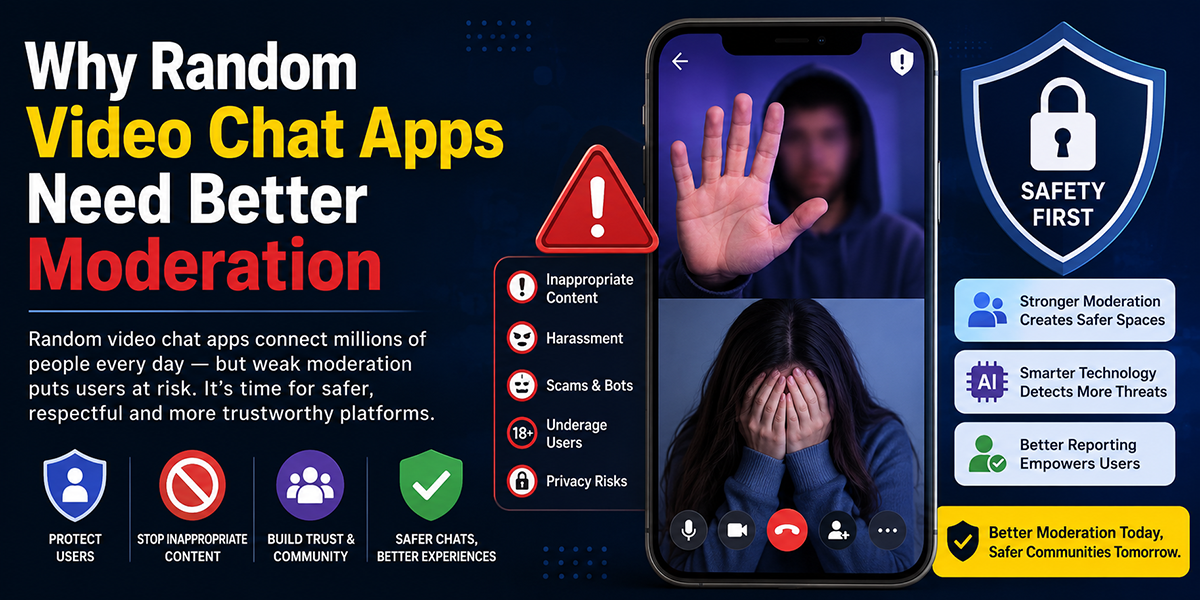
If you’re asking is Monkey safe, the most accurate answer is: not consistently enough to treat it as a low-risk platform.
Monkey includes the basic safety mechanisms you’d expect in this category, such as reporting and blocking. Those tools matter, and they’re better than nothing. But in real use, they felt reactive. They help after something goes wrong: they don’t do enough to prevent bad interactions from reaching you in the first place.
In testing, inappropriate or uncomfortable content was not hard to encounter. I didn’t have to dig for it. That alone is a meaningful safety signal. It suggests moderation isn’t filtering enough at the front end, or that the app’s high-speed design makes harmful behavior hard to contain before users see it.
Practical safety assessment
| Safety area | What I observed | Risk level |
|---|---|---|
| Reporting/blocking | Available, but reactive | Moderate |
| User verification | Didn’t feel strong enough | High |
| Inappropriate content exposure | Noticeable during normal use | High |
| Privacy comfort | Depends heavily on your caution | Moderate to high |
| Teen suitability | Not comfortable to recommend | High |
My safety advice
If you use Monkey at all, you should:
- avoid sharing personal identifiers
- expect some inappropriate behavior
- leave chats quickly when something feels off
- treat profile cues skeptically
- avoid using it as a minor
Can adults use Monkey? Yes. But adult use and safe use are not the same thing. Adults with strong boundaries may be fine. Younger users, highly privacy-conscious users, and anyone uncomfortable with unpredictable content should probably stay away.
So in plain English: Monkey is usable, but Monkey app safety remains one of its biggest weaknesses.
Video and Audio Quality
The media quality on Monkey was decent enough for casual use, though not polished enough to call a standout strength.
When connections were stable, video was clear enough for normal conversation and audio was understandable without much strain. That’s really the baseline random video chat apps need to meet, and Monkey generally met it. I didn’t get the sense that media performance was the app’s main problem.
What I did notice was inconsistency. Some chats looked and sounded fine: others had the usual category issues: unstable framing, compressed-looking video, minor lag, uneven microphone levels, and the occasional connection that felt rough around the edges. In other words, the technical side was serviceable, but not always smooth.
What you can realistically expect
- acceptable video for casual one-on-one chats
- usable audio most of the time
- occasional lag or quality dips
- performance that depends partly on the other person’s setup and connection
This is important if you’re comparing Monkey with more mature alternatives. Monkey didn’t collapse technically, but it also didn’t feel premium from a media standpoint. It felt “good enough” for spontaneous stranger chat, which is probably the right description for most users.
So if your concern is whether the app is functionally usable for live conversation, yes. If your concern is whether it delivers consistently polished video and audio quality, not really. It clears the minimum bar, with some unevenness along the way.
Free vs Premium Features
A common question is is Monkey free. The practical answer is: yes, but with limits.
You can use Monkey without immediately paying, and the free version is enough to understand the app, browse the experience, and get into matches. That’s good news if you only want to test whether the platform fits you. But it also becomes clear fairly quickly that Monkey nudges users toward paid upgrades.
The exact premium packaging can change over time, but the pattern is familiar: core access stays free, while convenience, visibility, or enhanced controls are more likely to sit behind payment prompts.
Free vs premium breakdown
| Feature area | Free experience | Premium expectation |
|---|---|---|
| Basic access | Yes | Yes |
| Random matching | Yes | Yes |
| Extended control/convenience | Limited | More likely included |
| Extra visibility or boosts | Usually restricted | More likely available |
| Overall usability | Enough to try the app | Better if you’re a frequent user |
Here’s my recommendation: don’t pay first. Use the free version long enough to judge three things, user quality, comfort level, and safety tolerance. If those aren’t already working for you, premium features won’t magically fix the core experience.
That’s the key point many reviews miss. On Monkey, payment may improve flexibility, but it does not solve the app’s biggest issues: inconsistent user quality and exposure to inappropriate content. For occasional curiosity, free is enough. For serious value, premium is harder to justify unless you already like what the platform is.
Monkey App Pros and Cons
After testing the app directly, the strengths and weaknesses were pretty clear.
Pros
- Fast onboarding: You can start using Monkey quickly.
- Strong match speed: The app feels active in 2026.
- Real users are present: It’s not just a shell of bots and dead rooms.
- Simple interface: Little learning curve.
- Free entry point: You can try it without committing financially.
Cons
- Safety concerns are real: Inappropriate content is too easy to encounter.
- Moderation feels limited: Reporting exists, but prevention is weak.
- User quality is inconsistent: Real conversations are mixed with spammy behavior.
- Disposable interaction culture: Many chats are brief, shallow, or chaotic.
- Premium upsell pressure: The free version works, but monetization is noticeable.
The most important thing is how these tradeoffs interact. Monkey’s best features, speed, low friction, instant access, are tied to its biggest weaknesses. The easier an app makes it to jump in, the harder it often becomes to maintain quality and control.
That doesn’t make Monkey automatically bad. It makes it exact. If you enjoy high-variance social apps and know how to protect your privacy, you may find it entertaining. If you want reliability, better filtering, and a lower-risk environment, Monkey’s cons carry more weight than its pros.
Monkey vs OmeTV vs Emerald Chat
If you’re comparing random chat apps in 2026, Monkey, OmeTV, and Emerald Chat sit in related territory, but they don’t feel the same in use.
Monkey emphasizes speed and casual spontaneity. OmeTV generally feels more straightforward and established in the one-to-one random video category. Emerald Chat tends to aim for a slightly more structured community feel, with a stronger emphasis on filtering and conversation quality, at least in concept.
Comparison table
| Category | Monkey | OmeTV | Emerald Chat |
|---|---|---|---|
| Onboarding speed | Very fast | Fast | Moderate |
| Match speed | Fast | Fast | Moderate to fast |
| User activity | Good | Good | More variable |
| User quality | Mixed | Mixed, sometimes steadier | Potentially better, but inconsistent by time |
| Bots/spam risk | Moderate | Moderate | Moderate |
| Safety feel | Weak to moderate | Moderate | Moderate, sometimes better filtered |
| Inappropriate content risk | Noticeable | Noticeable | Still present, often somewhat more controlled |
| Interface style | Social, fast, app-like | Simple and direct | More community-oriented |
| Free usability | Decent | Decent | Decent |
| Best fit | Casual spontaneity | Straight random video chat | Users wanting a bit more structure |
My take
If your top priority is quick entertainment and constant movement, Monkey is competitive. If you want a more straightforward random chat experience without Monkey’s particular social-chaos vibe, OmeTV may feel easier to tolerate. If you want a platform that at least leans more toward conversation quality and community signals, Emerald Chat is worth a look.
In short: Monkey wins on energy, but not on control. That’s the tradeoff.
Who Should Use Monkey?
Monkey is not for everyone, and saying that clearly is more useful than trying to make the app sound universally appealing.
Monkey may be a fit if you:
- want fast random video chat with minimal setup
- are an adult comfortable with unpredictable social environments
- can identify spammy behavior quickly
- don’t expect every conversation to be meaningful
- are just looking for casual novelty or light entertainment
Monkey is probably not a fit if you:
- are underage or buying into the app as a minor
- want a consistently safe environment
- are sensitive to inappropriate content
- want stronger moderation or identity trust signals
- prefer deeper conversations over rapid-fire matching
- are highly privacy-conscious
This matters because Monkey’s design naturally favors certain users. The app rewards speed, tolerance for randomness, and a willingness to skip often. It does not reward patience, caution, or a preference for controlled social settings.
So who should use Monkey in 2026? A narrow slice of adult users who understand random video chat risks and still want the thrill of spontaneous, low-commitment interactions. Who should not use it? Almost anyone expecting strong safety standards, especially younger users or people who want a calmer, more trustworthy experience.
Best Alternatives to Monkey
If Monkey’s safety tradeoffs or user quality issues make you hesitate, that hesitation is reasonable. And yes, there are better Monkey alternatives depending on what you value most.
1. OmeTV
Best if you want a simpler random video chat experience with less of Monkey’s hyper-social tone. It still carries moderation and content risks, but it can feel more straightforward.
2. Emerald Chat
Best if you want a platform that at least tries to support better conversation quality and a more community-shaped experience. It isn’t perfect, but some users will prefer its vibe.
3. Other filtered chat platforms
If your main concern is safety, you may be better off skipping classic random chat apps entirely and choosing platforms with stronger identity systems, community moderation, or interest-based matching.
Which alternative is best?
- Choose OmeTV if speed and simplicity matter most.
- Choose Emerald Chat if you want more structure.
- Choose neither if your main concern is safety: look for services with stronger controls than this category usually offers.
The broader takeaway from my Monkey app review is that alternatives matter because Monkey’s weaknesses are not minor. They affect the day-to-day experience. If you’re already uncertain about exposure to spam, bots, or inappropriate behavior, starting with another platform may save you time.
Final Verdict: Is Monkey Worth It in 2026?
For the right user, Monkey is usable. For the average cautious user, it’s hard to recommend without serious reservations.
My hands-on Monkey app review found that the app is active, quick to join, and capable of connecting you with real people fast. Those are real strengths. In 2026, Monkey does not feel empty, broken, or irrelevant. If your only goal is spontaneous random video chat, it can deliver that almost immediately.
But the weaknesses matter more. Monkey bots, spammy behavior, shallow interactions, limited trust signals, and frequent exposure to inappropriate content all drag down the experience. And when people ask is Monkey safe, that’s the point that should guide your decision. The app is not unusable, but it is too unpredictable to recommend broadly, especially for younger users or anyone seeking a controlled environment.
If you’re an adult who understands the category, protects your privacy, and wants quick, disposable social interaction, you may find Monkey entertaining enough to try for free. If you want better moderation, steadier user quality, or a safer atmosphere, one of the better Monkey alternatives, especially when comparing Monkey vs OmeTV vs Emerald Chat, will likely be a smarter choice.
So, is Monkey worth it in 2026? Only if you value speed over safety and know exactly what you’re walking into.
Monkey App Review FAQs
What is the Monkey app and how does it work?
Monkey is a random video chat app designed for fast, casual conversations with strangers. It emphasizes quick onboarding, rapid matching, and a social-style interface for spontaneous video chats on mobile devices.
Is the Monkey app safe to use in 2026?
Monkey offers basic safety tools like reporting and blocking, but its moderation is reactive and incomplete. Users frequently encounter inappropriate content, making it less safe, especially for younger or privacy-sensitive individuals.
Can you use the Monkey app for free, and what are the limitations?
Yes, Monkey’s free version allows access to random video chats and is enough to try the app. However, it limits convenience and visibility features, encouraging users to upgrade to premium for a better experience.
How does Monkey compare to similar apps like OmeTV and Emerald Chat?
Monkey is faster and more energetic but less controlled than OmeTV or Emerald Chat. OmeTV offers straightforward random chats, while Emerald Chat focuses more on conversation quality and community moderation.
Who is the ideal user for the Monkey app?
Monkey suits adults seeking quick, casual, and spontaneous video chats who can tolerate randomness and occasional spam or inappropriate content. It’s not recommended for minors or those needing a safer, more controlled environment.
How reliable is the video and audio quality on Monkey?
Monkey generally delivers acceptable video and audio quality for casual use, but performance is inconsistent with occasional lag, framing issues, and variability based on other users’ connection and setup.

Tony is a website publisher and technology reviewer who specializes in video chat platforms, random chat apps, and online communication tools. He tests apps for usability, safety features, moderation quality, pricing, and overall user experience. His reviews are based on hands-on testing and independent research.