


Are you looking for a fast, genuine way to connect with real people through video—without adding yet another forgotten social app to your phone? Maybe you want a video chat platform with a global community, smart match features, and time-saving tools. If so, you’re probably wondering: does the Omi video chat app really stand out, and is it worth your attention?
Inside Omi, you’ll find quick video clips, customizable avatars, and interactive live rooms. Naturally, you expect more: smooth and reliable video calls, an easy sign-up process, and pricing that feels fair. You also care about user privacy, active moderation, and getting real value for your money.
This honest Omi review cuts through the marketing fluff to help you decide quickly. We’ll break down exactly how Omi works, the features that set it apart, and where competing apps might be a better fit. See how Omi scores on video quality, overall user experience, privacy, security, and cost—so you can confidently decide if Omi should earn a spot on your home screen in 2026.
Omi At A Glance
Omi is a global social and video chat app focused on fast, face to face connections. The service combines swipe style discovery, short videos, text chat, and live video calls. The goal is simple. Help you meet new people quickly, with less friction and more context.
Omi targets users who want casual social contact, flirting, and sometimes dating. Many profiles use short intro videos. This format gives you a better sense of personality before you start a call.
Key points for quick reference:
- Platform focus, real time video chat plus social discovery
- Primary use, new friends, casual dating, global social contact
- Core tools, match feed, short profile clips, text chat, one to one calls, live rooms
- Revenue model, coins for calls and gifts, optional VIP style subscription tiers
You will not see deep profile questionnaires or long form bios here. You mostly scroll, tap, and decide fast. Omi feels closer to random video chat and swipe apps than to classic dating platforms.
For global users, Omi offers wide reach. Many regions appear in feeds, including Asia, Europe, and Latin America. That reach gives you more choice, although time zones and language differences matter for real conversations.
The rest of this Omi review focuses on how well this design delivers in daily use.
Key Features And Specifications
This section walks through core features of Omi so you know what to expect before signup.
Core feature set
- Video chat, one to one calls with optional filters and beauty effects
- Text messaging, chat before or after calls to keep contact
- Short profile videos, quick clips to show personality
- Swipe feed, rapid discovery of nearby and global users
- Live rooms, group video sessions around themes or interests
- Virtual gifts, coins used to send gifts during chats and lives
- Matching rules, gender and region filters, age range, interests
Technical specifications
- Platforms, Android, iOS, and web view for account access
- Network use, adaptive bitrate video to handle weak connections
- Account login, phone number, email, or third party social login options
- Language support, interface localized in major industry languages, with auto translation for some chat contexts
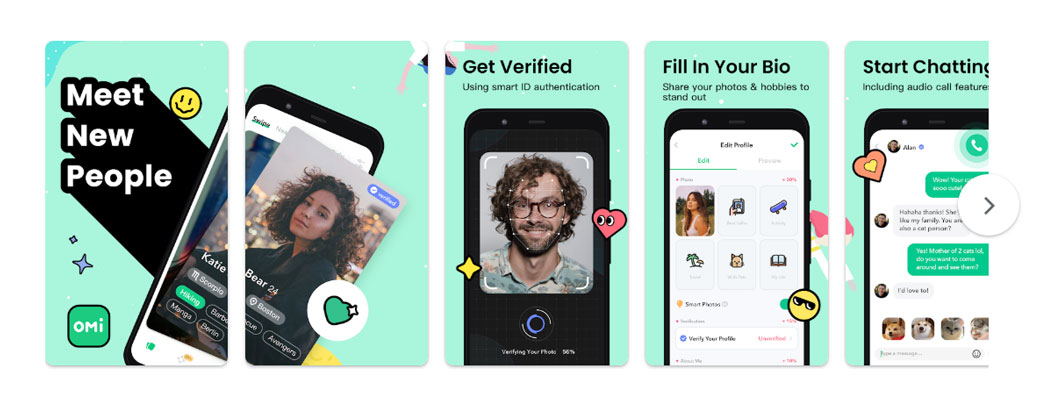
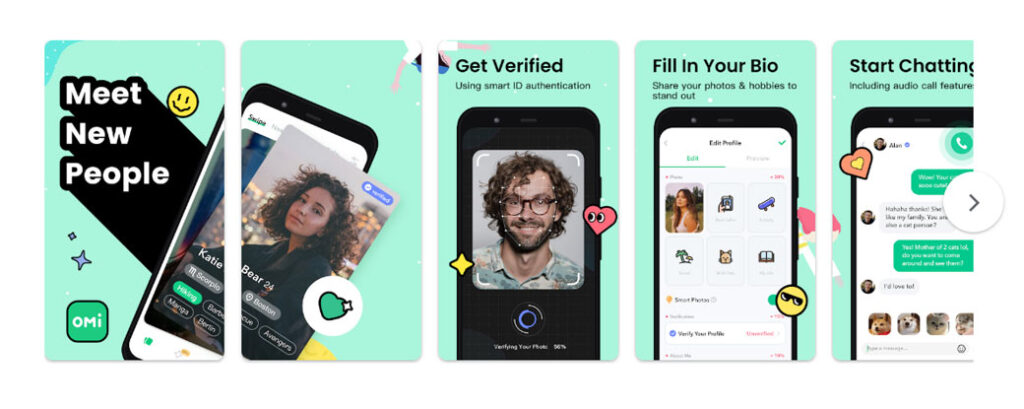
Omi aims for low friction. Signup takes a few steps, with phone or social login, a selfie, and a short intro. You reach the main feed quickly.
Video profiles serve as a strong filter. People who invest effort into a short clip often engage more. That supports more focused conversations and less ghosting.
From a technical point of view, Omi relies on standard mobile video tech. Compression lowers bandwidth needs and keeps calls stable on mid range phones. Feature depth stays moderate, which reduces clutter and helps new users learn flows quickly.
Evaluation Criteria And How We Tested Omi
A structured review of Omi helps you judge fit for your own use. This section explains how this review approaches that task.
Evaluation criteria
This Omi review focuses on eight areas.
- User experience and interface, speed, clarity, onboarding friction
- Video and audio quality, sharpness, lag, drop rate
- Matching and discovery, relevance, variety, global reach
- Social tools, live rooms, messaging, content variety
- Safety and moderation, reporting tools, blocking, privacy controls
- Pricing and coins, clarity, fairness, and value for heavy users
- Performance and reliability, app crashes, load times, battery impact
- Overall value, how Omi fits different user goals
Testing approach
To keep this Omi review grounded in real use, testing followed these steps.
- New account setup across Android and iOS
- Daily use over several weeks during peak and off peak hours
- Mix of Wi Fi and mobile networks, both strong and weak
- Participation in one to one calls and group live rooms
- Sending and receiving gifts to understand coin economics
- Use of reporting and block tools to test safety systems
No affiliation with Omi influences this review. No sponsored perks, coins, or VIP accounts shaped these impressions. Feedback reflects regular user flows, with both free and paid features explored.
This structure helps you see where Omi performs well and where tradeoffs appear.
User Experience And Interface
Omi presents a clean, modern interface that stays focused on faces and video. You see large profile cards, simple icons, and bold call to action buttons.
Onboarding and first steps
Signup flows smoothly. You input a phone number or connect a social account, record a short selfie video, and set basic preferences. Within a few minutes, the main feed loads.
Guidance stays minimal but clear. Short tooltips point to key actions, such as starting a chat or joining a live room. New users seldom feel lost.
Layout and navigation
The main tabs usually include:
- Home feed for discovery
- Messages for ongoing conversations
- Live for group rooms
- Profile for settings and coins
Bottom navigation keeps core areas one tap away. Icons stay consistent across screens, and labels avoid jargon.
Profile editing screens support quick adjustments. You update your intro clip, change interest tags, or tweak filters without long menus.
Overall feel
Omi favors quick swipes and taps, not long reading sessions. For busy users, that helps you jump into calls during short breaks.
The design fits one handed use on most phones. Buttons sit near thumb zones, scroll speed feels smooth, and key actions require limited steps.
Occasional banner ads or upsell prompts appear, yet interface clutter remains under control in most sessions.
Video And Audio Quality In Real-World Use
Omi lives or dies on video and audio quality. You care about clear faces, synced lips, and minimal drops.
General quality
On stable Wi Fi, Omi delivers sharp video with smooth motion in most calls. Faces remain clear, colors hold up, and delays stay short enough for natural conversation.
On mid range mobile networks, quality adapts. Resolution drops slightly to keep motion smooth. Calls remain usable, with occasional brief pixelation during network spikes.
Audio performance matters even more for long sessions. Voices sound clear, without harsh compression. Background noise filters do some work, though loud environments still disrupt.
Lag, drops, and reconnection
Short delays appear during peak traffic, especially in cross continent calls. Those delays rarely break conversations, yet rhythm slows.
Call drops occur from time to time on weak mobile signals. Reconnection flows remain simple. You rejoin chats with a single tap, without long loading screens.
Filters and effects
Beauty filters and light effects appear in the call interface. These options suit users who prefer a polished look. Controls stay limited, which keeps performance steady.
For global social use, Omi offers quality on par with many mid tier video chat apps. Heavy daily callers who demand top tier fidelity for work meetings should treat Omi as a social option, not as a professional conferencing tool.
Matching, Discovery, And Social Features
Omi tries to keep you meeting new people without long waits. Matching, discovery, and social hooks sit at the center of that promise.
Matching and filters
You set filters for gender, age range, and region focus. The system then feeds you profiles in a swipe style interface or card list.
Short intro videos give you a quick sense of vibe before you start a chat. Many users prefer that over static photos.
Match relevance sits at a decent level. You see a mix of nearby and global profiles, often within your set ranges. Some out of range profiles still slip in, which keeps discovery fresh but reduces strict control.
Discovery tools
- Swipe feed for rapid browsing
- Trending profiles for popular creators
- Live rooms for group interaction
Live rooms support themed sessions, such as language exchange or casual hangouts. You enter, watch, send gifts, and request to join on stage.
For social depth, Omi relies on a loop of short video intros, instant text, and quick calls. That loop works best for users who enjoy light, frequent contact rather than deep, long term relationship building.
Retention hooks
Virtual gifts, coin rewards, and daily check in bonuses encourage frequent logins. Those elements appeal to users who enjoy streaming culture.
From a global user view, Omi delivers broad discovery. You meet people across continents within minutes. Language gaps persist at times, although basic text or built in translation handles simple chats.
Safety, Moderation, And Privacy
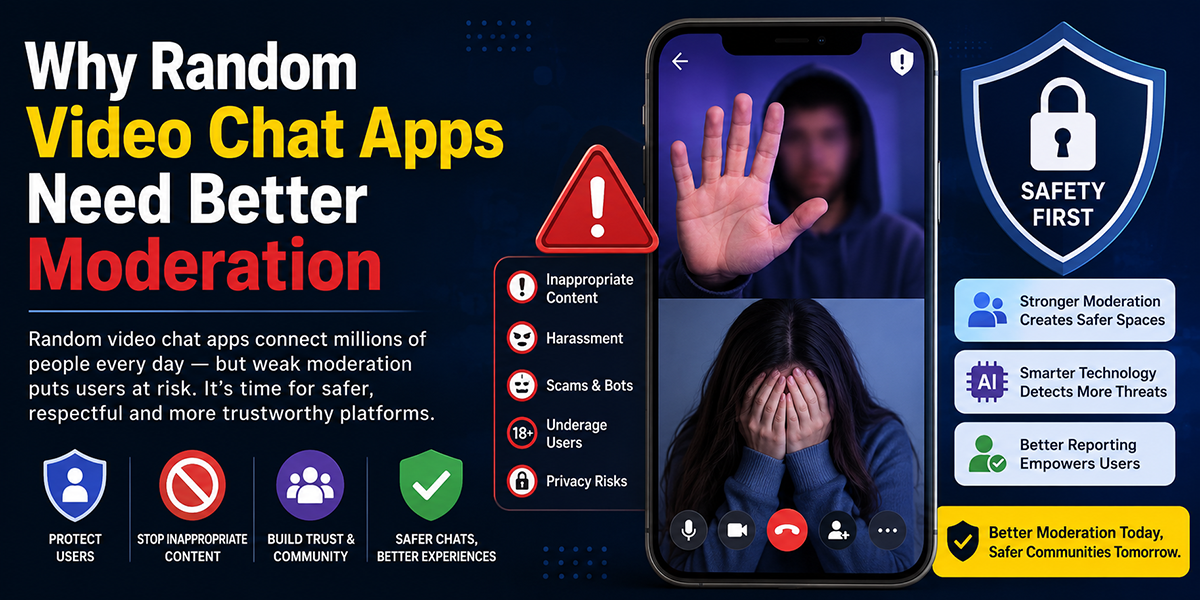
Any video chat app dealing with strangers needs strong safety tools. Omi acknowledges this with visible controls and policy prompts, although results vary.
Safety tools
Omi provides these mechanisms.
- Block feature for users who cross your boundaries
- Report feature with category choices, such as spam or abuse
- Quick end call controls always visible on screen
- Basic content rules presented during signup and in help sections
Report handling speed depends on case volume and region. Response pace feels reasonable for most mild abuses, with harsher content removed faster.
Privacy controls
You choose what to show on your profile. Video intro, photos, and region visibility sit under your control. Phone numbers and logins stay hidden from other users.
Omi processes personal data for features such as recommendations and safety checks. Privacy policies describe those flows. Reading those pages before heavy use remains a smart step.
Risks and limitations
Random video chat brings exposure to unwanted behavior. Omi reduces risk but cannot fully remove bad actors.
You lower personal risk by following basic rules.
- Avoid sharing contact details in early chats
- Use report and block tools at first sign of harassment
- Keep calls short during first contact until trust grows
For many users, safety feels acceptable for casual use. Those with high sensitivity around privacy or minors in the household should treat Omi with extra caution.
Pricing, Coins, And Value For Money
Omi follows a freemium model with coins at the core. You join for free, then spend coins on premium interactions.
Coin system
Coins fund these actions.
- Paid calls with some popular users
- Virtual gifts in live rooms and private chats
- Profile boosts or exposure features in some regions
You obtain coins through direct purchase bundles. Occasional bonuses from events or daily check ins support light users.
Per minute call pricing and gift costs vary by location and user tier. Heavy callers see costs climb quickly if they prefer popular creators.
Subscription tiers
Some versions of Omi offer VIP packs. Those often include features such as extra filters, higher match visibility, or discounts on calls.
Users who call frequently or send gifts gain more from subscriptions. Light users who prefer text and free calls should delay upgrades until usage patterns stabilize.
Value assessment
From a value for money angle, Omi sits in the mid range of social video apps.
Pros on price:
- Free entry with basic features
- Flexible coin bundles for different budgets
- Occasional promos for extra coins
Cons on price:
- Popular streamers require important coins
- Cost control needs discipline for impulsive users
You gain best value when you set a monthly budget and stick to free interactions once coins run out. Omi rewards consistent, moderate spending more than short term heavy splurges.
Performance, Reliability, And Platform Support
Omi performance influences your daily experience more than any single feature. Smooth calls and fast loading keep you engaged. Crashes or lag push you away.
App performance
On recent Android and iOS phones, Omi runs smoothly in most sessions. Screen transitions feel quick, feed scrolling stays fluid, and calls connect within a few seconds.
Older devices show slower transitions and more frame drops during video. Background processes and low memory raise crash risk. Clearing other apps before long sessions helps.
Battery impact stands at a moderate level for video heavy use. Long calls drain charge at a rate similar to other video chat apps.
Network handling
Omi adapts to network quality with ever-changing bitrate controls. Strong Wi Fi delivers best results. Mid tier mobile data still supports acceptable calls, although resolution downgrades enter play.
Packet loss and jitter during congested hours create brief stalls or audio blips. The app resumes stable streams without full reconnect in most cases.
Platform support
- Android, broad device coverage, frequent updates
- iOS, support for major recent iPhone models
- Web, limited functions for account management rather than full calls
For global users, store availability reaches many regions, though some countries have restrictions due to local policy.
Overall reliability ranks as solid for social use, with most issues tied to local network conditions instead of core infrastructure failure.
Pros And Cons
This balanced snapshot helps you decide quickly whether Omi matches your needs.
Omi pros
- Fast onboarding with minimal friction
- Short profile videos give better context than photos alone
- Global user base supports cross region connections
- Live rooms add variety beyond one to one calls
- Clear interface with simple navigation
- Flexible coin system that adapts to different budgets
- Solid video and audio quality on good networks
Omi cons
- Heavy callers face rising costs over time
- Match filters lack deep granularity for niche preferences
- Safety systems reduce risk yet cannot remove all bad actors
- Older phones experience occasional lag and higher battery drain
- Social focus centers on casual chat more than long term relationships
These pros and cons provide a high level sense of Omi before you install. If pros align with your goals and cons feel manageable, Omi deserves a test run.
How Omi Compares To Other Video Chat Apps
Omi does not exist in isolation. You likely know alternatives like Azar, LivU, or even social live platforms with video chat features.
The table below summarizes differences at a high level.
| Aspect | Omi | Random chat apps | Dating focused apps |
|---|---|---|---|
| Main goal | Social video and casual meeting | Fast random matching | Romantic matching and dating |
| Profile format | Short intro videos plus photos | Mostly photos or instant calls | Detailed bios, photos |
| Matching control | Basic filters for region and gender | Minimal filters | Extensive filters and tags |
| Monetization | Coins, gifts, some subscriptions | Coins and gifts | Subscriptions, some coins |
| Social depth | Mix of one to one and live rooms | Mostly one to one | Text heavy, slower pace |
Compared with pure random chat services, Omi offers slightly more profile context and social structure. Short intro clips and interest tags help you screen matches before calls.
Compared with dating apps, Omi feels lighter and faster. You trade deep compatibility tests for speed and video first impressions.
For users who want both social play and some flirting, Omi hits a middle ground. Those who seek serious long term dating, or who prefer text based get to know phases, will find classical dating apps stronger.
Who Omi Is Best For (And Who Should Skip It)
Omi suits some user groups much better than others. Clarifying fit saves you time and money.
Best fit users
Omi serves you well if you match these traits.
- You enjoy face to face video more than long text chats
- You want casual conversations, flirting, or new friends across borders
- You feel comfortable managing coin budgets for social apps
- You own a mid range or better smartphone with stable network access
- You like live rooms, gifts, and creator driven social experiences
Users who should look elsewhere
Omi will disappoint you in these cases.
- You seek serious long term relationships with strong match filtering
- You prefer privacy to the point where video with strangers feels unsafe
- You own an older phone or face frequent network issues
- You dislike coin systems and microtransactions
- You want work grade reliability for business meetings
Your own goals decide alignment. If you treat Omi as a social playground to meet new people through video, the service aligns with expectations. If you hope for professional conferencing or serious dating focus, other tools serve you better.
Final Verdict And Recommendation
Omi delivers a focused promise. Fast global video chat with a social layer on top. For many users, that promise holds up well enough to justify a trial.
Strengths cluster around user experience, video first profiles, and broad discovery. Weak points involve long term cost for heavy users, lighter safety than traditional dating apps, and limited use for professional needs.
If you are a global video chat user who wants quick, visual meetings with new people, Omi deserves space on your phone for at least a test period. Install, set strict coin limits, record a short but clear intro clip, and explore both one to one calls and live rooms.
If your priorities center on deep relationships, strict privacy, or work meetings, treat Omi as secondary and choose a platform built for those goals first.
Viewed as a social video playground, Omi earns a solid recommendation. Approach with clear boundaries, and the app delivers light, frequent human contact across borders without overwhelming complexity.
Frequently Asked Questions About Omi Video Chat App
What is Omi and who is it designed for?
Omi is a global social and video chat app focused on fast, face-to-face connections. It suits users seeking casual social contact, flirting, or new friends across borders through video calls, short introduction videos, and live rooms.
How does Omi’s video chat feature work?
Omi offers one-to-one video calls with optional beauty filters and effects. It adapts video quality based on network strength to provide clear faces and smooth motion, supporting reliable social conversations even on mid-range mobile networks.
What are the main interactive features available in Omi?
Omi includes swipe-style discovery, short profile video clips, text messaging before or after calls, live group video rooms, virtual gifts using coins, and matching filters for gender, age, and region.
How does Omi ensure user safety and privacy during chats?
Omi provides block and report tools, visible quick end call buttons, and basic content rules. Users control what profile information is shown, and the app handles privacy through hidden phone details and safety checks, though users should exercise caution.
What is the pricing model for Omi and how do coins work?
Omi uses a freemium model where users can join free and purchase coins to pay for calls with popular users, send virtual gifts, or boost profiles. Subscription tiers may offer additional perks, and controlling coin spending helps manage costs.
How does Omi compare to other video chat and dating apps?
Omi blends social video chat with casual dating elements, offering quick swipe-based discovery and short intro videos. Unlike dating apps, it lacks deep profile questionnaires; compared to random chat apps, it provides more profile context and social features like live rooms.

Tony is a website publisher and technology reviewer who specializes in video chat platforms, random chat apps, and online communication tools. He tests apps for usability, safety features, moderation quality, pricing, and overall user experience. His reviews are based on hands-on testing and independent research.