


If you want a social video chat app that feels fast, safe, and truly global, you probably also want to avoid spam, lag, fake profiles, and endless swiping. What matters is quick matching and real conversations.
This Hoop App review explores the platform with those priorities in mind. It gives you a clear look at how Hoop works, how reliable the video calls feel, and whether the pricing seems fair in 2026. It also shows where Hoop stands for global users looking for live video, social discovery, and light community features in one app.
The goal of this review is simple: to help you decide whether Hoop is worth your time compared with other video chat apps you already know. You’ll get direct answers, practical advice, and real-world examples so you can make a decision quickly without wasting time testing random apps.
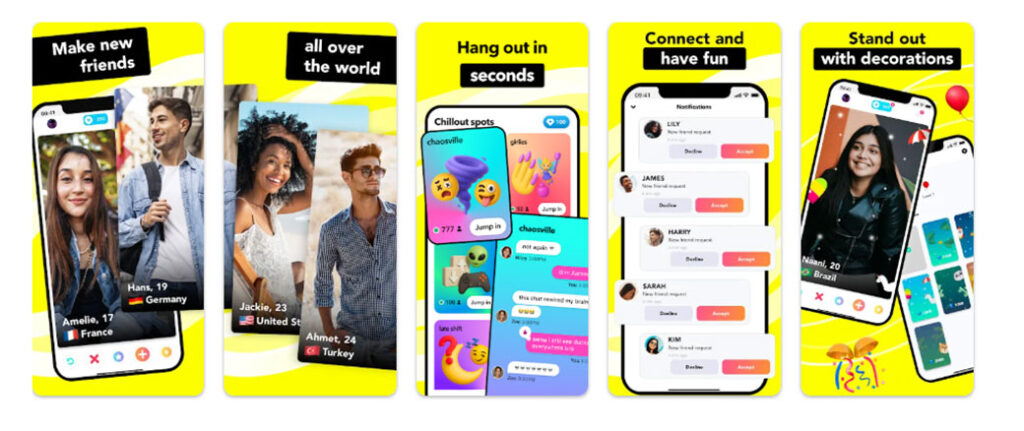
Hoop At A Glance
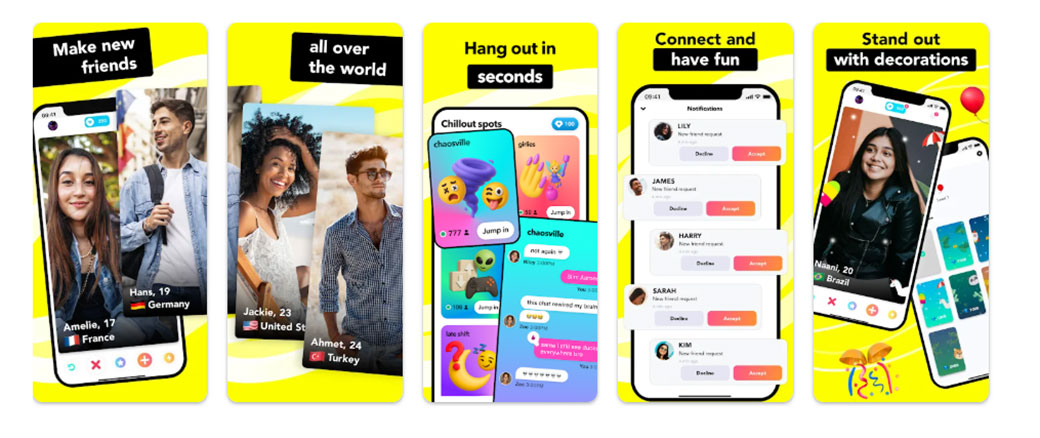
Hoop focuses on fast one to one video chat and quick social discovery. You match with new people from many countries and jump into short video calls.
Key points about Hoop for global users
- Focus on real time video chat with strangers
- Simple swipe based discovery flow
- Mobile first design for iOS and Android
- Mix of free access and in app purchases
- Light social features such as favorites and profile likes
You use Hoop when you want quick face to face conversation instead of long text threads. Many users treat it as a social hangout app instead of a formal meeting tool.
Hoop targets younger adults, but global use spans a wide age range. That mix gives you diversity in conversations, language practice, and casual networking.
The main question for you. Does Hoop deliver stable video quality, fair matching, and enough safety tools to justify daily use.
Key Features And Technical Specs
You need to know what Hoop offers under the hood before you invest time and money.
Core Hoop features
- One to one random video chat
- Region and interest filters for smarter matching
- Profile cards with age, location range, and interests
- In app currency for boosts and premium filters
- Text chat alongside video
- Block and report tools for problem users
Technical aspects
- Mobile apps for iOS and Android
- Works on typical 4G and Wi Fi connections
- Uses adaptive bitrate video to keep calls stable on weak networks
- Push notifications for new matches and messages
These specs matter for global video chat users. Many people join from mobile networks with unstable bandwidth. Adaptive bitrate helps keep video calls going with fewer drops. Push alerts pull you back into sessions without heavy battery drain when tuned well.
Hoop stays focused on casual social video, not long group meetings, screen sharing, or productivity features. You treat it like a social lounge on your phone, not a work tool.
How Hoop Works For Global Video Chat Users
Your flow in Hoop stays simple.
- You create a profile
You sign up with a phone number or supported social login. Set a display name, age, gender, and a short bio. Add a few photos, then pick interests to guide the matching system.
- You set preferences
You choose preferred gender and rough age range, select regions if you want people from exact countries or you keep it global.
- You start matching
You enter the discovery screen, swipe or tap to start a chat with someone who looks interesting. Hoop connects you into a live video session if both sides accept.
- You chat in real time
You see and talk in short sessions. If both sides feel good, you add each other as favorites or send a follow style request. You shift from one match to another within seconds.
- You use coins and boosts
You spend in app currency for higher visibility, more targeted filters, or extra skips. This system rewards frequent users who want faster or more exact matches.
For global users, Hoop removes long account setup steps. You move from install to first call in a few minutes if you already know what you want from the app.
Evaluation Criteria For This Review
You need clear criteria before you judge any video chat app. This Hoop App Review uses five main pillars.
- User experience and interface
- How fast you finish key actions.
- How intuitive the screens feel for new users.
- How smooth the onboarding path looks.
- Video and audio quality
- How frequently calls freeze.
- How sharp faces look under average network conditions.
- How often audio cuts out.
- Matching and social features
- How fair and relevant matches feel for your preferences.
- How strong the engagement tools feel for forming ongoing connections.
- Safety, privacy, and moderation
- How well Hoop handles reports.
- What controls you get over who reaches you.
- How clearly Hoop states data collection and sharing.
- Value for money
- How much value the free tier gives you.
- How pricing for coins and premium features compares with rival video chat apps.
These criteria align with what global video chat users tell surveys they care about most, speed, safety, and fairness, more than raw feature count.
User Experience And Interface
You want an interface that gets out of your way. Hoop leans into that idea.
Onboarding
- Short signup process
- Clear prompts for age, interests, and photos
- Visual progress steps so you know what comes next
Home and navigation
- Bottom navigation bar with clear icons for home, matches, wallet, and profile
- Large call to action button to start matching from the home screen
- Simple layouts with bold text and high contrast colors
During calls
- Clean video view with minimal buttons
- Quick access to mute, end call, and report
- One tap actions to add someone as a favorite or skip to the next person
You do not dig through layers of menus to reach what you need. Most actions sit one or two taps away.
Some users report that constant prompts to buy coins feel aggressive. If you prefer a low friction free experience, this behavior might distract you.
Overall, the Hoop interface suits short sessions on a phone in transit, at home, or during a short break. You jump in, match, chat, and exit without feeling lost in the design.
Video And Audio Quality
Your experience in Hoop lives or dies on video and audio performance.
Strengths
- Fast call setup under normal network conditions
- Reasonable video sharpness on 4G and strong Wi Fi
- Audio that stays in sync with the picture in most sessions
You see some trade offs when networks struggle.
Challenges
- Occasional pixelation during peak hours, especially on weak mobile networks
- Short audio dropouts with users on poor connections
- Slight delay when switching from one match to another in heavy traffic periods
Hoop uses adaptive bitrate video. That approach lowers resolution instead of dropping the whole call when bandwidth dips. For you, this feels better than full disconnections, but still affects comfort during longer chats.
Many rival video chat apps show similar behavior on the same network types. So the quality sits in a competitive range rather than leading the market.
If stable HD video ranks at the top of your priorities, you pair Hoop with strong Wi Fi. If you accept some quality swings in exchange for global reach, Hoop stays workable on decent 4G networks.
Matching, Discovery, And Social Features
You join Hoop for new people, not for menus. Matching features sit at the center of the app.
Matching system
- Random one to one video match as the default
- Filters for gender, age range, and broad region
- Interest tags to increase the odds of shared topics
Discovery and retention tools
- Favorites list to keep track of people you liked
- Simple follow or friend style actions for ongoing contact
- Notifications when favorites come online
Social depth stays light. Hoop does not compete with full social networks. There is no long form content feed or groups. The focus stays on short, direct interactions.
Paid features influence matching. Users who buy boosts or premium filters often gain higher visibility in discovery. From a user perspective, this setup rewards spenders over purely organic matching.
If you value equal reach for everyone, this model might feel unbalanced. If you want quicker results and accept a pay to accelerate structure, the system works in your favor.
Safety, Privacy, And Moderation
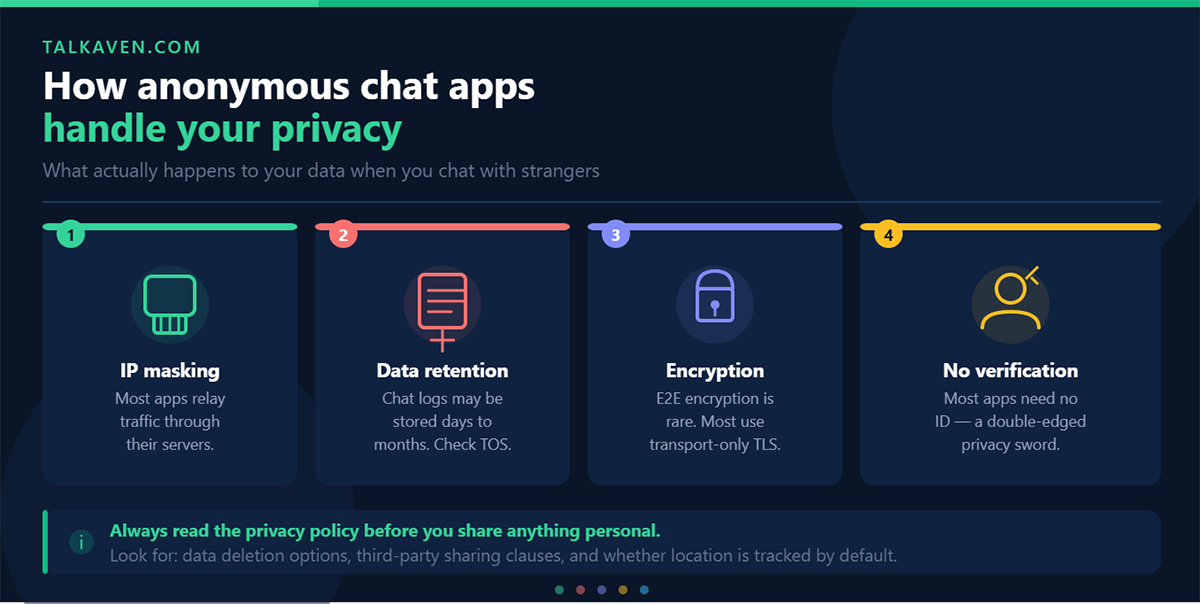
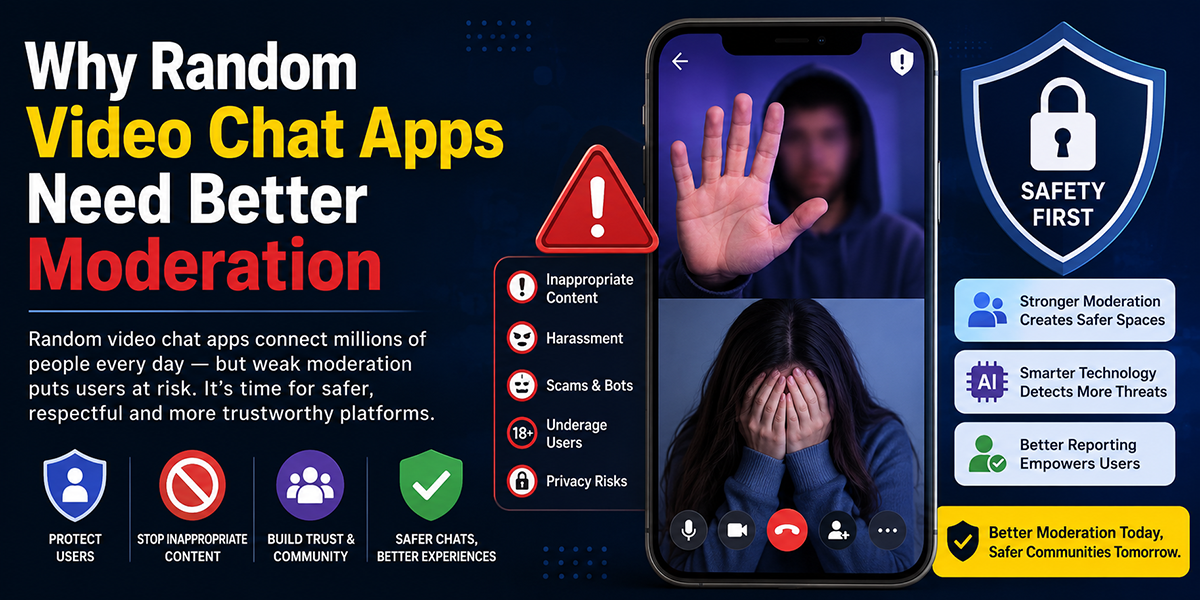
You care about safety in any social video app. Hoop includes several tools, but you should still act with caution.
User controls
- One tap block for any user
- One tap report with abuse categories such as nudity or harassment
- Option to limit who reaches you through filters
Moderation approach
Hoop uses a mix of automated detection and human review for reports. The app responds faster to clear cut cases such as explicit content. Edge cases about rude behavior or spam messages often move slower.
Privacy aspects
- Standard profile fields such as age and region visible to others
- Camera and microphone access only during calls
- Data use described in the privacy policy, which you should read before heavy use
You reduce risk by following simple rules.
- Avoid sharing phone numbers or personal addresses
- Keep conversations inside the app instead of moving to less moderated platforms too fast
- Use block and report quickly when someone crosses your boundaries
Hoop takes some safety steps, but no live video app removes risk. Your behavior and boundaries still matter most.
Performance, Reliability, And Support
You need Hoop to feel stable day after day, not only on the first try.
Performance and reliability
- App launch times feel short on modern phones
- Swiping between matches stays smooth in most regions
- Crashes appear rare on up to date OS versions, based on user reports in stores
Network performance trends
- Off peak hours show faster connections and clearer video
- Peak weekend nights sometimes bring longer connect times and more drops
Customer support
- In app support form for reporting bugs or payment problems
- Basic help center with FAQ style answers
- Response times that range from one day to several days based on user reports
If support response speed ranks high for you, this area might feel weak compared with some premium video chat platforms. For casual use, the current level fits most needs as long as payments process correctly.
Regular app updates in 2025 and early 2026 show active maintenance. That track record suggests Hoop will keep patching bugs and improving stability over time.
Pricing, In‑App Purchases, And Value
You want to know how much money Hoop expects from you.
Free tier
- Access to core one to one video chat
- Basic gender and age filters
- Limited daily skips and match attempts
In app purchases
- Coin packs for extra skips and match attempts
- Boosts for higher visibility in the match queue
- Extended filters such as more precise location or interest targeting
Pricing levels sit in the same range as many global video chat apps. Small coin packs cover light use. Heavy users who chase frequent boosts see costs rise fast.
Value assessment
- Casual users who enjoy short daily sessions gain good value from the free tier plus small top ups
- Power users who want constant priority exposure might spend more than on some rival apps with flat subscriptions
Before you invest, set a monthly budget inside your app store settings. You then avoid impulse purchases during long match sessions.
If you want strong control over spending, you track your coin balance and review your transaction history at least once a week.
Pros And Cons
You save time when you see strengths and weaknesses in one place.
Pros of Hoop
- Fast path from install to first video chat
- Simple interface for quick one to one calls
- Global user base that gives you exposure to many cultures
- Flexible filters for region and interests
- Active development with ongoing updates
Cons of Hoop
- Heavy focus on in app purchases that push spending
- Video and audio quality that depends strongly on network strength
- Limited social depth beyond quick matches and favorites
- Support response times that lag behind premium competitors
- Safety tools that still require strong personal caution
For many global video chat users, the pros support casual use several days per week. The cons matter more for people who expect enterprise level stability or strict moderation.
Comparison With Alternative Video Chat Apps
You likely compare Hoop with other social video chat platforms before you decide.
Here is a high level view.
| Feature | Hoop | Azar | Omegle style apps |
|---|---|---|---|
| Primary focus | Random one to one video chat | Random video plus translation features | Random text and video chat |
| Platforms | iOS, Android | iOS, Android | Web and mobile web |
| Matching filters | Age, gender, region, interests | Age, gender, region, language | Very basic or none |
| Monetization | Coins, boosts, filters | Coins, gifts, subscriptions | Mostly free with ads |
| Social depth | Favorites, light follow features | Friends, gifts, some social tools | Minimal |
| Safety tools | Block, report, filters | Block, report, AI moderation | Block, report in limited form |
Hoop stands stronger than simple browser based random chat sites for control, filters, and interface quality. A more established competitor such as Azar often offers richer features such as real time translation and gift ecosystems, but sometimes at higher average spend for heavy users.
Your choice depends on priorities.
- You want speed and a clean mobile interface. Hoop scores well.
- You want deep community features. A rival with groups or shared activities might suit you better.
- You want minimal spending pressure. Free focused platforms or those with optional ads might appeal more.
Who Hoop Is Best Suited For
Not every global video chat user fits Hoop. Your needs decide the match.
Hoop fits you if
- You enjoy spontaneous one to one video chats with people from many countries
- You prefer short, frequent sessions instead of long planned calls
- You feel comfortable managing your own safety boundaries online
- You accept some spending on coins or boosts to speed up matching
Hoop fits less well if
- You want business level reliability or meeting features
- You seek deep community spaces such as topic based groups
- You need strict parental controls for younger users
- You prefer text first chat with video as a later step
You get the most from Hoop when you treat it as a casual social space. Short, light conversations with people worldwide suit the design of the platform.
Evidence‑Based Use Cases And Real‑World Examples
You understand Hoop better when you see how global users apply it in daily life.
Language practice
Many learners use random video chat for speaking practice. For example, a learner in Brazil may set filters to match with English speakers in the United States and Europe. Short daily calls build comfort with real accents and fast conversation.
Cultural exchange
Young adults in one region often match with peers in other regions during evenings and weekends. They talk about music, daily routines, and holidays. Over time, some form loose friend networks and reconnect through favorites.
Solo social time
People who live alone or travel frequently sometimes use Hoop as a light social outlet. Ten to fifteen minutes of random calls after work help them feel more connected without planning full social events.
Soft networking
Creators, students, and freelancers sometimes meet collaborators this way. A short call leads to a social media exchange, then later projects. This use needs strong caution about privacy and money, but still appears in user stories.
These cases show Hoop in realistic settings. Quick calls, cross border chats, and low commitment contact form the core pattern, not deep long term relationships in most reports.
Final Verdict And Recommendation
You want a direct answer from this Hoop App Review.
Hoop delivers what it promises for many global video chat users. The app offers quick one to one video matching, a clean interface, and enough filters to guide who you meet. Video and audio quality stay acceptable under everyday network conditions, especially on strong Wi Fi.
You also face trade offs. In app purchases influence your visibility. Safety tools help but do not remove risk, so you must stay cautious. Support response times lag behind top tier communication tools.
If you seek a simple way to meet new people by live video, Hoop deserves a trial run. Start on the free tier, keep personal details private, and set a strict monthly budget for coins before you buy anything.
If you need professional features, group meetings, or strict moderation, you look elsewhere.
For global users who want casual, quick, and social video chat, Hoop stands as a solid option in 2026, as long as you stay mindful of safety and spending.
Frequently Asked Questions about Hoop Video Chat App
What is Hoop and how does it work for social video chatting?
Hoop is a mobile-first video chat app that allows users to quickly connect with strangers worldwide for one-to-one real-time video conversations using swipe-based discovery and filters for age, gender, region, and interests.
How does Hoop ensure video call quality on unstable networks?
Hoop uses adaptive bitrate video technology to maintain call stability by lowering video resolution instead of dropping calls on weak 4G or Wi-Fi connections, providing a smoother experience despite occasional pixelation or audio dropouts.
What safety features does Hoop provide to users?
Hoop includes one-tap block and report options, abuse category reporting, user filters to limit who can reach you, and a moderation team that reviews reports to help keep conversations safe, though personal caution is still important.
Can I use Hoop for language practice or cultural exchange?
Yes, many users benefit from Hoop by setting filters to connect with people from specific countries or regions, enabling language practice, cultural exchange, and casual networking through short, frequent video chats.
Is Hoop free to use and how do its in-app purchases work?
Hoop offers a free tier with basic video chat features and limited daily skips. Users can buy coins to unlock more skips, visibility boosts, and premium filters, with pricing comparable to similar video chat apps, rewarding frequent spenders with faster matching.
How does Hoop compare to other video chat apps like Azar or Omegle?
Hoop focuses on fast, one-to-one random video chats with simple social features and flexible filters, providing a cleaner mobile interface and more control than browser-based apps like Omegle, while Azar offers richer features like real-time translation but may push higher spending.

Tony is a website publisher and technology reviewer who specializes in video chat platforms, random chat apps, and online communication tools. He tests apps for usability, safety features, moderation quality, pricing, and overall user experience. His reviews are based on hands-on testing and independent research.