




ChatBlink review starts with a simple question. If you want fast online chats with strangers, is ChatBlink a good pick in 2026?
The short answer is yes for casual, low-commitment chatting. Yet your results depend on what you want. ChatBlink focuses on quick text and webcam conversations, light profile setup, and easy entry. That makes it appealing if you want speed. On the other hand, the same low barrier to entry affects chat quality, safety, and consistency.
This ChatBlink review looks at the platform from a practical angle. You’ll see how ChatBlink works, which features matter, what the user experience feels like, how safety tools compare, and where the site stands next to other random chat options. You’ll also get a clear list of strengths and weak spots so you can decide fast.
If you want a polished social app with deep matching, ChatBlink won’t feel ideal. If you want instant access to random conversations without much setup, ChatBlink does a decent job. Let’s get into the details.

ChatBlink At A Glance
ChatBlink is a random chat platform built for quick conversations with strangers. You can use text chat, and in many regions you can also try webcam chat rooms or one to one video interactions. The service aims for speed first. You land on the site, choose a nickname or basic profile details, and start chatting.
For many users, that low friction is the main selling point. You do not need a long signup flow to test the platform. As a result, ChatBlink works best for people who want casual chats, passing conversations, or a quick way to meet new people online.
Here’s the short version of this ChatBlink review.
| Category | Quick take |
|---|---|
| Best for | Fast random chats with low setup |
| Main formats | Text chat, chat rooms, video chat in supported areas |
| Ease of use | Easy to start, minimal learning curve |
| Match quality | Mixed, depends on time, room, and filters |
| Safety | Basic tools exist, but you still need caution |
| Mobile use | Usable through a browser, experience varies |
| Cost | Entry level use is often free, with limits or premium upsells depending on region/version |
Who ChatBlink fits best
ChatBlink is a better fit if you:
- want anonymous or semi anonymous chatting
- prefer instant access over polished design
- like random social discovery
- do not want to build a detailed dating profile
ChatBlink is a weaker fit if you:
- want consistent high quality conversations
- expect strong identity checks
- need advanced moderation
- want a premium dating style matching system
One more point matters. Random chat sites rise or fall based on their active user base at a given hour. A platform can feel lively one night and thin the next morning. So your experience on ChatBlink will vary more than on mainstream social apps.
Features And How ChatBlink Works
The core of ChatBlink is simple. You enter the site, pick how you want to chat, and start meeting people. That simplicity helps. Yet it also means the feature set is more functional than polished.
Getting started
In most cases, you can begin with limited setup. Some users join as guests. Others create a basic account for extra control over profile details or settings. The signup burden stays low, which cuts friction.
Typical first steps include:
- choose a nickname or account
- set age, gender, or location details if prompted
- pick text chat, room chat, or video chat
- connect with available users
This process is fast. If your goal is immediate interaction, ChatBlink handles that well.
Main features
The exact feature mix changes by version and region, but the common ChatBlink features include:
- random text chat
- public or topic based chat rooms
- webcam chat options
- basic profile creation
- user filters, such as gender or country in some cases
- block and report tools
- friend or favorites features on some versions
The strongest practical feature is room variety. Public chat rooms let you avoid pure one to one randomness. That helps if you want a lighter social feel before starting private chats.
Matching and filters
This is where a lot of random chat platforms either help you or waste your time. ChatBlink offers some filtering, though not at the level of larger dating or social apps. If filters are available in your session, they help narrow who you meet. Still, you should not expect precision matching.
That means your chats will often feel hit or miss. Some users want quick banter. Others are idle, spammy, or not aligned with your intent. The platform gives you enough control to keep moving, though not enough to remove all low quality encounters.
Free vs paid value
A key point in any ChatBlink review is value. Free access is one of the main reasons people try the platform. Depending on the version, paid features or credits may offer extra visibility, filter access, or other perks.
Here is the practical takeaway.
| Feature area | Free use | Paid or upgraded use |
|---|---|---|
| Basic entry | Usually yes | Yes |
| Text chat | Usually yes | Yes |
| Video tools | Varies | Often broader access |
| Filters | Limited or basic | Often expanded |
| Profile exposure | Standard | Sometimes improved |
If you only want to test random chatting, the free level is enough to judge the platform. If you need sharper control, premium extras might help, but they do not change the core nature of ChatBlink.
User Experience And Chat Quality
The user experience on ChatBlink is best described as fast, uneven, and easy to understand. You are not dealing with a complex interface. Pages are usually straightforward, with chat windows, room lists, profile snippets, and basic controls.
That sounds good, and often it is. You can move from landing page to live conversation in minutes. For users who value speed, this matters more than visual polish.
Ease of use
ChatBlink does not ask much from you. The interface tends to be simple enough for first time users. Buttons are obvious. Room entry is direct. Switching chats is quick.
The downside is that simplicity sometimes feels dated. Compared with newer chat apps, the design can seem plain. Some users will like that because it keeps attention on conversation. Others will read it as a sign of lower trust or weaker upkeep.
Chat quality
This part is less predictable. In a strong session, you might meet friendly users who want real conversation. In a weak session, you might hit short replies, silent users, spam, or people with mismatched goals.
That is normal for random chat platforms. ChatBlink is not unique there.
Your chat quality depends on a few things:
- time of day
- room choice
- whether filters are active
- your location and target region
- how quickly you skip weak matches
A practical way to frame this is average yield. On a well moderated social app, many interactions feel usable. On random chat sites, you sort through more noise to find good conversations. ChatBlink falls into that second group.
Desktop vs mobile
Many people access ChatBlink through a mobile browser rather than a dedicated app experience. That works, but the quality varies by device and browser. Text chat usually holds up better than webcam features on smaller screens.
If you plan to use ChatBlink often, desktop tends to feel smoother because:
- chat windows are easier to manage
- room lists are easier to scan
- camera permissions are less awkward
- typing is faster
What real users often like and dislike
Common positives include:
- fast start
- easy room access
- low commitment
- chance to meet people from different places
Common complaints include:
- inconsistent user quality
- spam or fake looking accounts
- uneven moderation response
- old school design
So, is ChatBlink good for conversation quality? Sometimes. If you go in expecting a random chat environment with mixed results, the experience makes sense. If you expect curated matches, you will likely feel disappointed.
Safety, Privacy, And Moderation
Safety is one of the biggest factors in any ChatBlink review. Random chat platforms always carry extra risk because you interact with strangers, often with little identity verification. ChatBlink is no exception.
Safety tools on the platform
ChatBlink usually offers basic user protection tools, such as:
- report functions
- block options
- room moderation rules
- account controls for registered users
These tools matter, but they are reactive. They help after you spot a problem. They do not stop every bad interaction before it starts.
Privacy expectations
You should treat ChatBlink as a semi public environment, even in private chats. Do not share sensitive personal details, financial information, work data, home address, or private images you would not want saved.
Good privacy habits include:
- use a separate nickname
- avoid linking your main social accounts
- keep location details broad
- leave any chat that feels off
- block and report fast
That advice is not unique to ChatBlink. Yet it matters more on platforms with anonymous or quick entry.
Moderation reality
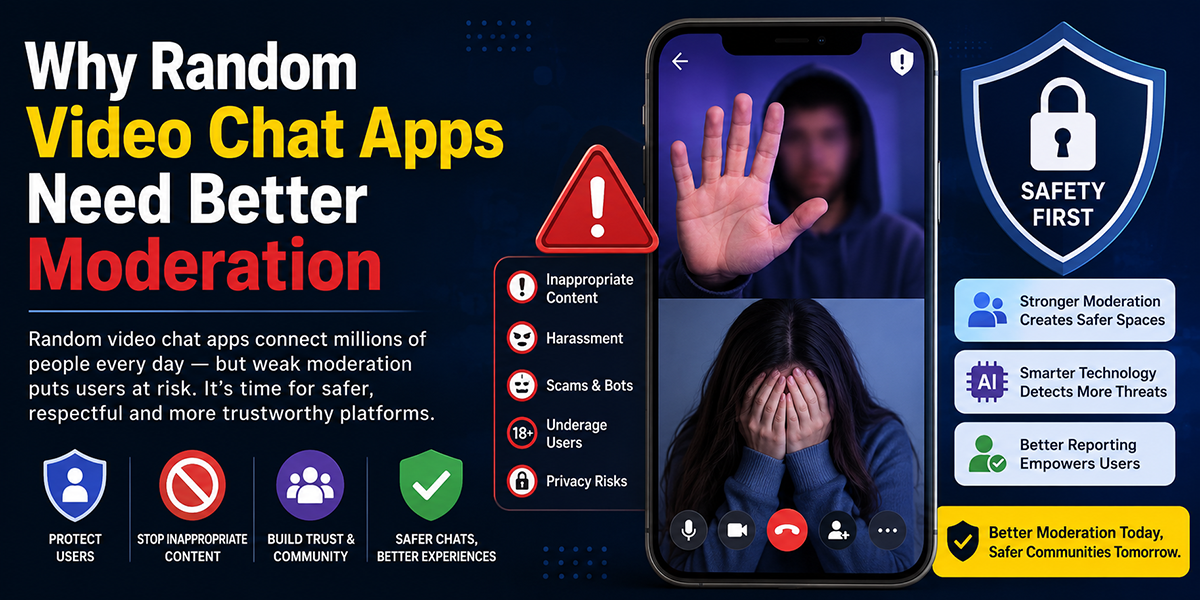
Most random chat sites struggle with the same issues. Spam, explicit behavior, fake profiles, and harassment are hard to remove fully at scale. ChatBlink appears to have moderation systems and community standards, but user experience still depends on how active those systems are in real time.
That creates a gap between policy and practice. Rules may exist on paper. Your real safety depends on speed of enforcement, user reporting, and how many bad actors are active in a given room.
Risk level by use case
| Use case | Relative risk | Why |
|---|---|---|
| Public text room | Medium | More visible, but less private pressure |
| One to one text chat | Medium to high | Faster exposure to spam or manipulation |
| Webcam chat | High | Greater privacy and content risk |
| Casual anonymous browsing | Lower | Less data shared |
If you are an adult using basic caution, ChatBlink is manageable for casual text chatting. If you are younger, privacy sensitive, or uncomfortable with unpredictable user behavior, the platform is a weaker fit.
A direct note. You should not treat ChatBlink as a trusted social network. Treat it as a public stranger chat tool with basic safety controls. That mindset will help you use it more safely.
Pros And Cons
This ChatBlink review would be incomplete without a blunt strengths and weaknesses list. ChatBlink does a few things well. Then it asks you to accept tradeoffs.
Pros
- Fast entry. You can start chatting without a long profile setup.
- Simple interface. Most users figure out the platform fast.
- Multiple chat modes. Text rooms, private chat, and webcam options create flexibility.
- Good for casual use. You do not need a long term goal to get value from it.
- Broad social reach. You may meet users from different countries and backgrounds.
- Free starting point. You can test the service before paying for anything.
Cons
- Chat quality is uneven. Good conversations exist, but noise is common.
- Safety tools are basic. You still need strong personal caution.
- Design feels dated. Some users will see that as a trust issue.
- Filters are limited compared with premium apps.
- Fake profiles and spam can affect the experience.
- Mobile experience is less comfortable than desktop for longer sessions.
Best case and worst case
The best case is simple. You log in, enter an active room, find a few normal people, and enjoy relaxed conversation with little effort.
The worst case is also simple. You spend ten minutes skipping low effort chats, suspicious users, or people who do not match your intent.
Scorecard
| Area | Rating out of 5 | Notes |
|---|---|---|
| Ease of use | 4.5 | Fast and simple |
| Features | 3.5 | Enough for casual use |
| Chat quality | 3.0 | Highly variable |
| Safety | 2.5 | Basic protections only |
| Value | 3.5 | Free access helps |
| Overall | 3.4 | Fine for casual random chat |
Those ratings reflect the platform category too. ChatBlink is not trying to be a premium dating app or a tightly controlled community platform. If you judge it as a random chat site, the pros and cons feel more reasonable.
ChatBlink Vs. Alternatives
A strong ChatBlink review needs context. ChatBlink is one option in a crowded group of random chat and social discovery platforms. Its place becomes clearer when you compare speed, control, and safety.
Where ChatBlink stands out
ChatBlink stands out for low friction entry and room based chatting. Some alternatives focus almost entirely on one to one random matching. ChatBlink gives you more of a classic chat room layer, which some users still prefer.
That room structure helps if you want to observe before captivating. You can get a feel for the vibe first instead of dropping straight into private video.
Where alternatives do better
Some competitors offer:
- cleaner mobile design
- stronger moderation systems
- better location or interest filters
- more active user verification
- smoother video infrastructure
If your top concern is safety or match quality, alternatives with tighter controls often feel stronger. If your top concern is speed and open ended social browsing, ChatBlink keeps its appeal.
Comparison table
| Platform type | ChatBlink | Typical stronger alternative |
|---|---|---|
| Setup speed | Fast | Medium |
| Random text chat | Strong | Varies |
| Public rooms | Strong | Often weaker |
| Match precision | Limited | Better |
| Moderation | Basic | Often stronger |
| Mobile polish | Average | Often better |
| Anonymity | High | Medium to high |
Which type of user should choose ChatBlink
ChatBlink makes more sense if you:
- want quick access
- like public rooms
- do not want to build a detailed profile
- accept uneven conversations as part of the deal
An alternative makes more sense if you:
- want safer interactions
- need better filters
- care about design and app smoothness
- want more consistent conversation quality
A practical buying decision, even if the base service is free
You do not need to overthink this. The main cost on random chat sites is time. If a platform gives you decent conversations within a few minutes, it is doing its job. If you spend most of your session filtering junk, the free price no longer feels cheap.
That is the clearest way to compare ChatBlink with alternatives. ChatBlink saves setup time. Some rivals save sorting time. Which one matters more depends on your goal.
Final Verdict
This ChatBlink review points to a simple result. ChatBlink is a usable random chat platform for adults who want quick, casual conversations and do not mind some inconsistency.
Its biggest strengths are speed, easy entry, and room based social browsing. Its main weaknesses are uneven chat quality, basic moderation, and a dated feel. None of those points are minor. They shape your full experience.
If you want polished matching, strong trust signals, and better safety systems, you should compare other options first. If you want to hop into chats fast and keep expectations realistic, ChatBlink does enough to earn a test run.
For most users, the smart move is simple:
- start with free access
- use text chat first
- avoid sharing personal details
- leave weak chats fast
- switch platforms if the quality is poor
Overall, ChatBlink is not the best random chat site for every user. But for fast, casual chatting, ChatBlink still has a place.
ChatBlink Frequently Asked Questions
What is ChatBlink and who is it best suited for?
ChatBlink is a random chat platform designed for fast, casual conversations with strangers. It’s best for users who want quick access, minimal setup, and enjoy anonymous or semi-anonymous chatting without building detailed profiles.
How does ChatBlink work for random chatting?
ChatBlink offers text chat, public chat rooms, and webcam options where users pick a nickname or create a basic account and start chatting immediately. The platform focuses on speed and ease of use over polished matching features.
Is ChatBlink free to use, and what are the differences between free and paid features?
Entry-level ChatBlink use is often free, allowing text chat and basic access. Paid options may offer expanded video chat features, better filters, and increased profile exposure, but the core random chat experience remains the same.
How safe is ChatBlink for chatting with strangers?
ChatBlink provides basic safety tools like block and report functions and room moderation, but safety depends heavily on user caution. It’s recommended to avoid sharing personal information and to leave any chat that feels unsafe.
What are the main pros and cons of using ChatBlink?
Pros include fast entry, ease of use, multiple chat modes, and a free starting point. Cons are uneven chat quality, basic safety tools, a dated design, limited filters, and a less polished mobile experience compared to alternatives.
How does ChatBlink compare to alternative random chat platforms?
ChatBlink excels in fast setup and public chat rooms but has weaker moderation and matching quality than some rivals. Alternatives may offer better safety, filters, and mobile design, while ChatBlink prioritizes speed and simple social discovery.

Tony is a website publisher and technology reviewer who specializes in video chat platforms, random chat apps, and online communication tools. He tests apps for usability, safety features, moderation quality, pricing, and overall user experience. His reviews are based on hands-on testing and independent research.

1 Comment
[…] for:People who want fast random video chat with minimal […]