


If you’re searching for a ZeeChat review in 2026, you’re likely comparing video chat platforms and trying to avoid wasting time on the wrong one.
After all, there are more video calling apps than ever. At the same time, most people do not have hours to test every platform themselves.
What you really need is simple:
- Fast call connections
- Clear video and audio
- Easy controls across devices
- Strong privacy settings by default
This review looks at how ZeeChat performs in real-world use. More importantly, it covers where the platform works well, where it struggles, and who should actually use it.
By the end, you’ll have a clear picture of ZeeChat’s features, performance, security, pricing, and best use cases. In addition, you’ll see how it compares with other major video chat platforms so you can make a smarter choice.
ZeeChat at a Glance
ZeeChat is a global video chat platform designed for fast one-to-one calls and group meetings. Its main focus is speed, simplicity, and broad device support.
Rather than trying to be everything at once, ZeeChat puts everyday communication first. That means quick setup, familiar controls, and reliable calling for people who want to get into a conversation without friction.
Who ZeeChat is for
ZeeChat mainly appeals to three types of users:
- Everyday users who want quick personal calls across countries
- Remote teams that need meetings, screen sharing, and chat
- Creators and community hosts who run recurring live sessions
Quick snapshot
- Product type: Video chat and messaging platform
- Best for: Personal calls, small team meetings, and community sessions
- Core strengths: Easy to use, fast setup, strong cross-platform access
- Main drawbacks: Limited advanced features and uneven regional performance
In short, ZeeChat works best for people who want smooth, dependable calling without a steep learning curve.
Key Features and Technical Specs
ZeeChat offers a practical set of tools built around regular video communication. While it does not try to compete with highly specialized webinar platforms, it covers the essentials well.
Core communication features
ZeeChat includes:
- One-to-one video calls
- Group video calls for mid-sized meetings
- In-call text chat
- Direct messages and group chats
- Voice-only calling for low-bandwidth situations
Collaboration tools
To support work and group communication, ZeeChat also offers:
- Screen sharing for one participant at a time
- File sharing in chat
- Reactions and emojis during calls
- Basic meeting scheduling with calendar links
Quality and performance features
For day-to-day reliability, ZeeChat includes:
- Adaptive video resolution
- Noise reduction
- Echo cancellation
Security and host controls
On the privacy side, users get:
- End-to-end encryption for supported one-to-one calls
- Encrypted transport for group calls and chat
- Meeting lock options
- Host controls for muting, removing participants, and managing screen sharing
Technical overview
- Video quality: Up to 1080p on supported devices and regions
- Audio: Wideband VoIP audio
- Browser tech: WebRTC-based calling
- Platforms: iOS, Android, Windows, macOS, and major modern browsers
- Connectivity: Works on Wi-Fi and mobile data with fallback handling for weak networks
Overall, ZeeChat keeps its feature set focused. As a result, it feels cleaner than many overloaded platforms, though power users may want more depth.
How We Evaluated ZeeChat
A useful review needs clear standards. For this ZeeChat review, the focus stayed on everyday user experience rather than lab-style benchmarks.
Main testing criteria
We looked at:
- User experience and interface
- Video and audio quality
- Reliability and performance
- Security and privacy
- Pricing and value
- Cross-platform support
- Customer support and product maturity
Testing setup
To reflect real usage, ZeeChat was tested in the following ways:
- Daily one-to-one calls between desktop and mobile
- Group calls with 5 to 12 people across regions
- Calls on broadband, office Wi-Fi, 4G, and 5G
- Use across iOS, Android, Windows, macOS, and browser clients
- Sessions involving screen sharing, file sharing, and active chat
Because of this testing mix, the review reflects typical use instead of perfect conditions.
User Experience and Interface Design
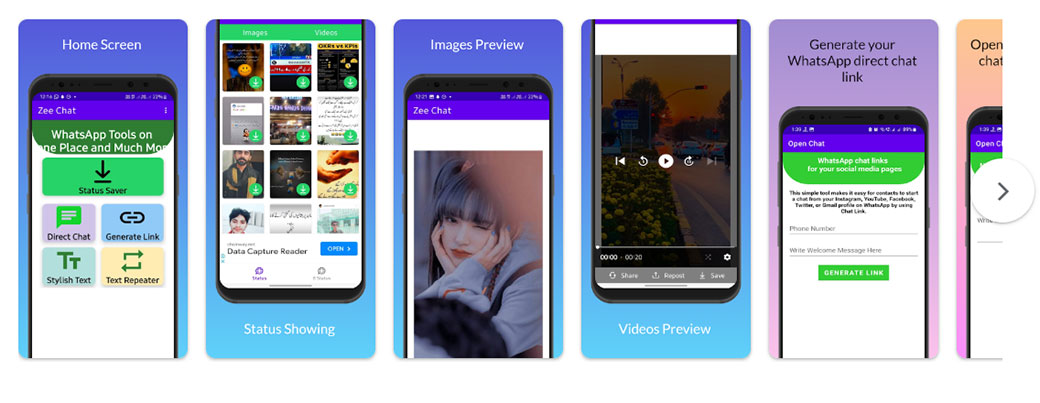
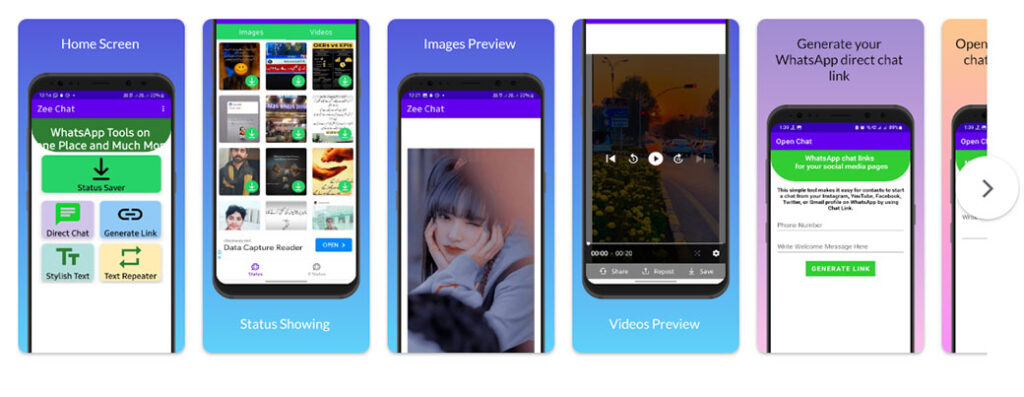
First impressions matter with any video chat tool, and ZeeChat makes a good one. The interface is clean, simple, and easy to understand on both desktop and mobile.
General layout
The platform usually splits into three main areas:
- Recent chats and calls
- The active conversation or meeting window
- Key actions like starting a call, creating a group, or opening settings
On mobile, the bottom navigation bar gives quick access to Chats, Calls, Contacts, and Settings. Meanwhile, desktop users get a sidebar with similar options.
Onboarding experience
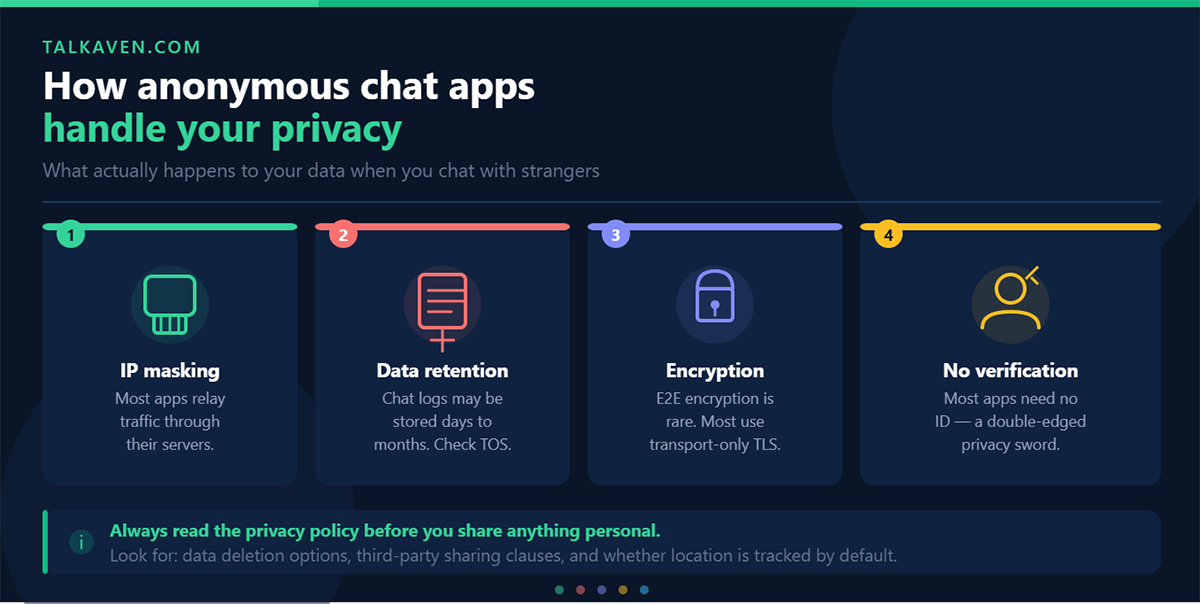
Getting started is fast. Most users can go from install to first call in just a few minutes.
Typical setup includes:
- Install the app or open the web version
- Sign in with email, phone, or supported single sign-on
- Allow camera and microphone access
- Add contacts through search or address book sync
- Start your first call
That process feels straightforward, which is one of ZeeChat’s biggest strengths.
Navigation and usability
Starting a call from a chat thread is easy. Likewise, creating a group follows a clear step-by-step flow.
Settings are grouped logically, so finding audio, video, and notification controls does not take much effort. However, advanced users looking for deeper customization may hit limits sooner.
Accessibility notes
ZeeChat gets the basics right, but there is still room for improvement.
- Text contrast is generally solid
- Keyboard navigation works for most main actions
- Screen reader support is present, though some labels could be clearer
- Right-to-left language support is improving but not perfect
For most users, the interface is comfortable and easy to learn.
Video and Audio Quality in Real-World Use
Call quality matters more than almost anything else in a video platform. Fortunately, ZeeChat performs well in normal day-to-day usage.
One-to-one calls
On stable home or office internet, ZeeChat typically delivers 720p to 1080p video on supported devices. In most cases, image clarity is good, motion stays smooth, and lip sync remains accurate.
Audio quality is also strong. Background sounds like keyboard clicks or traffic are reduced fairly well, and voices remain natural without sounding overly compressed.
Group calls
In group calls with 5 to 12 participants, ZeeChat stays stable when most users have decent connections. Speaker focus works well, and gallery view is easy to follow.
When several people join on weaker mobile data, ZeeChat lowers video quality automatically. While that can make some participant tiles look softer, it helps the meeting stay connected.
Low-bandwidth performance
When networks get weaker, ZeeChat handles the drop reasonably well.
Instead of ending the call completely, it tends to reduce video quality and prioritize audio. That choice improves conversation flow, especially when users are moving between Wi-Fi and mobile data.
During congestion, short glitches can happen. Even so, recovery is often quick.
Screen sharing quality
Screen sharing works well for documents, browser tabs, and walkthroughs. Text usually stays readable on standard HD displays.
However, fast-moving content like video playback may stutter slightly. Then again, that is common across most video meeting tools.
Reliability, Performance, and Scalability
A platform can have good features and still fail if it is unreliable. Thankfully, ZeeChat is generally dependable for small to mid-sized use.
Call stability
Across repeated tests, calls stayed connected most of the time. If a short network interruption occurred, ZeeChat often reconnected automatically without forcing users to restart manually.
Latency
Voice delay is low enough for natural conversation in most supported regions. As a result, back-and-forth discussion feels smooth during normal calls.
Under heavier strain, small delays can appear. Still, conversations remain manageable.
Bandwidth handling
ZeeChat clearly prioritizes audio during poor network conditions. That means video quality drops first, which is usually the right tradeoff.
Scalability limits
For personal calls and standard team meetings, performance is solid. On the other hand, larger events expose the platform’s limits faster.
Users running complex webinars, large virtual events, or highly structured training sessions may find the controls too basic.
Security, Privacy, and Data Protection
Privacy is one of the most important factors in any video chat app, especially for global users.
Encryption
ZeeChat supports:
- End-to-end encryption for supported one-to-one calls
- Transport encryption for group meetings
- Encrypted chat transmission and storage
That said, not every interaction is covered by end-to-end encryption. Therefore, users with strict security needs should review coverage carefully.
Privacy controls
Users can control:
- Who can find them by phone, email, or username
- Whether presence or “last seen” is visible
- Who can join meetings
- Whether hosts must approve new participants
These options give ZeeChat a decent privacy baseline for both personal and small-team use.
Data handling
ZeeChat uses regional infrastructure to improve performance and support common privacy expectations. It also outlines retention policies for chat history, call logs, and metadata.
Still, some policy sections may feel more legal than user-friendly.
Key limitations
Before choosing ZeeChat for sensitive communication, remember:
- End-to-end encryption does not apply everywhere
- Metadata may still be stored for operations and compliance
- Third-party integrations can introduce extra data sharing
For high-risk communication, device security and account hygiene still matter.
ZeeChat Pricing and Value for Money
Pricing often decides whether a tool is worth trying long term. ZeeChat appears to aim for accessibility, especially for individual users and small teams.
Common plan structure
Pricing may vary by region, but the structure usually looks like this:
Free plan
- One-to-one calls
- Small group meetings
- Core messaging
- Limited storage
- Possible time limits on longer sessions
Personal or creator plan
- Fewer call restrictions
- Higher storage limits
- Better access during busy periods
Team or business plan
- Larger group support
- Admin controls
- Workflow and calendar integrations
- Usage and quality reporting
Enterprise options
- Custom agreements
- Compliance-focused features
- Region-specific hosting
Is ZeeChat worth it?
For casual use, the free tier offers solid value. Likewise, the paid tiers look competitive for remote teams that need reliable communication without enterprise-level complexity.
However, the platform is less attractive for advanced webinar hosts or organizations that depend on deep analytics and large-scale event tools.
Cross-Platform Support and Integrations
Modern users move between devices constantly, so consistency matters.
Supported platforms
ZeeChat is available on:
- iOS
- Android
- Windows
- macOS
- Web browsers, including Chrome, Edge, and Firefox
Feature consistency
Core calling and chat tools are available across nearly all platforms. In some cases, advanced options like detailed audio routing or enhanced visual settings arrive on desktop first.
Still, the overall experience stays fairly consistent.
Integrations
ZeeChat offers practical integrations such as:
- Calendar sync with major providers
- Contact syncing
- Basic API and webhook support for team workflows
These options are helpful for standard use. Even so, deeper enterprise integrations remain limited compared with larger communication suites.
Global Reach, Localization, and Accessibility
Because ZeeChat serves international users, language and regional performance matter a lot.
Regional performance
Users in North America, Europe, and parts of Asia generally get stronger baseline performance. By comparison, areas with weaker infrastructure may see more inconsistency during peak times.
Localization
ZeeChat supports many major languages, and the main interface is usually clear in translation. However, some support and legal content may still appear only in English or a smaller set of languages.
Accessibility progress
ZeeChat shows improvement here, but it is not perfect.
- Font sizes are generally readable
- Some controls feel small on older phones
- Keyboard navigation is improving
- Screen reader support exists but needs refinement
- Live captions are available in selected languages
For mixed-language teams, testing the exact workflow before full adoption is a smart move.
Customer Support and Product Maturity
Support quality becomes more important the longer you use a platform.
Help options
ZeeChat typically provides:
- An in-app help center
- Email or ticket support
- Chat support for paid users in supported regions
As expected, paid users usually get faster responses.
Documentation and learning resources
The help materials are practical and fairly easy to follow. Product tours, FAQs, and short setup guides make onboarding easier for new users.
Product maturity
ZeeChat no longer feels like an early-stage experiment. Release notes suggest steady improvement in stability, performance, and admin controls rather than random feature changes.
That matters because stable products are easier to trust.
Where ZeeChat Stands Out
ZeeChat has several clear strengths that make it appealing in 2026.
Top advantages
- Fast onboarding
- Clean, easy-to-use interface
- Strong everyday call quality
- Reliable cross-platform experience
- Good privacy controls for typical users
- Competitive pricing for small teams and personal use
Perhaps most importantly, ZeeChat stays focused on its main job: helping people connect quickly.
Where ZeeChat Falls Short
No platform is ideal for every use case, and ZeeChat has a few weaknesses worth noting.
Main drawbacks
- Limited advanced meeting and webinar tools
- Uneven performance in some regions
- Incomplete end-to-end encryption coverage
- Limited enterprise integration depth
- Accessibility still needs work in some areas
If your needs are simple, these issues may be manageable. If your environment is highly regulated or event-heavy, they may be deal-breakers.
ZeeChat vs Other Video Chat Platforms
To evaluate ZeeChat fairly, it helps to compare it with broader platform categories.
Compared with enterprise suites
ZeeChat is easier to set up and less cluttered. However, major enterprise platforms still offer deeper admin controls, stronger compliance tooling, and broader integrations.
Compared with webinar platforms
ZeeChat is better for normal calls and ongoing communication. By contrast, webinar-first tools are better for large events, registration funnels, and audience analytics.
Compared with social or gaming chat tools
ZeeChat offers more structured meetings and better work-friendly organization. On the flip side, social platforms often provide stronger community presence features and open voice rooms.
In many ways, ZeeChat sits in the middle: simpler than enterprise software but more structured than casual social chat tools.
Best Use Cases for ZeeChat
ZeeChat works especially well for specific user groups.
Best fit
- Cross-border family and friend calls
- Remote and hybrid small teams
- Freelancers and agencies
- Study groups and community sessions
- Small businesses that want dependable video chat without complexity
Less ideal for
- Large enterprises with strict compliance rules
- Companies that host frequent webinars or virtual summits
- Teams needing deep integration with internal systems and security platforms
Should You Switch to ZeeChat?
If your main priorities are speed, simplicity, and dependable daily calling, ZeeChat is a strong option.
On the other hand, if you rely on advanced event tools, strict compliance workflows, or deep enterprise integrations, you may outgrow it quickly.
A smart way to test ZeeChat
Before making a full switch, try this:
- Use ZeeChat for one-to-one calls for a week
- Move small team meetings or family calls over next
- Test call quality on both desktop and mobile
- Ask participants about ease of use
- Note any missing features or connection issues
After two or three weeks, you should have a clear answer.
Final Verdict: Is ZeeChat Worth It in 2026?
This ZeeChat review shows that the platform is a solid choice for people who want a straightforward, reliable video chat tool.
It does not try to dominate every category. Instead, ZeeChat focuses on the basics that matter most: quick access, clear calls, simple controls, and decent privacy features.
For personal use, small teams, and community groups, that formula works well.
Still, businesses with strict compliance needs or advanced webinar demands should test carefully before committing.
In the end, ZeeChat is best for users who value practical performance over bloated feature lists.
Frequently Asked Questions About ZeeChat
What types of calls does ZeeChat support?
ZeeChat supports one-to-one video calls, group video meetings, in-call chat, direct messaging, and voice-only calls for low-bandwidth situations.
Is ZeeChat good for remote teams?
Yes, ZeeChat works well for small remote teams that need regular meetings, screen sharing, and chat without a complicated setup process.
Does ZeeChat have end-to-end encryption?
ZeeChat offers end-to-end encryption for supported one-to-one calls. However, not all call types and interactions are covered by end-to-end encryption.
Can I use ZeeChat on multiple devices?
Yes. ZeeChat is available on iOS, Android, Windows, macOS, and web browsers, making it easy to switch between devices.
Is ZeeChat free?
ZeeChat offers a free tier with core calling and messaging features. Paid plans typically add longer call limits, more storage, admin controls, and larger meeting support.
How does ZeeChat compare to other video chat apps?
ZeeChat focuses on ease of use, fast setup, and reliable everyday communication. It is less advanced than enterprise suites and webinar tools, but it is often simpler and easier to manage.

Tony is a website publisher and technology reviewer who specializes in video chat platforms, random chat apps, and online communication tools. He tests apps for usability, safety features, moderation quality, pricing, and overall user experience. His reviews are based on hands-on testing and independent research.