


If you’re looking for an honest Aduvee review, you probably want one thing above all else: a simple way to have face-to-face conversations with people anywhere in the world.
These days, most users expect more than just a working camera. They want clear video, clean audio, and a platform that does not bury everything under confusing settings. At the same time, safety and ease of use matter just as much as speed.
Aduvee enters the global video chat space with a clear promise. It aims to deliver quick connections, a social experience, and easier access to people across borders. Instead of overwhelming you with complex menus, the platform focuses on fast matches, lightweight profiles, and tools built for conversation.
So, does it actually work better than the usual apps you already know?
In this Aduvee review, we break down the real user experience, including video quality, audio performance, reliability, pricing, privacy, and safety. We also compare Aduvee with other types of video chat platforms so you can decide whether it deserves a place in your daily routine.
Aduvee at a Glance
Aduvee is a global video chat platform designed around quick social interaction. You join, get matched, and start talking within seconds.
Rather than acting like a business meeting tool, Aduvee feels more casual and social. However, it is also more structured than older anonymous random chat websites. That middle ground is part of its appeal.
What Aduvee focuses on
The platform is built around three core ideas:
- Speed
- Global reach
- Safety
In other words, Aduvee wants to help you connect fast, speak with people from different regions, and stay in control of who you interact with.
Who Aduvee is for
Aduvee is aimed at:
- Everyday users who want random or interest-based video chats
- Creators looking to reach new people live
- Social communities that want lightweight face-to-face group spaces
If your goal is low-friction global video chat with useful safety tools, Aduvee is clearly trying to serve that need.
Key Features and Technical Specs
Before switching to any platform, it helps to understand what it actually offers. Fortunately, Aduvee keeps its core feature set easy to understand.
Real-time video chat
At its core, Aduvee lets you join instant one-to-one or small group video conversations. Matching is designed to happen quickly, which makes the platform feel more spontaneous than scheduled video apps.
Depending on availability and profile setup, users may also apply location or interest filters for more relevant connections.
Text chat and reactions
During a live conversation, you can send short text messages and reactions. This is especially useful when audio cuts out or when you want to share a quick detail without interrupting the flow.
Interest and region filters
Aduvee allows users to choose:
- Languages
- Broad interests
- Region preferences
Because of these filters, conversations can feel more relevant and less random than on older chat sites.
Safety controls
The platform includes built-in controls to help users stay protected. These include:
- Reporting
- Blocking
- User filtering
- Limits on who can contact you
For a social video platform, these features are not optional extras. They are essential.
Technical basics
Here is a quick overview of Aduvee’s technical setup:
- Web-first design for use in modern browsers
- Mobile support through responsive web access and native apps where available
- HD video on strong connections
- Adaptive quality on weaker networks
- End-to-end encryption support in some cases, depending on the device, browser, and local rules
Overall, Aduvee is clearly designed for simple, everyday conversations rather than professional collaboration.
How We Evaluated Aduvee
A useful Aduvee review needs more than marketing claims. That is why this evaluation focused on real-world testing rather than vendor promises.
Testing process
Aduvee was tested across several conditions over a two-week period, including:
- Daily calls ranging from 5 minutes to 1 hour
- Home broadband, office internet, and mobile data
- Desktop browsers and mobile phones
- Calls at different times of day, including peak hours
- Side-by-side comparisons with other well-known video chat apps
What we tracked
During testing, we looked closely at:
- Call setup speed
- Video clarity and consistency
- Audio quality and sync
- Connection drops and reconnects
- Match relevance
- Safety tool effectiveness
As a result, this review reflects practical use rather than theory.
User Experience and Interface
Aduvee makes a strong first impression because it gets to the point quickly.
Fast setup
Creating an account is simple. You add a basic profile, choose a language, select a few interests, and adjust your safety settings.
Compared with full social networks, that process feels light. Likewise, it is much easier than setting up a business video suite.
Clean main screen
Once inside, the platform is centered around a clear action: start a chat.
You are not overloaded with tabs, sidebars, or hidden menus. Instead, you see large buttons, clear labels, and only a few filters. That simplicity helps reduce friction, especially for new users.
In-call design
During calls, the interface stays minimal.
Essential controls such as:
- Mute
- Camera on/off
- End call
- Next match
remain easy to reach. Meanwhile, less important options stay tucked away so the screen stays focused on the conversation.
Accessibility
Aduvee handles the basics reasonably well:
- Buttons are large enough for most users
- Contrast is acceptable
- Keyboard navigation works in modern browsers
That said, captioning support still depends on the platform and language. So, while accessibility is decent, it is not yet class-leading.
Video and Audio Quality in Real-World Use
For most users, call quality is the biggest deciding factor. Thankfully, Aduvee performs well in typical conditions.
Video quality
On a stable home internet connection, Aduvee often delivers crisp HD video. Faces appear clear, movement remains smooth, and colors look natural enough for casual conversation.
When bandwidth drops, the system lowers resolution instead of freezing the screen completely. As a result, chats remain usable even when network quality changes.
Audio performance
In normal environments, voice quality is solid. Speech stays understandable, and audio often remains clearer than video when the connection weakens.
Background noise reduction exists, though it feels basic rather than advanced. In other words, it helps, but it will not fully fix a loud room.
Mobile data performance
On mobile networks, Aduvee stays usable for casual conversations. You may notice some pixelation or short audio glitches under weaker signals, but that is common across most global video chat platforms.
Audio and video sync
In most sessions, sync stayed tight. Occasionally, short delays appeared during network spikes. Even then, the app usually recovered without manual troubleshooting.
For casual chats, language exchange, and friendly conversations, the overall experience is strong enough for daily use.
Reliability, Performance, and Scalability
A video platform only becomes useful when it is dependable. Fortunately, Aduvee performs well in normal usage.
Fast connection times
In active regions, matches often appeared within a few seconds. During off-peak hours or in less populated areas, wait times increased a bit.
However, that seemed more related to user availability than platform performance.
Stable calls
Once connected, calls usually stayed stable on broadband. On weaker mobile networks, reconnect prompts did appear from time to time, but that behavior was expected.
Responsive platform performance
Beyond call quality, the app itself felt responsive. Menus loaded quickly, navigation stayed smooth, and interface actions responded without major lag on modern devices.
Can Aduvee handle growth?
During busier evening and weekend periods, performance dipped only slightly. Although there were occasional signs of adaptation, such as small audio roughness or lower video quality, overall uptime remained dependable.
That gives Aduvee a solid foundation for everyday use.
Communication and Social Features
Aduvee is built for face-to-face interaction first, but a few extra tools help make conversations smoother and more engaging.
In-call text chat
Text chat runs alongside video, which is useful for:
- Sharing links
- Sending usernames
- Typing translations
- Clarifying words during a conversation
This feature is especially helpful for international users and language learners.
Reactions
Simple reactions let users respond quickly without interrupting the flow of speech. While basic, they add a welcome social layer to live chats.
Interest-based matching
Instead of relying on completely blind random pairing, Aduvee lets users choose topics like:
- Language learning
- Gaming
- Music
- Casual chat
That improves match relevance and often leads to better conversations.
Small group rooms
Aduvee also supports small group video spaces in some use cases. These rooms are useful for:
- Community hangouts
- Hobby chats
- Fan meetups
- Informal social sessions
Still, this is not a collaboration suite. You will not find advanced business tools like whiteboards or document editing.
Privacy, Security, and Safety Controls
On a social video platform, privacy and safety are major concerns. Fortunately, Aduvee puts its protective tools front and center.
Visible safety controls
Users can quickly:
- Report inappropriate behavior
- Block unwanted contacts
- Adjust filters for language and interests
- Limit who can connect with them
Because these controls are easy to access, they feel practical rather than hidden away.
Privacy settings
Aduvee collects standard platform data such as:
- Profile details
- Usage logs
- Basic device information
At the same time, users can control what appears publicly and what stays private.
Encryption and moderation
Video and audio traffic use modern transport security. In some cases, end-to-end encryption support may depend on browser or device compatibility.
On the moderation side, Aduvee combines automated systems with human review. During testing, the safety experience felt reasonable, though exact response times will naturally vary.
Best safety advice for users
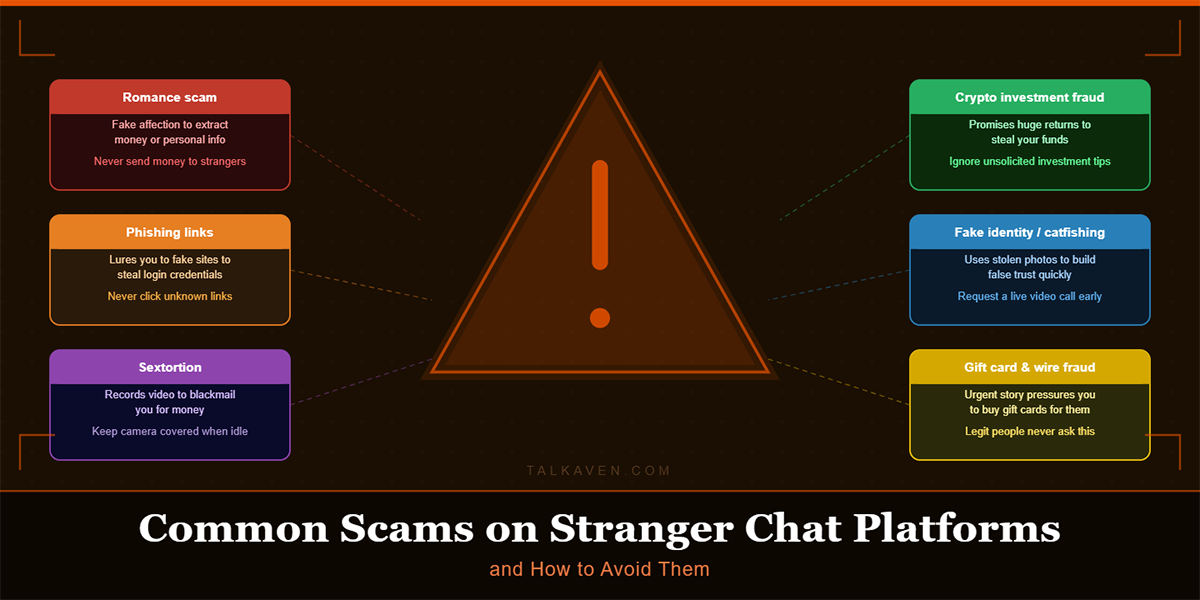
Even with strong tools in place, safe habits still matter. For example, avoid sharing personal details too early and use blocking or reporting features when something feels off.
Pricing, Plans, and Value
Before committing to any platform, users understandably want to know what it costs.
Free and paid options
Aduvee appears to use a freemium model. Free users can access core video chat features, while paid plans may add:
- Better matching controls
- Higher quality limits where available
- Priority support in some regions
Is Aduvee worth paying for?
For most people, the free version offers enough access to test the platform properly. You can explore the experience, try filters, and decide whether the user base fits what you want.
Paid plans make more sense for users who:
- Use Aduvee every day
- Want more control over who they match with
- Care about better service levels or higher caps
Pricing can vary by region and over time, so it is best to check the latest offers directly in the app.
Cross-Platform Support and Global Reach
Modern users expect flexibility, and Aduvee handles that fairly well.
Device support
Aduvee works on:
- Modern desktop browsers
- Mobile browsers
- Native mobile apps where available
As a result, users can move between devices without relearning the platform.
Mobile performance
On mid-range phones, performance remained acceptable during testing. Video quality adjusted when needed, and battery use stayed in line with what you would expect from a video chat app.
International usability
Aduvee is built with global reach in mind. Match quality depends on user density in each region, so larger markets naturally offer faster and more varied connections.
Language support
The platform includes:
- UI translation for major languages
- Stronger support for English
- Chat translation in some cases for cross-language communication
Translation quality can vary, but the feature is still useful in many casual interactions.
Pros and Cons of Aduvee
If you want a quick summary, here is where Aduvee performs well and where it still has room to improve.
Pros
- Fast onboarding
- Clean, simple interface
- Quick video matching
- Useful interest and region filters
- Strong safety visibility
- Good video and audio quality on normal networks
- Works across devices
Cons
- Limited collaboration tools
- Match quality depends on local user density
- Accessibility features are still developing
- Fewer call setting controls for advanced users
- Not designed for professional meetings
For everyday social use, the advantages are likely to matter more than the downsides.
Aduvee vs Major Alternatives
Aduvee becomes easier to judge when you compare it with other platform types.
Compared with business meeting apps
Business video tools are better for scheduled meetings, screen sharing, recording, and admin control. Aduvee, by contrast, is better for spontaneous social interaction and meeting new people quickly.
Compared with older random chat sites
Many older random video chat websites feel outdated and risky. Aduvee offers a cleaner interface, stronger safety controls, and better mobile support.
Compared with consumer messaging apps
Large messaging apps work well for calling people you already know. Aduvee stands out because it focuses on discovery and meeting new people across regions.
In short, Aduvee is not trying to replace every video app. Instead, it fills a different role.
Best Use Cases for Aduvee
Aduvee works best when your goals match its social-first design.
Best for
- Casual chats with people from different countries
- Language practice
- Interest-based conversations
- Small community meetups
- Low-prep social events
Less ideal for
- Business meetings
- Large webinars
- Detailed team collaboration
- Enterprise communication workflows
For students, travelers, hobby groups, and globally minded users, Aduvee makes a lot of sense.
Final Verdict: Is Aduvee Worth Trying?
This Aduvee review points to a clear conclusion: Aduvee is worth trying if you want an easy, social, global video chat platform without unnecessary complexity.
It keeps setup simple, makes conversations easy to start, and includes safety tools that actually matter in daily use. In addition, video and audio performance are good enough for regular chatting on modern networks.
That said, it is not a replacement for professional meeting software. If your focus is work collaboration, you should stick with a business platform and view Aduvee as a separate social tool.
For most everyday users, though, Aduvee offers a solid balance of speed, reach, usability, and safety.
If you are curious, the best next step is simple:
- Create a basic profile
- Set your safety filters carefully
- Try a few short calls
- Test match quality in your region
- Decide whether the experience feels comfortable and useful
If those first sessions go well, Aduvee could become a regular part of your global social routine.
Frequently Asked Questions About Aduvee
What is Aduvee?
Aduvee is a global video chat platform designed for quick social conversations, interest-based matching, and lightweight face-to-face communication.
Who should use Aduvee?
Aduvee is best for everyday users, creators, language learners, travelers, and communities that want fast global video chat with simple controls.
Is Aduvee safe to use?
Aduvee includes reporting, blocking, and filtering tools, along with modern transport security and moderation systems. Even so, users should still follow basic online safety habits.
Can I use Aduvee on mobile and desktop?
Yes. Aduvee works in modern desktop browsers, mobile browsers, and native mobile apps where available.
Does Aduvee support group video chat?
Yes, Aduvee supports small group rooms in some use cases, along with text chat and reaction features during calls.
Is Aduvee good for business meetings?
Not really. Aduvee is built for social video chatting rather than professional meetings or enterprise collaboration.

Tony is a website publisher and technology reviewer who specializes in video chat platforms, random chat apps, and online communication tools. He tests apps for usability, safety features, moderation quality, pricing, and overall user experience. His reviews are based on hands-on testing and independent research.